Executive Summary
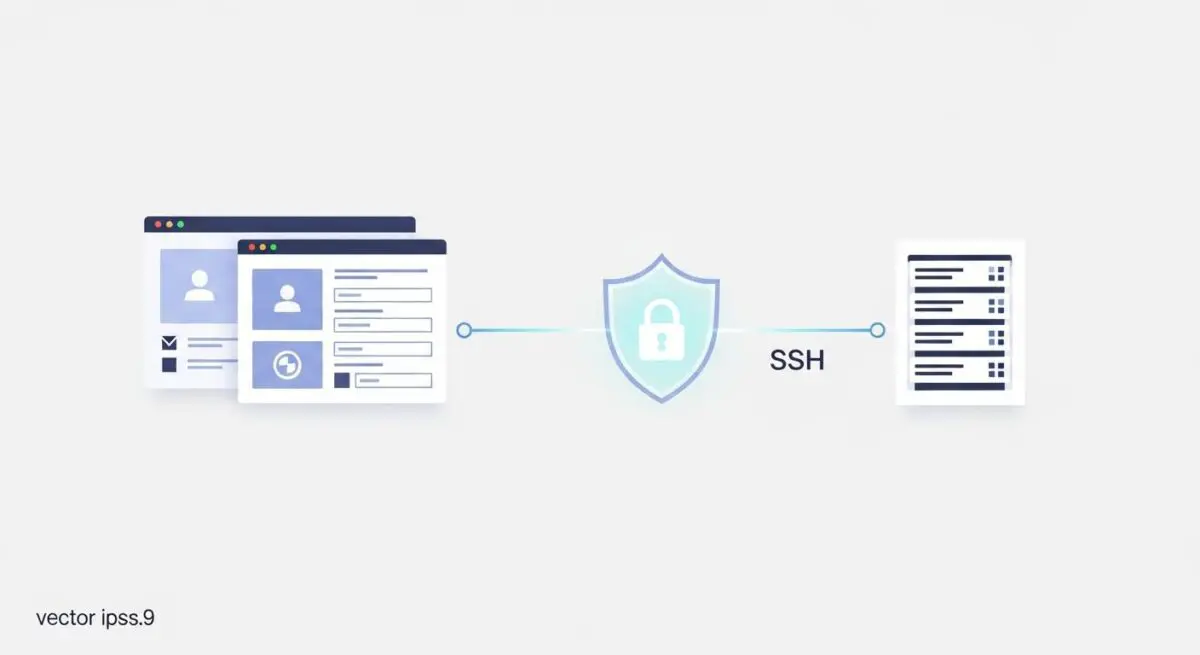
- SFTP utilizes the SSH (Secure Shell) protocol to provide a secure, encrypted channel for file transfers and command execution.
- Unlike standard FTP, SFTP encrypts both commands and data, preventing credential sniffing and man-in-the-middle attacks.
- It operates over a single firewall port (typically 22), streamlining server security configurations and reducing the attack surface.
What is SFTP?
SFTP, or Secure File Transfer Protocol, is a network protocol that provides file access, transfer, and management over a reliable data stream. Unlike the legacy File Transfer Protocol (FTP), SFTP is built upon the Secure Shell (SSH) protocol. This architectural choice ensures that all data transmitted between the client and the server—including sensitive authentication credentials and WordPress core files—is fully encrypted. In the context of WordPress CMS architecture, SFTP is the professional standard for interacting with the server’s file system, allowing developers to modify wp-config.php, manage theme assets, and audit plugin directories securely.
From a technical standpoint, SFTP is not merely FTP run over SSH; it is a distinct protocol designed from the ground up to provide secure file transfer capabilities. It eliminates the vulnerabilities associated with clear-text transmission found in FTP and the complexities of managing multiple ports required by FTPS (FTP over SSL). For managed WordPress hosting environments, SFTP is often the only permitted method for remote file manipulation, as it aligns with enterprise-grade security compliance and server-hardening protocols.
The Real-World Analogy
Imagine sending a highly sensitive legal document through the mail. Standard FTP is like writing that document on a postcard; anyone who handles it along the route can read your private information. SFTP, conversely, is like placing that document inside a tamper-proof, armored briefcase that is handcuffed to a verified courier. The courier only hands over the briefcase after a rigorous identity check, and the contents remain invisible to everyone else during transit. Even if someone intercepted the briefcase, they would find it impossible to open without the specific cryptographic key.
How SFTP Impacts Server Performance & Speed Engineering?
While SFTP does not directly influence the front-end rendering speed of a WordPress site, it is a critical component of Speed Engineering and deployment efficiency. Using SFTP for bulk file uploads—such as high-resolution media or complex plugin frameworks—is significantly more stable than using the WordPress admin dashboard’s built-in uploaders. Dashboard uploads are subject to PHP max_execution_time and memory_limit constraints, which can lead to partial uploads or server timeouts that bloat the database with orphaned metadata.
Furthermore, SFTP facilitates the implementation of version control workflows and automated deployment pipelines. By using SFTP in conjunction with staging environments, developers can push optimized, minified CSS and JavaScript files directly to the server without the overhead of the WordPress engine. This ensures that the production environment remains lean and that file permissions are strictly maintained, preventing the execution of unauthorized scripts that could degrade server response times (TTFB).
Best Practices & Implementation
- Utilize SSH Key Authentication: Replace traditional password-based logins with RSA or Ed25519 SSH keys to eliminate the risk of brute-force attacks on the SFTP port.
- Implement Least Privilege Access: Create dedicated SFTP users restricted to specific directories (chroot) rather than providing global root access to the entire server filesystem.
- Disable Legacy FTP: Ensure that Port 21 is closed at the firewall level to prevent accidental use of unencrypted protocols that expose the server to credential harvesting.
- Audit File Permissions: Maintain strict 755 permissions for directories and 644 for files to ensure that the web server can read assets while preventing unauthorized write access via SFTP.
Common Mistakes to Avoid
One frequent error is the use of the root user for routine SFTP tasks, which poses a catastrophic security risk if the credentials are compromised. Another common mistake is failing to restrict SFTP access to known IP addresses; leaving Port 22 open to the entire internet invites constant automated login attempts. Finally, many organizations neglect to rotate their SSH keys or update their SFTP client software, leaving them vulnerable to known exploits in older cryptographic libraries.
Conclusion
SFTP is an indispensable tool for secure WordPress administration, providing the encrypted infrastructure necessary for safe file deployments and server-level maintenance. By adhering to SFTP best practices, agencies ensure both the integrity of the CMS and the overall security of the hosting environment.