Executive Summary
- Nginx utilizes an asynchronous, event-driven architecture that handles high concurrency with minimal memory overhead compared to process-based servers.
- In WordPress environments, Nginx functions as a high-performance reverse proxy and static file handler, significantly reducing Time to First Byte (TTFB).
- Advanced configurations such as FastCGI micro-caching and SSL termination at the edge are critical for enterprise-level WordPress scalability.
What is Nginx?
Nginx is a high-performance, open-source HTTP server and reverse proxy server designed to solve the C10k problem—handling ten thousand concurrent connections simultaneously. Unlike traditional web servers like Apache that use a process-based or thread-per-connection approach, Nginx employs an asynchronous, non-blocking, event-driven architecture. This allows it to manage thousands of concurrent connections with a very small and predictable memory footprint, making it the industry standard for high-traffic WordPress environments.
In the context of the WordPress ecosystem, Nginx typically serves as the primary web server in a LEMP stack (Linux, Nginx, MySQL/MariaDB, PHP-FPM). It excels at serving static assets—such as images, CSS, and JavaScript—directly from the file system, while passing dynamic PHP requests to a backend processor like PHP-FPM via the FastCGI protocol. This separation of concerns ensures that the server remains responsive even under heavy load.
The Real-World Analogy
Imagine a high-end, busy metropolitan airport. A traditional server acts like a single security lane where one officer checks one passenger at a time; if a passenger has a complex issue, the entire line stops. Nginx acts like a sophisticated automated transit system combined with an elite team of dispatchers. The dispatchers (worker processes) quickly sort passengers: those with simple needs (static files) are sent through an express gate instantly, while those requiring complex processing (PHP/Database queries) are efficiently routed to the correct specialist (PHP-FPM) without blocking the flow of other passengers. This ensures the terminal never becomes congested, regardless of how many travelers arrive at once.
How Nginx Impacts Server Performance & Speed Engineering?
Nginx is a cornerstone of modern speed engineering due to its efficiency in resource allocation. By handling the initial connection and SSL/TLS negotiation, Nginx offloads significant computational strain from the application layer. Its ability to implement FastCGI Caching allows the server to store rendered HTML versions of WordPress pages in memory or on disk, bypassing the expensive PHP and MySQL execution chain for subsequent requests. This results in near-instantaneous page delivery for cached content.
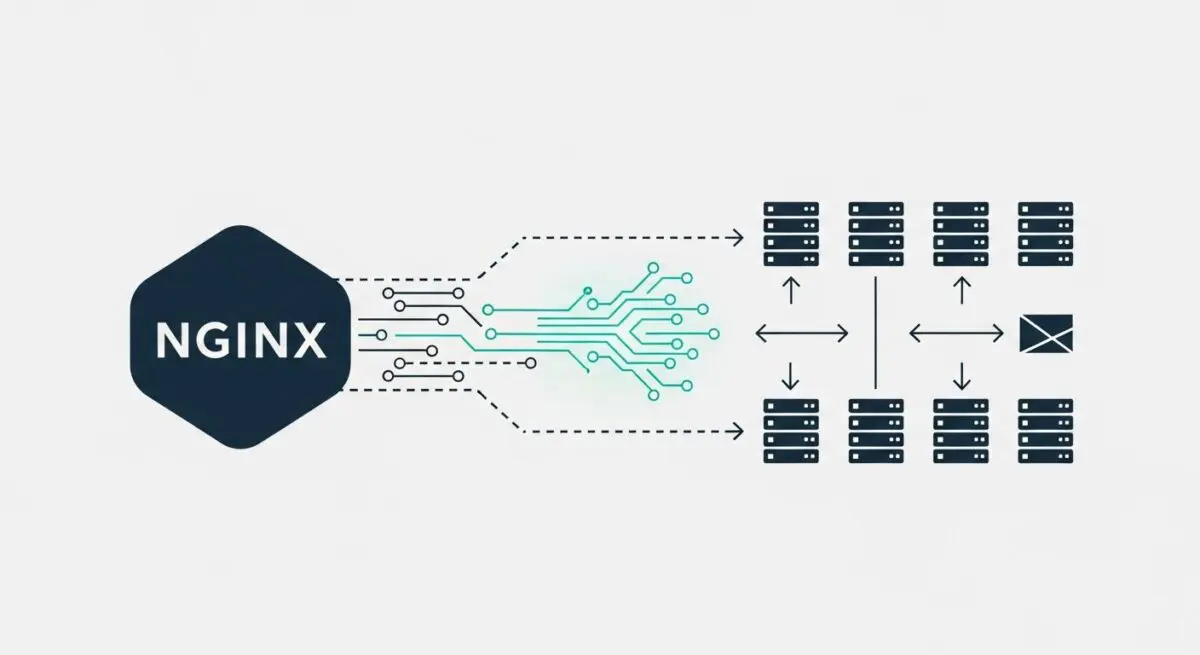
Furthermore, Nginx enhances performance through advanced load balancing and reverse proxying. It can distribute incoming traffic across multiple upstream WordPress application servers, ensuring high availability and horizontal scalability. Its native support for modern protocols like HTTP/2 and HTTP/3 (QUIC) enables multiplexing, allowing multiple requests to be sent over a single connection, which reduces latency and improves the rendering speed of complex WordPress themes.
Best Practices & Implementation
- Implement FastCGI Caching: Configure Nginx to cache dynamic WordPress output to reduce server response times and CPU usage during traffic spikes.
- Optimize Worker Settings: Set worker_processes to ‘auto’ and tune worker_connections based on the server’s hardware specifications to maximize throughput.
- Enable Gzip or Brotli Compression: Compress text-based assets (HTML, CSS, JS) at the server level to reduce payload size and improve Core Web Vitals.
- Configure Security Headers: Use Nginx directives to implement HSTS, X-Frame-Options, and Content Security Policies (CSP) directly at the server block level for enhanced security.
- Offload Static Content: Ensure Nginx is configured to serve static files with long-term cache-control headers, bypassing PHP-FPM entirely for these requests.
Common Mistakes to Avoid
One frequent error is the over-reliance on complex .htaccess style logic within Nginx. Since Nginx does not support .htaccess files, developers often attempt to convert Apache rewrite rules into inefficient Nginx configurations, which can lead to 404 errors or infinite loops. Another common mistake is failing to properly configure the client_max_body_size, which often results in “413 Request Entity Too Large” errors during large media uploads in the WordPress admin dashboard.
Conclusion
Nginx is an essential component for high-performance WordPress hosting, providing the concurrency and caching mechanisms necessary for enterprise-scale deployments. By leveraging its event-driven architecture, developers can ensure optimal resource utilization and superior site speed.