Executive Summary
- Shared hosting utilizes a multi-tenant architecture where hundreds of WordPress instances share a single physical server’s CPU, RAM, and disk I/O.
- The performance of WordPress on shared environments is heavily dictated by the “noisy neighbor” effect and the efficiency of the host’s resource throttling mechanisms like CloudLinux LVE.
- Security in shared environments requires rigorous directory isolation and symlink protection to prevent cross-account vulnerabilities and unauthorized data access.
What is Shared Hosting?
Shared hosting is a multi-tenant server architecture where a single physical machine hosts multiple independent websites, each sharing a common pool of hardware resources including CPU cycles, physical memory (RAM), and disk throughput. In the context of WordPress, this environment typically utilizes a Linux-based stack (LAMP or LEMP) where the web server (Apache or Nginx) and the database server (MySQL or MariaDB) serve requests for hundreds or even thousands of distinct accounts simultaneously.
From a technical standpoint, shared hosting relies on sophisticated resource management software, such as CloudLinux, to implement Lightweight Virtual Environments (LVE). These environments attempt to isolate users and prevent a single WordPress instance from monopolizing the server’s kernel-level resources. However, because the underlying operating system and hardware are shared, the environment lacks the dedicated resource guarantees found in VPS or dedicated hosting architectures.
The Real-World Analogy
Imagine an apartment building where all residents share the same main water pipe and electrical circuit. While every tenant has their own private unit, if one neighbor decides to run ten high-power appliances and leave every faucet open at once, the water pressure and electrical stability for everyone else in the building may drop. Shared hosting operates on this principle of collective resource consumption, where the behavior of one “tenant” (website) can directly influence the environmental quality for others.
How Shared Hosting Impacts Server Performance & Speed Engineering?
In WordPress engineering, shared hosting primarily impacts the Time to First Byte (TTFB) due to resource contention. When multiple sites execute complex PHP scripts simultaneously, the CPU’s task scheduler must prioritize requests, leading to increased latency. Furthermore, shared environments often impose strict limits on PHP memory (e.g., 128MB or 256MB) and the number of concurrent PHP workers. This constraints the execution of resource-heavy plugins and complex database queries, often resulting in 503 Service Unavailable errors during traffic spikes.
Disk I/O is another critical bottleneck. Since multiple accounts read from and write to the same physical or networked storage arrays, high-frequency database operations can lead to “I/O Wait” states. This slows down the WordPress admin dashboard and front-end rendering, regardless of how optimized the theme’s CSS or JavaScript might be. Effective speed engineering in these environments necessitates aggressive server-side page caching to bypass PHP execution entirely whenever possible.
Best Practices & Implementation
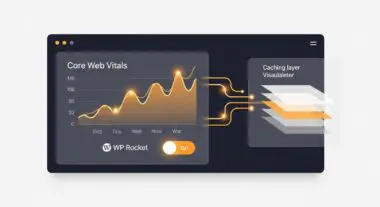
- Implement Aggressive Page Caching: Use tools like WP Rocket or W3 Total Cache to generate static HTML versions of pages, significantly reducing the load on the shared PHP processor.
- Offload Static Assets to a CDN: Utilize a Content Delivery Network (Cloudflare, Bunny.net) to serve images, CSS, and JS files, minimizing the number of requests the shared server must handle.
- Optimize the Database: Regularly clean up overhead, transients, and redundant revisions to ensure MySQL queries execute within the limited I/O window provided by the host.
- Monitor PHP Versioning: Always use the latest stable version of PHP (e.g., 8.2 or 8.3) to leverage engine-level performance improvements and lower memory consumption per request.
Common Mistakes to Avoid
A frequent error is deploying “heavy” page builders or bloated multipurpose themes on shared environments without understanding the PHP worker limitations, leading to frequent timeouts. Another critical mistake is neglecting security hardening; many brands fail to realize that a vulnerability in a neighbor’s site can occasionally be leveraged for cross-site contamination if the host has not properly configured file system jails (CageFS).
Conclusion
Shared hosting provides a cost-effective entry point for WordPress deployments but requires disciplined optimization and resource management to maintain enterprise-grade performance. Understanding the limitations of multi-tenant architecture is essential for scaling WordPress applications effectively.