Executive Summary
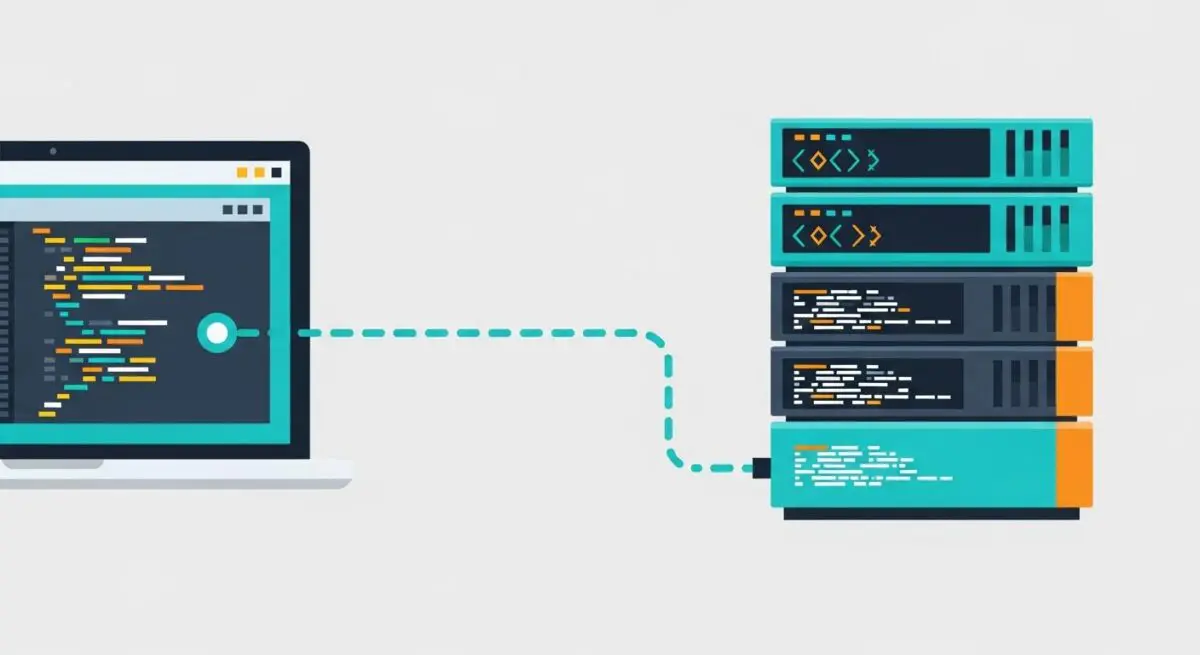
- SSH (Secure Shell) provides a cryptographic network protocol for secure remote command-line access and data communication between a client and a WordPress server.
- It enables high-efficiency DevOps workflows through WP-CLI, allowing for bulk database operations, plugin management, and core updates without the overhead of a graphical user interface.
- Implementation of SSH keys and the disabling of password-based authentication significantly hardens the server-level security posture against brute-force and man-in-the-middle attacks.
What is SSH?
SSH, or Secure Shell, is a cryptographic network protocol designed to facilitate secure data communication, remote command-line login, and remote command execution between two networked computers. In the context of WordPress architecture, SSH operates typically over TCP port 22, providing an encrypted channel over an unsecured network. It replaces legacy protocols such as Telnet and FTP, which transmit data—including credentials—in plain text, rendering them vulnerable to packet sniffing and interception.
For WordPress engineers, SSH is the gateway to the server’s operating system (typically Linux). It allows for direct interaction with the LEMP (Linux, Nginx, MySQL, PHP) or LAMP stack. Through SSH, administrators can manage file permissions, edit configuration files like wp-config.php or .htaccess, and utilize advanced tools such as WP-CLI (WordPress Command Line Interface) to perform complex site management tasks that would be time-consuming or impossible via the WordPress admin dashboard.
The Real-World Analogy
Imagine your WordPress server is a high-security vault located inside a massive skyscraper. Accessing the server via the standard WordPress dashboard is like visiting the building’s reception desk; you can perform specific, pre-approved tasks, but you are limited by the lobby’s rules. SSH is equivalent to having a private, armored underground tunnel that leads directly into the vault. This tunnel is invisible to the public, requires a unique physical key (an SSH Key) to enter, and allows you to move equipment and perform maintenance directly inside the vault without ever being seen by anyone in the lobby or on the street.
How SSH Impacts Server Performance & Speed Engineering?
SSH significantly enhances server-side optimization by bypassing the resource-heavy overhead of web-based interfaces. When performing bulk operations, such as a database search-and-replace or regenerating image thumbnails, executing these tasks via WP-CLI over SSH is exponentially faster than using a plugin. This is because command-line operations interact directly with the PHP binary and the MySQL/MariaDB engine, avoiding the HTTP request/response cycle and the memory consumption of the WordPress admin UI.
Furthermore, SSH facilitates the use of rsync for file transfers. Unlike standard FTP, rsync over SSH identifies only the changed portions of files, transmitting minimal data and drastically reducing deployment times. This efficiency is critical for Continuous Integration/Continuous Deployment (CI/CD) pipelines, where speed and data integrity are paramount for maintaining high-availability WordPress environments. By reducing the time the CPU spends on administrative overhead, more resources remain available for serving front-end requests, indirectly improving Time to First Byte (TTFB).
Best Practices & Implementation
- Utilize Public-Key Authentication: Disable password-based logins entirely in the sshd_config file. Use RSA 4096-bit or Ed25519 keys to ensure that only authorized devices with the corresponding private key can gain access.
- Implement Port Reframing: Change the default SSH port from 22 to a non-standard high-numbered port. While this is “security by obscurity,” it effectively eliminates the vast majority of automated botnet brute-force attempts.
- Enforce IP Whitelisting: Use a firewall (such as UFW or firewalld) to restrict SSH access to specific, known IP addresses or a dedicated VPN gateway, further shrinking the server’s attack surface.
- Leverage WP-CLI for Maintenance: Use SSH to automate routine tasks like core updates and database optimizations via cron jobs, ensuring the WordPress environment remains performant without manual intervention.
Common Mistakes to Avoid
One frequent error is performing server-level tasks as the root user. This poses a significant security risk; instead, engineers should use a non-privileged user with sudo capabilities. Another common mistake is failing to manage the known_hosts and authorized_keys files properly, which can lead to unauthorized persistent access if a developer’s local machine is compromised. Lastly, many organizations neglect to disable SSH access for former employees, highlighting the need for a strict offboarding protocol regarding cryptographic keys.
Conclusion
SSH is an indispensable tool for enterprise WordPress management, providing the secure, low-latency environment required for advanced server-side optimization and automated DevOps workflows. Its proper implementation is a cornerstone of robust hosting architecture and high-performance site engineering.