Executive Summary
- Jetpack AI utilizes a cloud-based architecture to process generative tasks, offloading computational strain from the local WordPress hosting environment.
- The integration relies heavily on the WordPress REST API and secure authentication via the Jetpack connection to Automattic’s infrastructure.
- Implementation affects editorial efficiency and content scalability without compromising front-end Core Web Vitals or Time to First Byte (TTFB).
What is Jetpack AI?
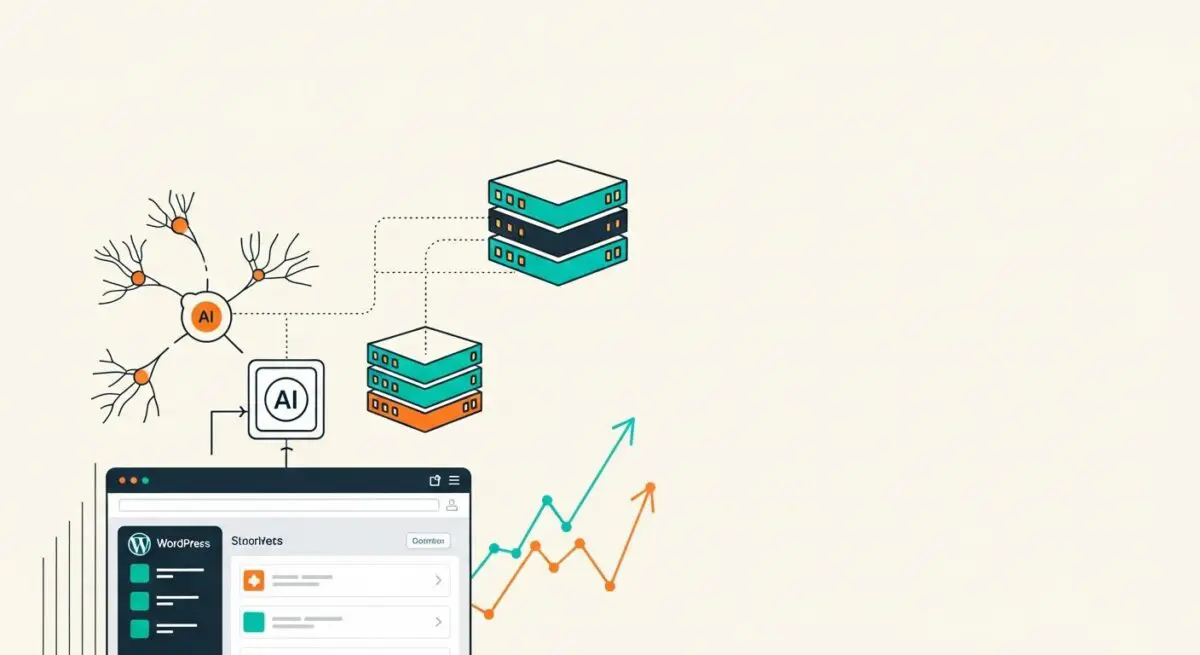
Jetpack AI is a sophisticated suite of generative artificial intelligence tools integrated directly into the WordPress Block Editor (Gutenberg). Developed by Automattic, it functions as a bridge between the local WordPress installation and high-performance Large Language Models (LLMs) hosted on external cloud infrastructure. This architecture allows users to generate text, translate content, adjust linguistic tone, and correct grammar within the native editing interface.
Technically, Jetpack AI operates through a secure connection to the WordPress.com cloud, utilizing the REST API to transmit prompts and receive generated outputs. By offloading the heavy computational requirements of natural language processing to remote servers, it ensures that the local server resources—such as CPU and RAM—remain available for core CMS functions and front-end request handling.
The Real-World Analogy
Imagine a high-end restaurant where the head chef needs to create a complex, multi-course menu. Instead of performing every time-consuming task like peeling thousands of vegetables or simmering stocks in the main kitchen, the chef uses a specialized off-site prep kitchen. This off-site facility handles the heavy lifting and delivers the prepared components exactly when needed. This allows the main kitchen to stay clean, organized, and focused on plating and serving guests quickly, without the clutter and heat of the intensive preparation process.
How Jetpack AI Impacts Server Performance & Speed Engineering?
From a systems architecture perspective, Jetpack AI is designed to be performance-neutral for the front-end user experience. Because the AI processing occurs on Automattic’s infrastructure, there is no direct increase in server load during the content generation phase. The primary impact is observed within the WordPress administrative dashboard, specifically during the POST and GET requests made via the REST API. Since the content is converted into static HTML blocks once saved to the database, there is zero impact on Time to First Byte (TTFB) or Largest Contentful Paint (LCP) for the end visitor.
However, speed engineering considerations arise regarding the Jetpack Connection. A poorly configured server or restrictive firewall that throttles outgoing requests to WordPress.com can lead to latency in the editor. Furthermore, because Jetpack AI facilitates rapid content scaling, database growth must be monitored. Each generated draft or revision increases the size of the wp_posts and wp_postmeta tables, which can eventually impact query performance if not managed with regular database optimization and indexing.
Best Practices & Implementation
- Optimize REST API Connectivity: Ensure that your server’s firewall (WAF) allows bidirectional communication with Automattic’s IP ranges to prevent timeouts during AI generation.
- Leverage for Metadata Efficiency: Use Jetpack AI to generate descriptive alt text and meta descriptions, which improves accessibility and Generative Engine Optimization (GEO) without manual overhead.
- Monitor Database Bloat: Implement a strict post-revision limit in
wp-config.phpto prevent the accumulation of AI-generated drafts from inflating database size. - Role-Based Access Control: Restrict AI tool access to specific user roles (e.g., Editors and Administrators) to maintain editorial quality and manage API resource consumption.
Common Mistakes to Avoid
A frequent error is installing the entire Jetpack plugin suite solely for the AI features, which can introduce unnecessary code bloat if other modules are not utilized. Developers should use the modular nature of Jetpack to deactivate unused components. Another mistake is neglecting the technical verification of AI-generated output; while the tool is efficient, it can produce non-semantic HTML or “hallucinated” data that negatively impacts the site’s E-E-A-T signals in search rankings.
Conclusion
Jetpack AI provides an enterprise-grade generative framework that scales content production by offloading computational tasks to the cloud. When implemented with proper database management and API optimization, it enhances WordPress architecture without compromising server performance.