Executive Summary
- Virtual Private Servers utilize a hypervisor to partition physical hardware into isolated virtual environments, ensuring dedicated CPU and RAM allocation.
- VPS environments provide root access, allowing for deep-level optimization of the LEMP/LAMP stack, PHP-FPM configurations, and object caching mechanisms.
- The isolation provided by a VPS mitigates the “noisy neighbor” effect, significantly reducing Time to First Byte (TTFB) and improving WordPress stability under load.
What is Virtual Private Server?
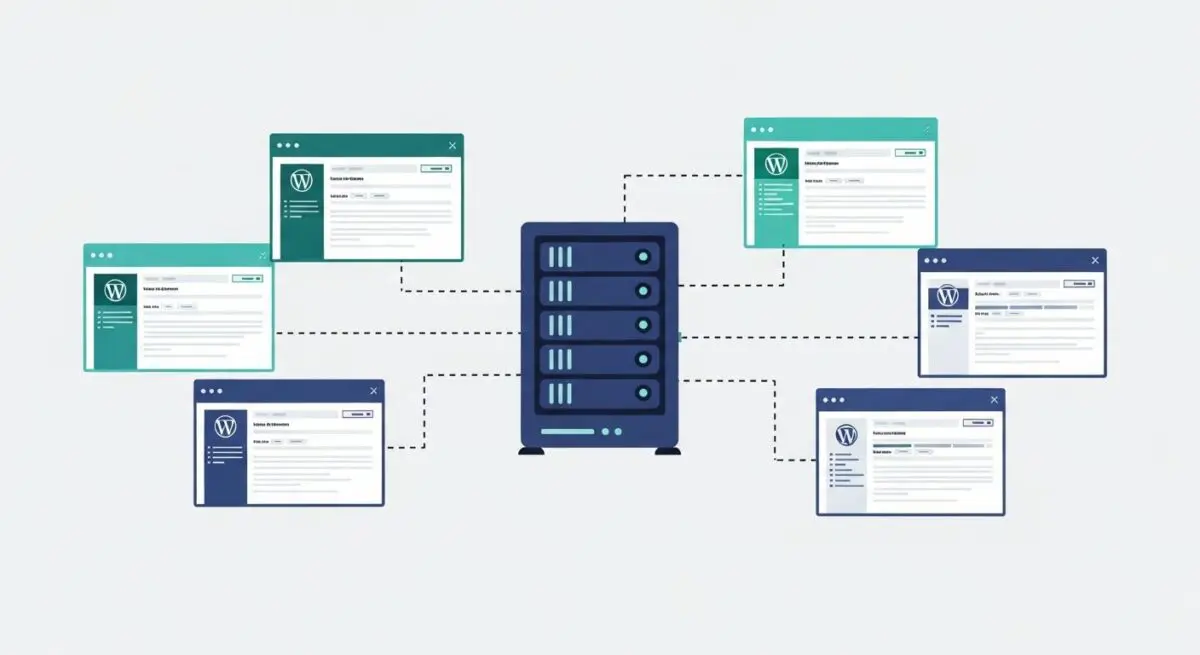
A Virtual Private Server (VPS) is a sophisticated hosting architecture that utilizes virtualization technology to provide dedicated, private resources on a server with multiple users. At its core, a VPS is created by installing a virtualization layer, known as a hypervisor, on top of the physical server’s operating system. This hypervisor partitions the physical hardware into several isolated virtual machines. Each of these virtual machines functions as an independent server environment, complete with its own operating system (OS), dedicated CPU cores, RAM, and storage. In the context of WordPress, this means the CMS operates in a sandbox where its performance is not dictated by the resource consumption of other accounts on the same physical machine.
Technically, there are two primary types of virtualization used in VPS hosting: hardware-level virtualization (such as KVM or VMware) and container-based virtualization (such as OpenVZ). Hardware-level virtualization is generally preferred for high-performance WordPress environments because it allows each VPS to run its own kernel. This independence is crucial for advanced server-side optimizations, such as custom networking stacks or specific security modules that require kernel-level access. By providing a middle ground between the cost-efficiency of shared hosting and the raw power of a dedicated server, a VPS offers the scalability and control necessary for enterprise-grade WordPress deployments.
The Real-World Analogy
To understand a Virtual Private Server, imagine a high-end condominium complex. In this analogy, the physical server is the entire building. Shared hosting would be like living in a large dormitory where everyone shares the same kitchen, bathroom, and utilities; if one person leaves the water running, everyone else experiences low pressure. A Dedicated Server, conversely, is like owning a massive private estate where you control every square inch of the land and the structure. A VPS is the perfect middle ground: the condominium. You own your specific unit (the virtual environment). While you share the building’s foundation and structural frame (the physical hardware), your unit has its own private plumbing, electricity, and walls. If your neighbor in another condo throws a loud party, it does not affect your ability to use your kitchen or sleep in your bedroom. You have the keys to your own front door (root access) and can renovate the interior (install custom software) however you see fit without needing permission from the other residents.
How Virtual Private Server Impacts Server Performance & Speed Engineering?
The transition from shared hosting to a VPS is one of the most significant upgrades a WordPress architect can implement to improve Speed Engineering and Core Web Vitals. The primary performance driver is the elimination of resource contention. In shared environments, a single WordPress site experiencing a traffic spike or a poorly coded plugin can saturate the physical CPU, leading to increased I/O wait times for every other site on that server. A VPS utilizes a Virtual Machine Monitor (VMM) to enforce strict resource boundaries, ensuring that your WordPress instance always has access to its allocated cycles. This directly results in a lower and more consistent Time to First Byte (TTFB), which is a critical metric for both user experience and SEO.
Furthermore, a VPS allows for the implementation of advanced caching and execution stacks that are typically unavailable in restricted environments. For instance, developers can replace the standard Apache web server with Nginx or LiteSpeed, and configure PHP-FPM (FastCGI Process Manager) to handle dynamic requests more efficiently. By fine-tuning the pm.max_children and pm.start_servers settings, an architect can optimize the server to handle specific traffic patterns. Additionally, a VPS enables the installation of persistent object caches like Redis or Memcached. These tools store database query results in RAM, drastically reducing the number of expensive SQL queries WordPress must perform, which is essential for complex WooCommerce stores or high-traffic news sites. Finally, the ability to utilize NVMe storage in a VPS environment provides superior IOPS (Input/Output Operations Per Second), ensuring that the WordPress database and file system remain responsive even under heavy concurrent load.
Best Practices & Implementation
- Implement KVM Virtualization: Choose a provider that utilizes Kernel-based Virtual Machine (KVM) technology. Unlike container-based virtualization, KVM offers true hardware abstraction and dedicated resources, preventing other users from “bursting” into your allocated RAM.
- Optimize the LEMP Stack: For maximum WordPress performance, deploy a LEMP stack (Linux, Nginx, MySQL/MariaDB, PHP). Configure Nginx as a reverse proxy and utilize FastCGI caching to serve static versions of dynamic pages directly from the server’s memory.
- Hardening via SSH and Firewalls: Since a VPS provides root access, security is the administrator’s responsibility. Disable password-based authentication in favor of SSH keys, change the default SSH port, and implement a robust firewall like UFW or CSF to block unauthorized access.
- Configure Swap Space: Even with dedicated RAM, configuring a swap file on SSD/NVMe storage acts as a safety net. It prevents the “Out of Memory” (OOM) killer from crashing the MySQL process during unexpected traffic surges.
- Automated Off-Site Backups: Use server-level snapshots in conjunction with off-site backup solutions. Because you control the OS, you can use tools like Restic or Rclone to encrypt and ship backups to S3-compatible storage automatically.
Common Mistakes to Avoid
One frequent error is the “set it and forget it” mentality. Unlike managed shared hosting, an unmanaged VPS requires regular OS-level security patches and software updates. Neglecting these can leave the server vulnerable to exploits at the kernel or web server level. Another common mistake is over-provisioning resources without optimization. Simply adding more RAM to a poorly configured server will not fix underlying issues like slow database queries or unoptimized images; architectural efficiency must always precede hardware scaling. Finally, many brands fail to monitor server logs. Without active monitoring of the Nginx error logs or the MySQL slow query log, developers remain blind to bottlenecks that could be resolved with minor configuration tweaks.
Conclusion
A Virtual Private Server is the foundational infrastructure for any WordPress site requiring high availability, security, and sub-second load times. By providing isolated resources and total environment control, a VPS empowers developers to engineer a bespoke hosting stack tailored to the specific demands of enterprise-level CMS architecture.