Executive Summary
- Crontab is a Unix-based utility that enables precise, time-based scheduling of scripts and commands at the server level, bypassing the limitations of application-level schedulers.
- Implementing a system-level Crontab for WordPress decouples background tasks from user-facing page loads, significantly reducing Time to First Byte (TTFB) and server resource spikes.
- Advanced server-side optimization requires disabling the default WP-Cron pseudo-cron and replacing it with a high-frequency Crontab entry to ensure reliable execution of critical maintenance tasks.
What is Crontab?
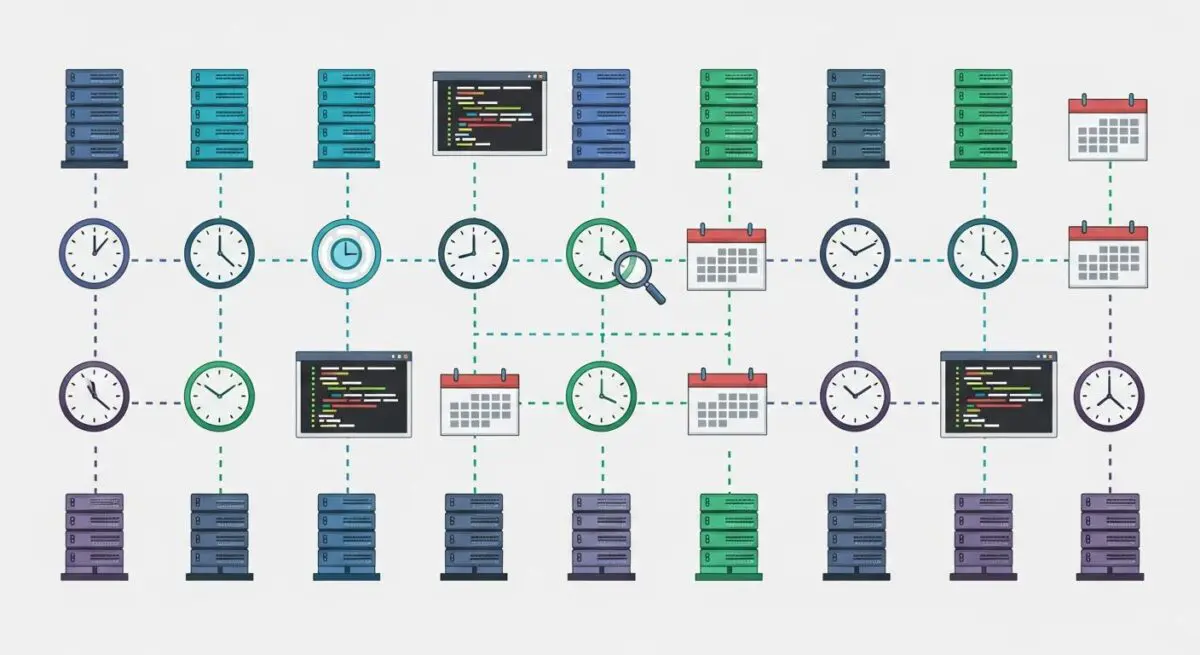
Crontab, short for cron table, is a configuration file used by the cron daemon in Unix-like operating systems to schedule and automate the execution of commands or scripts at specific intervals. Each entry in a crontab file consists of a cron expression—a series of five fields representing minute, hour, day of month, month, and day of week—followed by the command to be executed. This architecture allows system administrators to automate repetitive maintenance tasks such as database backups, log rotation, and system updates without manual intervention.
In the context of WordPress, Crontab serves as the professional alternative to the built-in WP-Cron system. While WP-Cron is a pseudo-cron that relies on page visits to trigger scheduled events, a true Crontab entry is executed by the server’s operating system independently of web traffic. This ensures that critical tasks, such as publishing scheduled posts or processing WooCommerce subscription renewals, occur precisely when intended, regardless of whether the site is receiving active visitors.
The Real-World Analogy
Imagine a large office building that requires daily cleaning. Using the default WordPress WP-Cron method is like hiring a janitor who only starts working when someone walks through the front door; if no one enters the building for three days, the trash piles up. Conversely, using a Crontab is like hiring a professional night-shift crew with a strict contract to arrive every night at 2:00 AM. They perform their duties regardless of whether the building is empty or full, ensuring the environment is always optimized and ready for the next business day without interrupting the people working inside.
How Crontab Impacts Server Performance & Speed Engineering?
The transition from WP-Cron to a system-level Crontab is a fundamental step in high-performance WordPress engineering. By default, WP-Cron spawns a new PHP process (via wp-cron.php) every time a user visits the site if a scheduled task is due. This behavior introduces significant latency for the visitor, as the server must allocate resources to handle both the page request and the background task simultaneously. In high-traffic environments, this can lead to race conditions and resource exhaustion.
Implementing Crontab improves server response times by offloading these tasks to a dedicated system process. This decoupling ensures that the PHP-FPM pool remains available for serving user requests, thereby stabilizing the Time to First Byte (TTFB). Furthermore, Crontab allows for more granular control over resource allocation; for instance, resource-heavy tasks like database optimization or large-scale indexing can be scheduled during off-peak hours, preventing performance degradation during periods of high user engagement.
Best Practices & Implementation
- Disable WP-Cron: Add
define('DISABLE_WP_CRON', true);to your wp-config.php file to prevent WordPress from triggering the pseudo-cron on every page load. - Set Optimal Intervals: Configure the system Crontab to run
wp-cron.phpevery 5 to 15 minutes (e.g.,*/5 * * * *) using the PHP CLI for maximum efficiency. - Use Absolute Paths: Always define the full path to the PHP binary and the WordPress directory in your cron command to avoid environment variable errors.
- Log Output for Debugging: Redirect cron output to a log file (e.g.,
>> /path/to/cron.log 2>&1) to monitor for execution failures or script timeouts. - Leverage WP-CLI: Instead of calling the URL via curl or wget, use
wp cron event run --due-nowvia WP-CLI for a more secure and resource-efficient execution.
Common Mistakes to Avoid
One frequent error is scheduling tasks too frequently, such as every minute, on a server with limited CPU resources, which can lead to overlapping processes and high load averages. Another critical mistake is running Crontab as the root user; for security reasons, cron jobs should always be executed under the web user (e.g., www-data) to limit potential damage in the event of a script vulnerability. Finally, many developers forget to account for time zone differences between the server OS and the WordPress settings, leading to tasks executing at unexpected hours.
Conclusion
Transitioning to a system-level Crontab is essential for enterprise-grade WordPress hosting, as it ensures task reliability while eliminating unnecessary overhead on user requests. By decoupling maintenance from the application layer, architects can achieve superior stability and predictable server performance.