Executive Summary
- Integration of Laravel’s Blade templating engine to decouple logic from presentation, enhancing code maintainability and readability.
- Modern front-end workflow utilizing Vite or Webpack for efficient asset compilation, minification, and tree-shaking.
- Strict adherence to PSR-4 autoloading and Composer-based dependency management for enterprise-grade scalability and security.
What is Sage Theme?
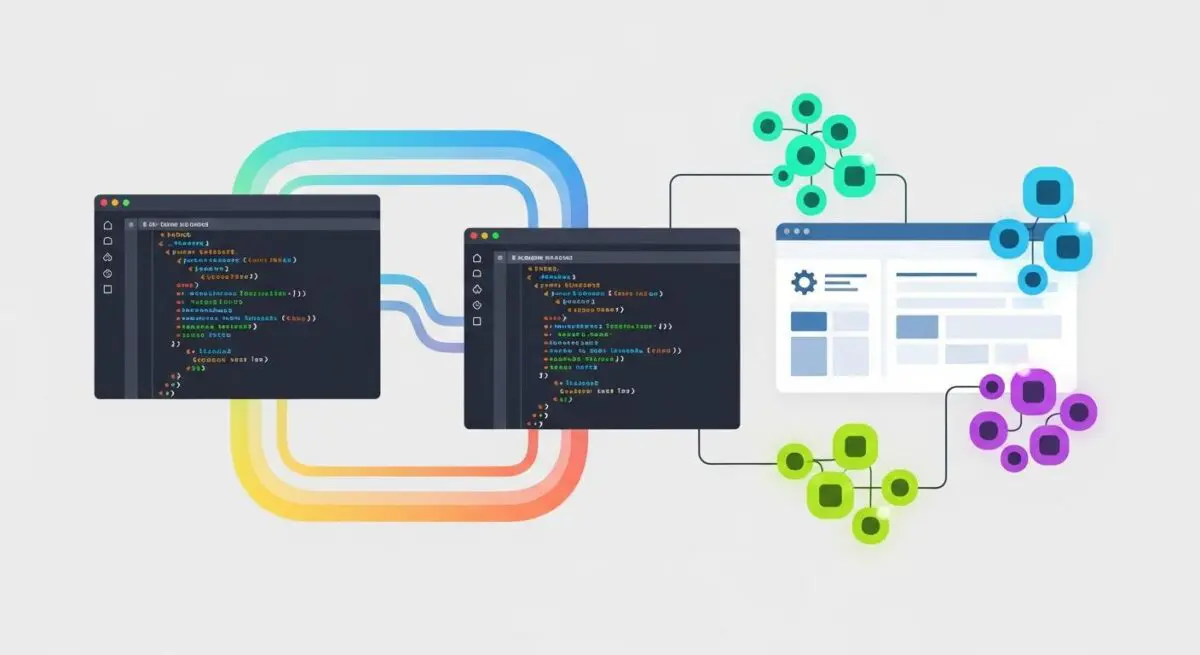
Sage is an advanced WordPress starter theme developed by the Roots team, designed to bring modern web development workflows to the WordPress ecosystem. Unlike traditional themes that rely on a monolithic functions.php file and standard PHP templates, Sage implements a sophisticated architecture inspired by the Laravel framework. It utilizes the Blade templating engine, which allows developers to create modular, reusable components while maintaining a clean separation of concerns between data processing and UI rendering.
At its core, Sage leverages Acorn, a plugin or library that provides Laravel-style components to WordPress. This integration enables features such as dependency injection, service providers, and a robust logging system. By utilizing Composer for dependency management, Sage allows developers to integrate third-party PHP packages seamlessly, moving away from the manual inclusion of scripts and styles that often leads to technical debt in enterprise environments. This architectural shift transforms WordPress theme development from a basic scripting task into a professional software engineering discipline.
The Real-World Analogy
Imagine you are building a high-performance custom aircraft. Using a standard WordPress theme is like buying a pre-assembled plane from a local dealer; it works for general travel, but if you want to upgrade the engine or change the cockpit layout, you have to tear through existing structures, often compromising the integrity of the whole machine. Sage Theme, however, is like having a state-of-the-art aerospace hangar equipped with precision-engineered modular components and a computerized assembly line. You have a specific blueprint (Blade templates), a specialized toolset (Vite/Webpack), and a supply chain management system (Composer) that ensures every bolt and wire is of the highest quality and fits perfectly. The result is a lighter, faster, and more reliable vehicle that is significantly easier to maintain and upgrade over time.
How Sage Theme Impacts Server Performance & Speed Engineering?
Sage Theme significantly optimizes server-side and client-side performance through several technical mechanisms. First, the use of the Blade templating engine reduces the overhead of traditional PHP execution within the WordPress Loop. Blade templates are compiled into plain PHP code and cached, ensuring that the server does not need to re-parse complex logic on every page load. This results in faster Time to First Byte (TTFB) and reduced CPU utilization on the web server.
Furthermore, Sage’s modern build pipeline (typically using Vite) ensures that only the necessary CSS and JavaScript are delivered to the browser. Through techniques like tree-shaking and code-splitting, Sage eliminates unused code, which directly improves Core Web Vitals, specifically Largest Contentful Paint (LCP) and Total Blocking Time (TBT). By managing assets through a centralized manifest, Sage also facilitates efficient cache busting and long-term browser caching strategies, ensuring that users only download updated files when changes are actually deployed to the production environment.
Best Practices & Implementation
- Leverage View Composers: Instead of bloating the template files with data logic, use View Composers to pass specific data to Blade views, ensuring that your templates remain purely focused on the markup.
- Strict Dependency Management: Always use Composer to manage third-party libraries and plugins. Avoid manually copying files into the theme directory to maintain a clean, auditable, and easily updatable codebase.
- Optimize the Build Pipeline: Configure Vite or Webpack to utilize modern image formats (like WebP) and implement critical CSS extraction to ensure the fastest possible rendering of the above-the-fold content.
- Utilize Tailwind CSS: When paired with Sage, Tailwind CSS allows for a utility-first approach that minimizes the final CSS bundle size by purging unused styles during the production build process.
Common Mistakes to Avoid
One frequent error is treating Sage like a traditional theme by placing all custom logic inside the functions.php file. This defeats the purpose of the Sage architecture; developers should instead utilize Service Providers and Controllers provided by the Acorn framework. Another common mistake is failing to properly configure the build environment, leading to the deployment of unminified development assets to production servers, which negatively impacts site speed and SEO rankings. Finally, developers often neglect to update Composer dependencies regularly, which can lead to security vulnerabilities or incompatibilities with newer versions of PHP or WordPress core.
Conclusion
Sage Theme represents a paradigm shift in WordPress development, offering an enterprise-grade framework that prioritizes performance, maintainability, and modern engineering standards. By adopting Sage, agencies and developers can build highly optimized, scalable WordPress applications that meet the rigorous demands of modern web infrastructure.