Executive Summary
- Chown (change owner) is a fundamental Linux utility that defines the administrative and operational authority over files and directories within a WordPress filesystem.
- Proper ownership configuration is critical for the PHP-FPM or Apache process to execute scripts, write to the uploads directory, and perform core updates without compromising security.
- Incorrect chown implementation is a primary cause of 500 Internal Server Errors and security vulnerabilities in multi-tenant hosting environments.
What is Chown?
In the context of Linux-based server environments, chown is a system command used to change the owner and group of a file or directory. Every object within the Linux filesystem is associated with a specific User ID (UID) and Group ID (GID). The chown utility allows system administrators to modify these associations, which is a foundational aspect of the Discretionary Access Control (DAC) model. In a WordPress environment, this command determines which system user has the legal right to modify the wp-config.php file, execute PHP scripts, or write data to the wp-content directory.
For WordPress professionals, understanding chown is essential because the web server (typically Nginx or Apache) and the PHP processor (such as PHP-FPM) run as specific system users (e.g., www-data, apache, or a site-specific SSH user). If the files within the WordPress installation are owned by a user that the PHP process cannot access, the CMS will fail to function, resulting in permission errors or the inability to upload media. The syntax typically follows the pattern chown [OPTIONS] [USER][:GROUP] FILE, where the recursive flag (-R) is often employed to apply ownership changes across the entire WordPress directory structure.
The Real-World Analogy
To understand chown, imagine a high-security office building where every room (file) and every filing cabinet (directory) is assigned to a specific employee (the owner). Even if a door is left unlocked (which would be a chmod permission setting), a security guard (the Linux kernel) will only allow the person whose name is on the deed to actually enter and move the furniture. If the building manager (the root user) decides to reassign an office from the Marketing Department to the Accounting Department, they use chown to change the nameplate on the door. Without this formal change of ownership, the new employee cannot perform their job, even if they have the physical key to the room.
How Chown Impacts Server Performance & Speed Engineering?
While chown is primarily a security and access control mechanism, its impact on server performance and speed engineering is significant, albeit indirect. When ownership is misconfigured, the server often encounters "Permission Denied" errors. Each time the PHP engine attempts to access a file it does not own or have rights to, the system generates an error log entry. In high-traffic environments, a flood of I/O operations dedicated to writing these error logs can consume significant CPU cycles and disk throughput, leading to increased Time to First Byte (TTFB).
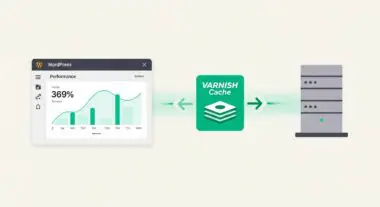
Furthermore, modern WordPress performance optimization relies heavily on server-side caching mechanisms like FastCGI Cache or Nginx Proxy Cache. These systems require the web server to have write access to specific cache directories on the disk. If the chown settings prevent the server from writing these cache files, the system will fail over to dynamic PHP processing for every request. This bypasses the speed benefits of static caching, significantly increasing server load and slowing down page delivery for the end-user. Properly aligned ownership ensures that the handoff between the web server, the PHP-FPM process, and the filesystem is seamless, minimizing latency during file execution and asset retrieval.
Best Practices & Implementation
- Implement the Principle of Least Privilege: Never set file ownership to the root user for standard WordPress operations. Instead, assign ownership to a dedicated unprivileged user that matches the PHP-FPM pool user to isolate the application from the rest of the system.
- Align Web Server and PHP Users: Ensure that the wp-content/uploads and wp-content/cache directories are owned by the user under which the web server or PHP process runs. This allows for seamless media uploads and efficient caching without requiring insecure 777 permissions.
- Use Recursive Ownership with Caution: When deploying updates or migrating sites, use
chown -R user:group /path/to/wordpressto ensure consistency, but verify that sensitive files like .htaccess or wp-config.php maintain restricted ownership to prevent unauthorized modification. - Audit Ownership Post-Migration: After moving a WordPress site between servers, always verify ownership. Migration tools often preserve the UID/GID from the source server, which likely does not exist on the destination, leading to "broken" permissions.
- Integrate with CI/CD Pipelines: For enterprise deployments, include chown commands in your deployment scripts to automatically reset ownership to the correct application user after code is pushed from a repository.
Common Mistakes to Avoid
One of the most frequent errors is assigning ownership of the entire WordPress directory to the root user. This creates a massive security risk and often prevents the WordPress dashboard from performing automated updates, as the web server lacks the authority to overwrite root-owned files. Another common mistake is failing to specify the group during a chown operation (e.g., using chown user instead of chown user:group), which can leave files in a state where the web server group cannot read them, breaking the site's front-end delivery.
Conclusion
Mastering chown is a non-negotiable skill for WordPress architects aiming to build secure, high-performance hosting environments. By precisely controlling file ownership, developers ensure that the CMS operates within a hardened security perimeter while maintaining the fluid I/O performance required for modern web standards.