



Key Points
- HTTPS Canonicalization Failure occurs when conflicting application signals override transport-layer 301 redirects, splitting link equity.
- Resolving this requires database-level absolute link updates via WP-CLI, server-level HSTS headers, and XML sitemap regeneration.
- Edge cases in Headless WordPress architectures often involve SSL termination at the load balancer failing to pass the proper headers.
Table of Contents
The Core Conflict: Protocol Desynchronization
According to technical SEO data from the HTTP Archive, while over 90% of web traffic is encrypted, approximately 12% of enterprise-level sites still suffer from protocol-mismatched canonical tags. This systemic flaw can lead to a 15-20% reduction in crawl efficiency for new content. When Google keeps indexing the HTTP version of a site despite a global 301 redirect to HTTPS, you are dealing with a severe architectural flaw.
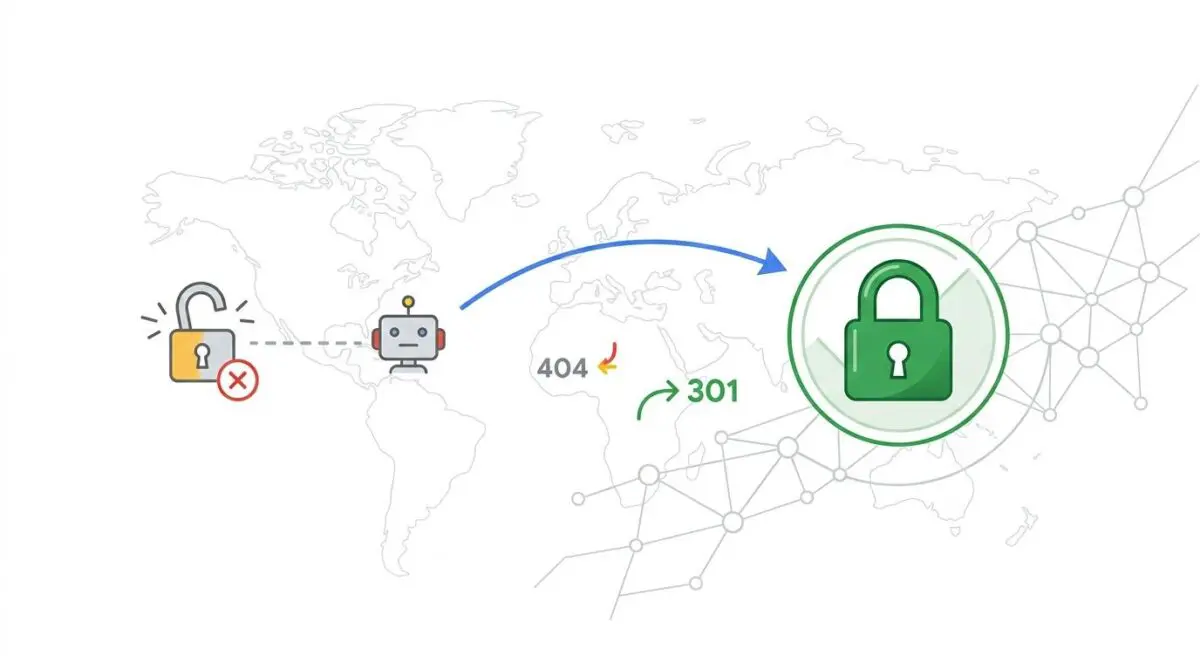
This anomaly is formally known as HTTPS Canonicalization Failure. It occurs when Google’s indexing engine fails to consolidate URL signals into the secure HTTPS version. The conflict arises when on-page signals, such as internal links or canonical tags, contradict the transport-layer redirect instruction.
Consequently, Google treats the legacy HTTP version as the authoritative source of truth. The search engine effectively ignores the protocol migration, resulting in a devastating split of link equity between two URL variants. From a technical perspective, this error significantly depletes your Crawl Budget.
Googlebot is forced to repeatedly fetch both HTTP and HTTPS versions to resolve the ongoing protocol discrepancy. In the era of Generative Engine Optimization, this fragmentation is particularly damaging. Generative models rely on stable, authoritative identifiers to map site entity relationships accurately.
Diagnostic Checkpoints & Root Causes
This canonicalization error is rarely a simple glitch; it is usually a desynchronization across the server, edge, or application layers. When investigating, you must look beyond the basic 301 redirect. Conflicting directives often lurk deep within the database or caching infrastructure.
Diagnostic Checkpoints
Circular Canonical Tag Conflict
Canonical tags point to HTTP while 301 redirects forward HTTPS.
Absolute Internal Link Inconsistency
Hardcoded HTTP links provide strong signals to Link Graph.
Stale XML Sitemap Protocols
Outdated XML sitemaps contradict server-level transport layer redirect instructions.
Missing HSTS Header Implementation
Missing HSTS header prevents persistent secure indexing and trust.
At the application layer, the most common culprit is a circular canonical tag conflict. This happens when the WordPress database is not fully updated after an SSL installation. SEO plugins end up generating canonical URLs that explicitly point back to the HTTP version.
Another major factor is absolute internal link inconsistency. Legacy content often contains thousands of hardcoded absolute links to the HTTP version. If the volume of these internal HTTP links outweighs the 301 signal, Google’s Link Graph will maintain the HTTP indexation.
Finally, stale XML sitemap protocols can contradict server-level instructions. If caching plugins hold onto the old HTTP sitemap, Googlebot will prioritize the sitemap’s declaration over the transport layer. You can explore more technical SEO data from the HTTP Archive to understand how prevalent these caching errors are at the enterprise level.
The Engineering Resolution Roadmap
Resolving this conflict requires a multi-layered approach that aligns the database, server headers, and external signals. A simple redirect is insufficient for enterprise environments. You must establish absolute protocol consensus across the entire stack.
Engineering Resolution Roadmap
Force HTTPS Database Update
Execute a global search and replace using WP-CLI: ‘wp search-replace “http://example.com” “https://example.com” –all-tables’. This ensures all internal links, image paths, and canonical settings stored in the database are updated to the secure protocol.
Implement HSTS and Global Redirects
Modify the NGINX or Apache configuration to include the ‘Strict-Transport-Security’ header with a long max-age. Ensure the 301 redirect is the very first rule in the server block to prevent any ‘leakage’ of HTTP status 200 codes.
Regenerate and Resubmit Sitemaps
Clear all object and page caches. Manually trigger a rebuild of the XML sitemap via your SEO plugin (e.g., Yoast or RankMath) and verify that every URL in the XML file begins with ‘https://’. Submit this new sitemap directly to Google Search Console.
Update External Social and API Signals
Update the URL in all social media profiles (Facebook, LinkedIn, Twitter) and ensure that Google Business Profile and other high-authority citations point directly to the HTTPS version to reinforce the canonical signal.
The first critical step is forcing an HTTPS database update. You must execute a global search and replace using WP-CLI to eradicate hardcoded HTTP paths. This ensures all internal links, image paths, and canonical settings are natively secure.
Next, you must address the server layer by implementing a Strict-Transport-Security (HSTS) header. Without HSTS, browsers and bots may initially attempt an HTTP connection before being redirected. The HSTS header mathematically guarantees that the site is only ever accessed via HTTPS.
Once the application and server layers are secured, you must clear all object and page caches. Regenerate the XML sitemaps to ensure every listed URL begins with the secure protocol. Finally, update external API signals and social profiles to reinforce the new canonical baseline.
Implementation & Code Execution
To enforce the secure protocol at the server level, you must configure your NGINX environment correctly. The 301 redirect must be the absolute first rule in the server block. This prevents any accidental leakage of HTTP status 200 codes during the initial handshake.
Fixing via NGINX Configuration
Implement the redirect and HSTS headers directly in your server blocks.
server { listen 80; server_name example.com www.example.com; return 301 https://example.com$request_uri; } server { listen 443 ssl http2; server_name example.com; add_header Strict-Transport-Security "max-age=31536000; includeSubDomains; preload" always; }By splitting the server blocks, you explicitly isolate the HTTP traffic and force an immediate permanent redirect. The inclusion of the HSTS header in the secure block instructs Googlebot to cache the HTTPS preference for a full year.
Validation Protocol & Edge Cases
After deploying the server configurations and database updates, you must validate the integrity of the entity. Do not rely solely on browser behavior, as local browser caching can mask persistent server errors. Use command-line tools and Google Search Console for absolute verification.
Validation Protocol
- Execute ‘curl -I’ to verify 301 status and HSTS headers.
- Run a GSC ‘Live Test’ on the legacy HTTP URL.
- Confirm ‘Google-selected canonical’ field identifies the HTTPS version correctly.
While the standard resolution path works for monolithic architectures, edge cases exist in decoupled environments. In a Headless WordPress architecture, the frontend may correctly serve HTTPS. However, the backend WordPress API behind a Load Balancer might terminate SSL prematurely.
If the load balancer fails to pass the X-Forwarded-Proto header to the origin, the WordPress core will generate HTTP links in its REST API responses. This causes Google to see conflicting signals between the rendered frontend and the underlying JSON data source.
Autonomous Monitoring & Prevention
To prevent recurrence, you must integrate a protocol validation check into your CI/CD pipeline. Relying on manual audits is insufficient for scaling enterprise websites. You should utilize headless crawling tools to scan the site weekly for rogue HTTP internal links.
Additionally, implement server-level log analysis to monitor 301 hits actively. The volume of HTTP requests should trend toward zero over time as Googlebot updates its index. If spikes occur, your alerting system should immediately flag the regression.
At Andres SEO Expert, we architect advanced automation pipelines to monitor entity integrity autonomously. By leveraging real-time log analysis and custom API alerts, we ensure that protocol desynchronization never impacts your organic visibility.
Conclusion
HTTPS Canonicalization Failure is a critical architectural flaw that undermines both crawl efficiency and entity authority. By aligning your database links, server headers, and XML sitemaps, you force Google to respect the secure protocol. Consistent monitoring ensures this alignment remains intact as your application scales.
Navigating the intersection of technical SEO, server architecture, and generative search requires a precise roadmap. If you need to future-proof your enterprise stack, resolve deep-level crawl anomalies, or implement AI-driven SEO automation, connect with Andres at Andres SEO Expert.
Frequently Asked Questions
What is HTTPS Canonicalization Failure?
HTTPS Canonicalization Failure is a technical SEO anomaly where Google fails to consolidate indexing signals into the secure HTTPS version of a website. This occurs when server-level redirects are contradicted by on-page elements like canonical tags or internal links, leading to a split in link equity and reduced crawl efficiency.
How does protocol desynchronization affect crawl budget?
Protocol desynchronization forces Googlebot to repeatedly fetch both HTTP and HTTPS versions of a site to resolve conflicting instructions. This redundancy can deplete a site’s crawl budget and has been shown to reduce crawl efficiency for new content by as much as 15-20%.
Why is the HSTS header important for technical SEO?
The Strict-Transport-Security (HSTS) header mathematically guarantees that a site is only accessed via HTTPS. By preventing initial HTTP handshakes, it reinforces the secure canonical signal to search engines and prevents the accidental leakage of HTTP status 200 codes that could confuse indexing engines.
How do I fix hardcoded HTTP internal links in WordPress?
The most efficient engineering solution is to use WP-CLI to execute a global search and replace across the entire database. Running ‘wp search-replace “http://example.com” “https://example.com” –all-tables’ ensures that all internal paths, image sources, and plugin-generated canonicals are updated to the secure protocol.
Can stale XML sitemaps prevent HTTPS indexation?
Yes. If caching plugins or SEO tools maintain legacy HTTP URLs in the XML sitemap, Googlebot may prioritize these declarations over server-level 301 redirects. It is critical to clear object caches and regenerate sitemaps so every URL explicitly begins with the HTTPS protocol.
How can I verify which protocol Google has selected as canonical?
To verify the authoritative version, use the Google Search Console ‘URL Inspection’ or ‘Live Test’ tool on an HTTP URL. Review the ‘Google-selected canonical’ field to confirm it identifies the HTTPS variant as the primary source of truth for the search index.