Key Points
- WAF configurations and ‘Bot Fight Modes’ frequently misidentify Googlebot’s distributed IPs, requiring explicit allowlisting for verified crawlers.
- DNS mismatches between AAAA records and server IPv6 listeners cause Googlebot to time out while standard IPv4 browsers succeed.
- Dynamic sitemap generation must explicitly declare the application/xml MIME type to prevent crawler rejection at the protocol level.
Table of Contents
The Core Conflict
A 2025 study by Cloudflare reveals that over 32% of automated crawl failures on enterprise sites stem from misconfigured ‘Bot Management’ rules. These rules inadvertently block verified search engines while attempting to mitigate malicious scraper traffic.
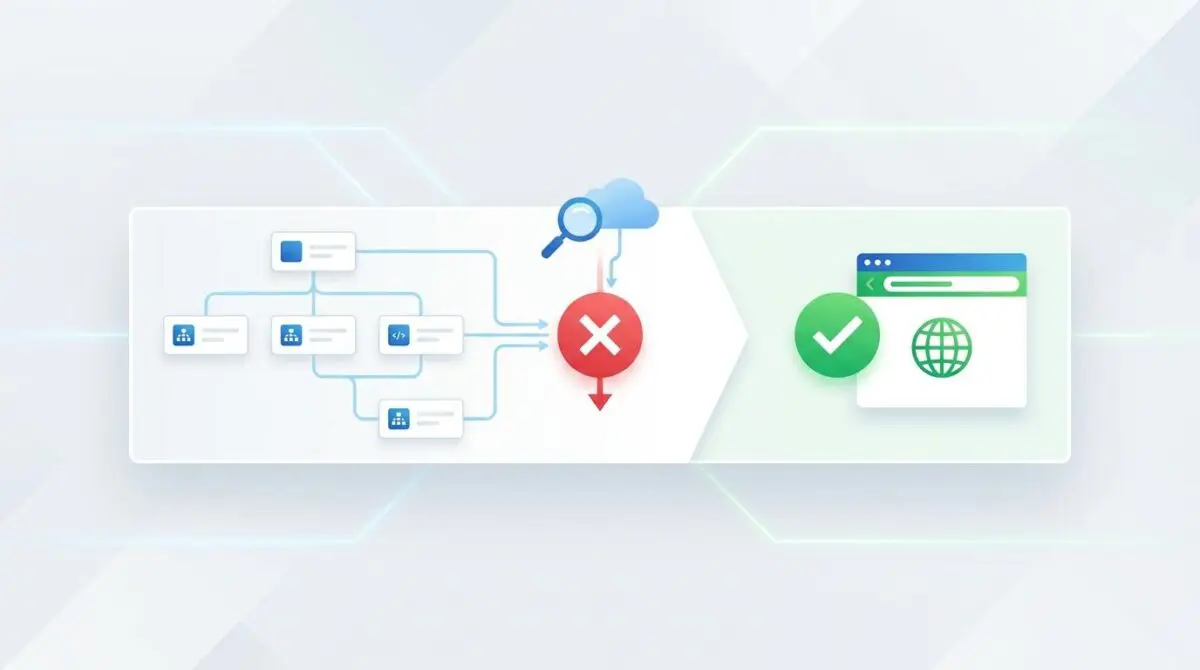
This exact scenario frequently triggers the Sitemap ‘Couldn’t fetch’ Error within Google Search Console. The error indicates that Googlebot’s fetch request to a sitemap URL has failed, even though the file loads perfectly in a standard web browser.
Unlike a standard parsing error, a fetch failure means Googlebot could not establish a valid connection or receive a 200 OK response. Raw server access logs will typically show missing entries for Googlebot requests. Alternatively, they may return 403 Forbidden, 429 Too Many Requests, or 504 Gateway Timeout status codes specifically for the Googlebot User-Agent.
From a Generative Engine Optimization perspective, this fetch failure is catastrophic. Generative Search Engines now rely heavily on real-time indexing for Retrieval-Augmented Generation pipelines.
A blocked sitemap halts the discovery of fresh content and structured data. This degrades the domain’s freshness score. It also causes search engines to prioritize competitors whose sitemaps are consistently reachable and parseable.
Diagnostic Checkpoints
When standard browsers succeed but Googlebot fails, you are dealing with a desynchronization in your server stack.
Diagnostic Checkpoints
WAF User-Agent or IP Blocklisting
Security layers misidentifying Googlebot traffic as bot attacks.
IPv6 Connectivity and DNS Mismatch
Googlebot IPv6 priority failing due to server listener misconfiguration.
MIME Type and Content-Type Header Conflict
Serving sitemaps as text/html instead of application/xml.
Sitemap URL Redirect Loops or Latency
Redirect chains or high TTFB causing crawler timeouts.
This desynchronization typically occurs across three distinct layers of your infrastructure. Identifying the exact layer is critical for deploying the correct fix without disrupting legitimate user traffic.
WAF and Edge Layer Conflicts
Security layers like Cloudflare, Sucuri, or AWS WAF often misidentify Googlebot’s distributed IP ranges as a coordinated bot attack. This happens when firewalls rely on outdated IP reputation databases rather than validating the Autonomous System Number.
If the firewall uses aggressive bot-fight modes or strict User-Agent validation, it may challenge or block Googlebot requests. Standard browser traffic passes through via JavaScript challenges, which Googlebot cannot solve during the initial fetch phase.
It is essential to explicitly allowlist verified search engine crawlers within your edge security configurations. Relying on reverse DNS lookups ensures that spoofed User-Agents are blocked while legitimate indexing infrastructure bypasses rate limiting.
Infrastructure and DNS Mismatches
Googlebot prioritizes IPv6 for crawling operations to maximize efficiency. If your DNS records include an AAAA record but the server’s IPv6 listener is misconfigured, Googlebot will fail to connect.
This is highly common in managed WordPress hosting where the provider enables IPv6 at the DNS level via a proxy. However, the underlying NGINX or Apache server remains bound only to the IPv4 address.
Browser users on IPv4 see the file perfectly, while Googlebot times out waiting for an IPv6 handshake. Server administrators must ensure directives for IPv6 listening are active in their NGINX server blocks to support true dual-stack routing.
Application and Header Anomalies
Google requires sitemaps to be served with a valid XML MIME type. If the server returns text/html because the sitemap is generated dynamically by a PHP script lacking explicit headers, Googlebot will abort the fetch at the network or protocol level.
Furthermore, if the sitemap URL triggers a redirect chain, the crawler will eventually abandon the path. High Time to First Byte latency is also prevalent in large WooCommerce stores where SQL queries exceed PHP memory limits.
If dynamic generation takes more than 10 seconds, Google’s crawling infrastructure terminates the connection prematurely. Implementing server-side caching for the XML output is mandatory for enterprise catalogs.
The Engineering Resolution Roadmap
Resolving this error requires a systematic approach to verifying access, adjusting firewalls, and enforcing strict server headers.
Engineering Resolution Roadmap
Verify Googlebot Access via Live Test
Navigate to Google Search Console -> URL Inspection. Paste the full sitemap URL and click ‘Test Live URL’. If the live test shows ‘URL is available to Google’, the issue is likely a temporary GSC reporting delay. If it fails, check the ‘Crawl’ section for the specific HTTP response code (e.g., 403 or 5xx).
Whitelist Googlebot in Firewall/WAF
Log into your WAF (e.g., Cloudflare) and ensure that ‘Verified Bot’ traffic is bypassed from security challenges. In Wordfence or Sucuri, disable ‘Fake Googlebot’ checks and verify that your server allows inbound traffic from the Googlebot IP ranges documented by Google.
Enforce Correct XML MIME Type
Modify your .htaccess or NGINX configuration to ensure .xml files are served with the correct header. For NGINX: add ‘types { application/xml xml; }’ to the server block. For Apache: ‘AddType application/xml .xml’.
Debug IPv6 Connectivity
Run ‘curl -6 -I https://yourdomain.com/sitemap.xml’ from a terminal to test if the sitemap is reachable over IPv6. If it fails or times out, either fix the server’s IPv6 configuration or remove the AAAA record from your DNS settings.
Begin by bypassing temporary reporting delays in Google Search Console. The Live Test tool provides immediate feedback on whether the current configuration allows Googlebot to reach the endpoint.
Next, audit your Web Application Firewall. In plugins like Wordfence or All-In-One Security, outdated internal databases of Google IP ranges can trigger rate limiting. Disabling fake Googlebot protection temporarily can help isolate the issue.
Finally, address the server configuration. Ensuring the correct MIME type and validating IPv6 connectivity will resolve the vast majority of lingering fetch failures.
Resolution Execution: Forcing Correct Headers
When WordPress SEO plugins generate sitemaps via rewrite rules, caching plugins or custom snippets can inadvertently flush the output buffer before the header is sent. This defaults the sitemap to text/html.
Fixing via WordPress Functions
To force the correct Content-Type header at the application layer, you must intercept the request early in the WordPress execution lifecycle. The following snippet ensures any request containing the sitemap parameter is served as application/xml.
add_action('init', function() {
    if (isset($_GET['sitemap']) || strpos($_SERVER['REQUEST_URI'], 'sitemap') !== false) {
        header('Content-Type: application/xml; charset=utf-8');
        header('X-Robots-Tag: noindex, follow', true);
    }
}, 1);
Deploy this code via a custom functionality plugin or a child theme’s functions file. Ensure there is no whitespace before the opening PHP tag to prevent premature buffer output.
Validation Protocol and Edge Cases
Once the resolution steps are deployed, you must definitively prove that Googlebot can access and parse the XML payload.
Validation Protocol
- Execute GSC Live Test or Rich Result Test tool to simulate Googlebot infrastructure.
- Verify 200 OK status using: curl -A “Googlebot/2.1 (+http://www.google.com/bot.html)” -I [URL].
- Inspect Network tab headers to confirm Content-Type is application/xml or text/xml.
Executing a cURL command simulating the Googlebot User-Agent provides raw visibility into the server’s response. You should look for an HTTP/2 200 OK status, alongside a strict application/xml header.
A rare conflict occurs when Cloudflare Edge Workers are used to rewrite URLs. If a worker modifies the request header but fails to handle the Accept-Encoding header correctly for Googlebot’s Gzip preference, it triggers a failure.
In this specific edge case, the worker may return a 502 Bad Gateway exclusively to Googlebot. Meanwhile, it serves a cached 200 OK version to standard browsers that do not request the same compression level. This creates a phantom error that is incredibly difficult to trace without raw log analysis.
Autonomous Monitoring and Prevention
Manual checks are insufficient for enterprise environments. Implement an automated monitoring pipeline to ensure continuous accessibility.
- Log Analysis: Use the ELK stack or GoAccess to flag 4xx or 5xx responses hitting sitemap patterns.
- Automated Pings: Deploy Python scripts to perform daily HEAD requests using the Googlebot User-Agent.
- Static Caching: Pre-cache sitemaps as static files to keep latency strictly under 200 milliseconds.
Partnering with Andres SEO Expert allows you to deploy these advanced automation pipelines. Proactive entity integrity monitoring ensures that your technical foundation remains resilient against future infrastructure updates.
Conclusion
Resolving the Sitemap ‘Couldn’t fetch’ Error bridges the gap between server security and search engine accessibility. By systematically auditing your WAF, DNS, and MIME type configurations, you restore the vital data pipeline that fuels modern search indexers.
Navigating the intersection of technical SEO, server architecture, and generative search requires a precise roadmap. If you need to future-proof your enterprise stack, resolve deep-level crawl anomalies, or implement AI-driven SEO automation, connect with Andres at Andres SEO Expert.
Frequently Asked Questions
Why does Google Search Console show a ‘Couldn’t fetch’ error when the sitemap loads in my browser?
This occurs due to a desynchronization between your server security layers and the Googlebot User-Agent. While a browser passes standard human validation, your Web Application Firewall (WAF) or bot management rules may misidentify Googlebot as a malicious crawler, returning a 403 Forbidden or 401 response code specifically to search engine requests.
How do I whitelist Googlebot in Cloudflare or a WAF to fix fetch failures?
To resolve this, ensure that ‘Verified Bot’ traffic is explicitly bypassed from security challenges in your WAF settings. Relying on reverse DNS validation rather than static IP whitelisting is recommended, as this allows legitimate Googlebot infrastructure to bypass rate limiting and JavaScript challenges that the crawler cannot solve.
Can IPv6 connectivity issues cause sitemap indexing failures?
Yes. Googlebot prioritizes IPv6 for crawling. If your DNS records include an AAAA record but your server listener (NGINX or Apache) is only configured for IPv4, Googlebot will attempt to connect via IPv6 and timeout. You must ensure your server is correctly bound to the IPv6 address to support dual-stack routing.
What is the correct Content-Type header for a sitemap?
Sitemaps must be served with a valid XML MIME type, specifically ‘application/xml’ or ‘text/xml’. If your server returns ‘text/html’ because the sitemap is generated dynamically without explicit headers, Googlebot will abort the fetch at the protocol level. Forcing the correct header via .htaccess or server blocks is a mandatory fix.
How can I verify if Googlebot can access my sitemap in real-time?
The most accurate method is the ‘Live Test’ feature within the Google Search Console URL Inspection tool. You can also simulate the request using a cURL command: curl -A "Googlebot/2.1 (+http://www.google.com/bot.html)" -I [Your Sitemap URL]. This allows you to inspect the raw HTTP response and status code sent to the crawler.
Why is a sitemap fetch error catastrophic for Generative Search Optimization (GEO)?
Modern AI search engines use Retrieval-Augmented Generation (RAG) which requires real-time data ingestion. A blocked sitemap halts the discovery of fresh content and structured data, degrading your domain’s freshness score and causing AI-driven indexers to prioritize competitors with more reachable data pipelines.