Key Points
- Render Failure Identification: Googlebot triggers mobile usability errors when CSS Grid assets are blocked by rate limits, robots.txt, or heavy JS execution timeouts.
- Server-Side Bypasses: Implementing NGINX user-agent mapping ensures Googlebot bypasses aggressive rate-limiting for critical static assets.
- Critical CSS Injection: Extracting and inlining above-the-fold CSS Grid rules guarantees layout integrity during the initial Web Rendering Service DOM snapshot.
Table of Contents
The Core Conflict: CSS Grid Render Failures
According to a recent technical SEO study by the HTTP Archive, mobile usability errors tied to CSS rendering failures drive significant Core Web Vitals regression. Sites relying on unoptimized CSS Grid implementations experience notably higher bounce rates in AI-driven search environments.
This regression frequently manifests in Google Search Console as the dreaded “Clickable elements too close together” error. The Web Rendering Service determines that interactive elements are positioned within too small a radius. This typically means elements have less than 8px of separation or fail to meet the standard 48x48px touch target size.
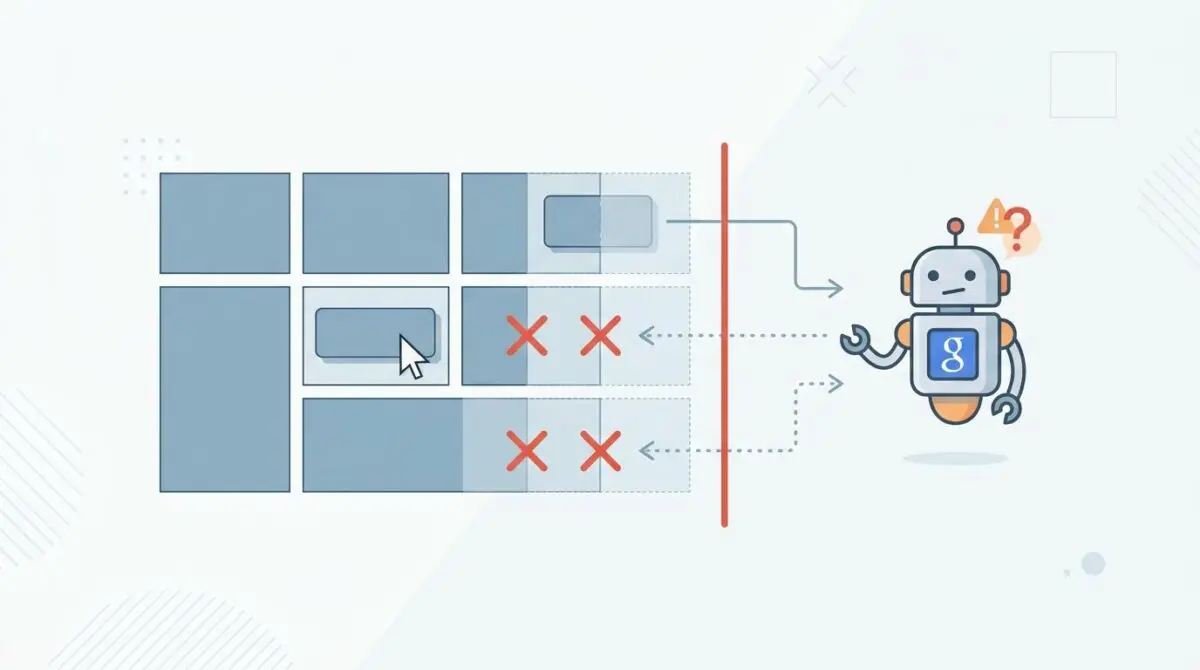
When a CSS Grid layout fails to load during Googlebot processing, the structured design collapses entirely. The DOM snapshot used for indexing devolves into a vertically stacked or overlapping mess. This causes otherwise distant elements to collide visually within the rendering engine.
From a Crawl Budget and Generative Engine Optimization perspective, this error signals a partial render state. If Googlebot cannot execute the CSS Grid, it fails to perceive the semantic relationship between page elements. This degraded understanding directly harms the priority of a URL within traditional mobile indices and generative search experiences.
Diagnostic Checkpoints
Resolving this error requires isolating the exact point of failure within the rendering pipeline. This usually stems from a desynchronization between the server stack, the edge layer, or the application configuration.
Diagnostic Checkpoints
Robots.txt Asset Blocking
Restricted CSS access prevents Googlebot from rendering Grid layouts.
CSS Grid Polyfill or JS-Dependency Failure
JS execution timeout prevents layout initialization during rendering.
Resource Load Capping & 429 Errors
Server-side rate limiting blocks styling assets for crawlers.
CSS Minification & Syntax Fragmentation
Optimization errors strip grid properties or invalidate stylesheets.
Root Cause Analysis
At the server layer, aggressive rate limiting can easily misidentify rapid-fire Googlebot requests for CSS and JS assets as a DDoS attempt. This results in the server returning 429 or 403 status codes for the styling layer while the HTML remains fully accessible.
At the application layer, optimization processes that merge and minify CSS can inadvertently introduce syntax errors. A single missing brace or stripped grid-area property invalidates the entire global stylesheet within Google’s headless Chromium instance.
Additionally, legacy polyfills or JavaScript-heavy frameworks can easily exceed the five-second rendering timeout of Googlebot. If script execution fails before the Web Rendering Service takes its snapshot, the layout simply will not initialize.
The Engineering Resolution
Restoring rendering integrity requires a highly systematic approach to asset delivery. The following roadmap outlines the critical path to successfully unblocking Googlebot.
Engineering Resolution Roadmap
Verify Asset Accessibility
Open Google Search Console > URL Inspection. Enter the affected URL and click ‘Test Live URL’. View the ‘Tested Page’ > ‘More Info’ > ‘Page Resources’. Check if any .css files are marked as ‘Blocked’ or ‘Other error’.
Whitelist Googlebot in Robots.txt
Ensure your robots.txt does not contain ‘Disallow: /wp-content/plugins/’ or ‘Disallow: /wp-includes/’. Add specific allow rules: ‘Allow: /*.css’ and ‘Allow: /*.js’ to ensure the rendering engine has full access to the layout instructions.
Implement Critical CSS
Extract the CSS Grid layout rules for the ‘above-the-fold’ content and inline them directly into the <head>. This ensures that even if the external stylesheet fails or delays, the primary clickable elements remain spaced correctly.
Audit NGINX/Apache Rate Limits
Review NGINX ‘limit_req’ zones or Apache ‘mod_ratelimit’ settings. Ensure that requests for static assets (.css, .js, .webp) have a higher burst threshold or are excluded from throttling for verified search engine crawlers.
Deep Context for Resolution
Ensuring asset accessibility goes far beyond simply checking the live URL tool. You must actively audit your robots.txt file to guarantee that directories housing critical layout instructions are fully exposed to crawlers.
Implementing inline styles for above-the-fold content acts as a powerful failsafe mechanism. Extracting the CSS Grid layout rules and placing them directly into the document head ensures structural integrity. Even if external stylesheets experience latency, the primary clickable elements remain spaced correctly.
It is also crucial to understand that Googlebot skipping CSS files causes layout breakage at a fundamental level. You must audit NGINX or Apache rate limits to prevent over-active Intrusion Detection Systems from throttling verified search engine crawlers.
Executing the Resolution
Translating these concepts into action requires precise server and application adjustments. You must configure your hosting environment to prioritize bot traffic for static assets.
Fixing via Server Configuration
The following configuration demonstrates how to bypass aggressive throttling for Googlebot in NGINX while ensuring WordPress asset directories remain open in your robots.txt file. This is a highly effective method for fixing the ‘Clickable elements too close together’ error using CSS adjustments and server-side rules.
User-agent: *
Allow: /wp-content/uploads/
Allow: /wp-content/themes/*.css
Allow: /wp-content/plugins/*.css
Allow: /wp-includes/*.js

# NGINX Bypass for Googlebot Asset Throttling
map $http_user_agent $is_bot {
    default 0;
    "~*(Googlebot|bingbot|Baiduspider)" 1;
}

limit_req_zone $binary_remote_addr zone=one:10m rate=5r/s;
server {
    location ~* \.(css|js|png|jpg|jpeg|gif|ico|svg|woff|woff2)$ {
        if ($is_bot) {
            set $limit_rate 0; # No throttling for bots
        }
    }
}
Validation Protocol & Edge Cases
Once the server configuration is deployed, you must rigorously validate the changes. Do not rely solely on human visual confirmation to ensure compliance.
Validation Protocol
- Run GSC Live Test to confirm rendered screenshot grid alignment.
- Execute curl with Googlebot User-Agent to verify asset headers.
- Verify Graceful Degradation by blocking CSS in Chrome DevTools.
A rare but critical edge case occurs when Cloudflare Rocket Loader or Edge Workers are configured to delay script execution. If your CSS Grid is initialized via a script for masonry-style layouts, Cloudflare may inadvertently defer this script.
This deferral happens until after Googlebot has taken its visual snapshot. Even though the page looks perfect to a human visitor, Googlebot sees a loading state where elements are bunched at the top of the viewport.
Autonomous Monitoring & Prevention
Preventing layout collapses requires proactive infrastructure monitoring. Implement a Rendering CI/CD Pipeline that runs Lighthouse or Playwright tests in a headless environment mimicking modern Chrome before every deployment.
Use server log analysis tools like Logz.io or Splunk to continuously monitor for 4xx and 5xx errors specifically targeting CSS assets. Regularly running the GSC Mobile-Friendly Test API against core templates catches layout regressions before they impact the index.
Advanced automation pipelines are the ultimate way to monitor entity integrity at the enterprise level. Setting up custom API alerts ensures your engineering team is notified the moment a Web Rendering Service anomaly occurs.
Conclusion
Resolving mobile usability errors requires a deep understanding of how headless browsers interact with modern CSS frameworks. By securing asset delivery and optimizing server thresholds, you actively protect your crawl budget.
Navigating the intersection of technical SEO, server architecture, and generative search requires a precise roadmap. If you need to future-proof your enterprise stack, resolve deep-level crawl anomalies, or implement AI-driven SEO automation, connect with Andres at Andres SEO Expert.
Frequently Asked Questions
Why does CSS Grid cause “Clickable elements too close together” errors in Google Search Console?
When the Web Rendering Service fails to execute CSS Grid, the structured layout collapses. This causes interactive elements to stack vertically or overlap, violating the minimum 8px separation or 48x48px touch target requirements monitored by Googlebot.
How do rendering failures affect Generative Engine Optimization (GEO)?
If Googlebot cannot render CSS Grid, it fails to perceive the semantic relationships between elements. This partial render state signals low quality, which reduces a URL’s visibility in both traditional mobile indices and AI-driven generative search experiences.
How can I verify if robots.txt is blocking CSS Grid rendering?
Use the Google Search Console URL Inspection tool. Run a ‘Test Live URL’ and check ‘Page Resources’ under ‘More Info’. If your .css files are marked as ‘Blocked’, you must update your robots.txt to allow access to stylesheet directories.
What server-side configurations prevent Googlebot from being throttled?
To prevent 429 errors, you should adjust NGINX ‘limit_req’ zones or Apache ‘mod_ratelimit’ settings. Implementing a bypass that excludes verified search engine crawlers from asset rate limiting ensures that all styling instructions are delivered to the renderer.
Why should I use Critical CSS for above-the-fold Grid layouts?
Inlining Critical CSS for above-the-fold content acts as a failsafe. It ensures that the primary layout and clickable elements remain correctly spaced even if the external stylesheet fails to load or experiences significant latency during crawling.
Can Cloudflare features like Rocket Loader impact CSS Grid rendering?
Yes. If your CSS Grid relies on JavaScript for initialization, features like Rocket Loader may defer script execution until after Googlebot has taken its rendering snapshot. This results in the crawler seeing a broken or uninitialized layout.