Executive Summary
- Layout thrashing occurs when JavaScript forces the browser to perform multiple synchronous reflows by interleaving DOM writes and layout reads.
- This process significantly degrades the Interaction to Next Paint (INP) metric and increases CPU main-thread contention.
- Optimization requires batching DOM operations and utilizing requestAnimationFrame to decouple visual updates from logic.
What is Layout Thrashing?
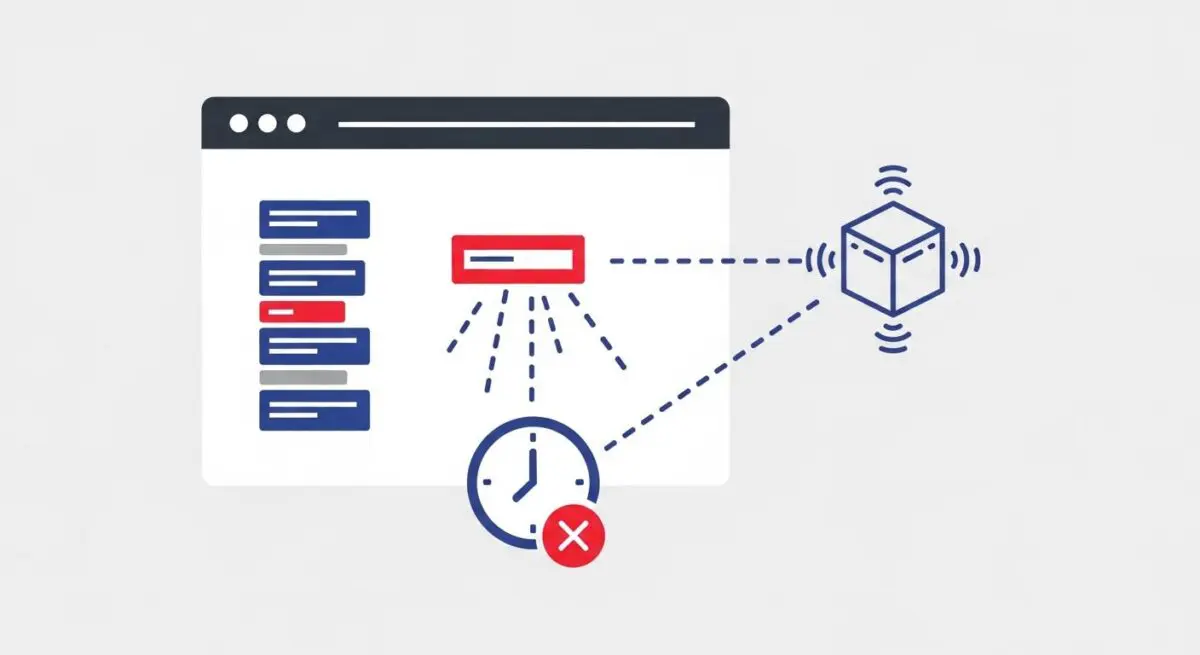
Layout thrashing, technically referred to as forced synchronous layout, is a performance bottleneck that occurs when a web application repeatedly triggers the browser’s layout engine. In a standard rendering cycle, the browser batches changes to the Document Object Model (DOM) and calculates the visual geometry (layout) once per frame. However, when a script modifies the DOM (a “write”) and immediately requests a geometric property (a “read”), such as element.offsetHeight or element.getBoundingClientRect(), the browser is forced to stop execution and recalculate the layout prematurely to provide the correct value.
When this pattern of “write-then-read” is repeated within a loop, the browser must perform multiple layout calculations in a single frame. This results in heavy main-thread activity, leading to “jank” or stuttering in the user interface. Because layout calculations are computationally expensive, especially on complex DOM trees, layout thrashing is a primary cause of poor responsiveness in modern web applications.
The Real-World Analogy
Imagine a construction foreman who is building a brick wall. In an efficient workflow, the foreman would lay all the bricks for one row and then step back once to measure the height. Layout thrashing is equivalent to the foreman laying a single brick, stopping to measure the exact height of the wall with a laser level, laying another brick, and measuring again. This constant switching between “doing the work” and “measuring the result” makes the construction process take ten times longer than necessary, even though the actual physical labor remains the same.
Why is Layout Thrashing Critical for Website Performance and Speed Engineering?
Layout thrashing is a critical concern for speed engineering because it directly impacts the Interaction to Next Paint (INP) Core Web Vital. When the main thread is occupied with redundant layout calculations, it cannot respond to user inputs like clicks or scrolls, leading to perceived latency. Furthermore, while it primarily affects client-side rendering, the resulting CPU overhead can drain mobile device batteries and cause thermal throttling, further degrading the user experience. In the context of SEO and AI-search, a site that exhibits layout thrashing will suffer from poor performance scores, which can negatively influence ranking signals related to page experience.
Best Practices & Implementation
- Batch DOM Operations: Always perform all DOM “reads” (e.g., getting dimensions) first, and then perform all DOM “writes” (e.g., changing styles) together to prevent the browser from needing to recalculate layout between steps.
- Utilize requestAnimationFrame: Wrap DOM-mutating code inside a requestAnimationFrame callback to ensure that visual updates are synchronized with the browser’s native refresh rate.
- Use FastDOM or Similar Libraries: Implement a task scheduler like FastDOM to automatically batch read/write operations across different components of an application.
- Avoid Layout-Triggering Properties in Loops: Never access properties like offsetTop, scrollTop, or clientLeft inside a loop that also modifies the DOM.
Common Mistakes to Avoid
One frequent error is the use of “get-and-set” patterns within scroll event listeners without debouncing or throttling, which forces the browser to reflow on every pixel scrolled. Another common mistake is relying on legacy jQuery methods that implicitly trigger layout calculations without the developer’s knowledge. Finally, many developers fail to account for the cumulative cost of layout thrashing on low-powered mobile devices, where the performance penalty is significantly higher than on high-end desktop machines.
Conclusion
Eliminating layout thrashing is essential for maintaining a fluid 60fps user interface and optimizing for modern performance metrics like INP. By strictly separating DOM reads from writes, developers can ensure the rendering pipeline remains efficient and responsive.