Key Points
- Entity Resolution Disruption: Conflicting NAP data between JSON-LD and the DOM forces Google’s Knowledge Graph to lower local entity confidence scores.
- Asynchronous Desynchronization: JS hydration delays, stale transients, and Edge-Side Include (ESI) caching create critical mismatches between bot-crawled HTML and schema.
- Unified Data Architecture: Resolving the error requires a centralized WordPress option hook, forcing Server-Side Rendering (SSR) for NAP, and rigorous server-level validation.
Table of Contents
The Core Conflict: NAP Data Inconsistency
According to a technical SEO study by Moz, inconsistent NAP data across the web and on-site remains one of the top 3 negative ranking factors for local organic search results, potentially reducing local visibility by up to 37%.
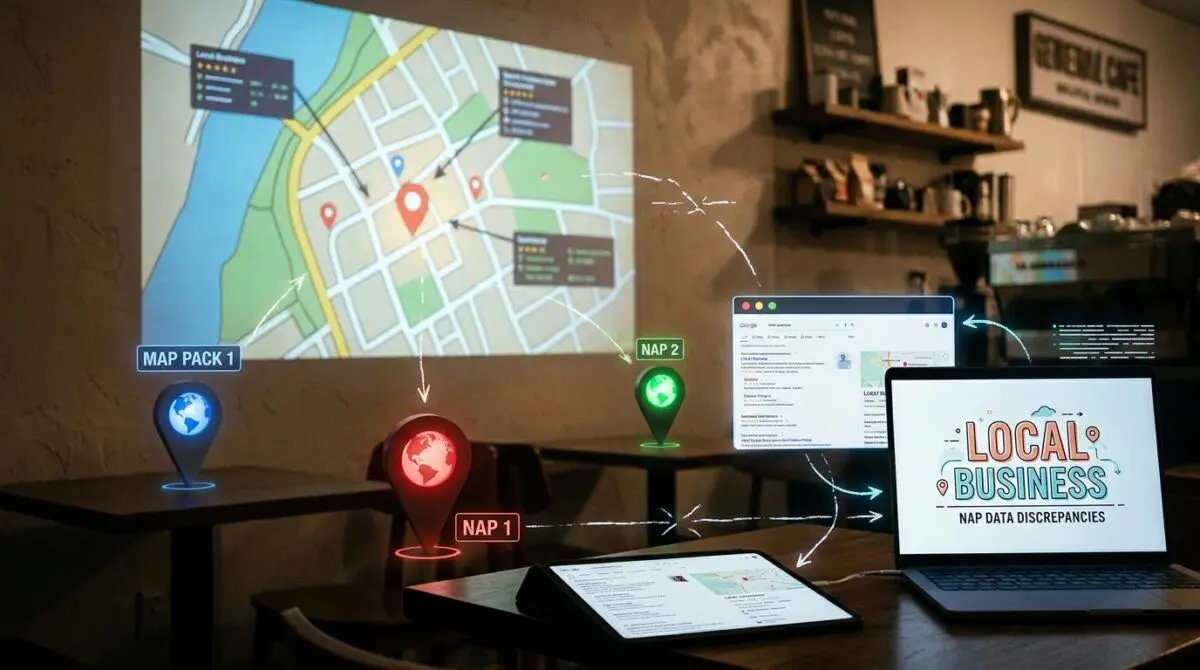
This metric underscores a critical failure point in local search architecture. The root cause is often NAP Data Inconsistency, a highly specific error where the structured data defining a LocalBusiness entity conflicts with the unstructured text data rendered in the document’s DOM.
This mismatch typically occurs within common global elements like the site footer. It directly disrupts the Entity Resolution process utilized by Google’s Knowledge Graph.
During Entity Resolution, the search engine attempts to reconcile site-wide signals with a single, verifiable real-world entity. When Googlebot identifies conflicting signals between the machine-readable schema and the human-readable HTML, it assigns a lower confidence score to the local entity.
This lowered confidence score is the primary trigger for the suppression of the Local Pack or Map Pack listing.
From a Crawl Budget perspective, this error forces Googlebot to perform multiple re-crawls and lookups across various directories and social signals to resolve the ambiguity. These redundant lookups waste precious crawl cycles.
For Generative Engine Optimization, consistency is the primary metric for trustworthiness. If the NAP data is not uniform, Large Language Models used in search will fail to attribute local authority to the domain.
This failure excludes the business from AI-generated local recommendations and summaries.
Symptoms of this desynchronization are highly visible in Google Search Console. You may see reports flagging missing address fields or duplicate item IDs in the LocalBusiness enhancements report.
Server logs often reveal repeated Googlebot-Mobile hits to the footer template files without corresponding updates to the Knowledge Panel. The Rich Results Test may pass, but the Live Test will expose the discrepancy between the Rendered HTML and the Detected Schema.
Diagnostic Checkpoints
Identifying the precise layer where the desynchronization occurs is the first step in troubleshooting.
Diagnostic Checkpoints
Asynchronous Footer Hydration Conflicts
JS hydration delays block crawler DOM reconciliation.
Stale Transient Schema Caching
Cached transients mismatch live theme footer edits.
CSS Micro-format Masking
CSS pseudo-elements mask address text from crawler.
CDN/Edge-Side Include (ESI) Desync
ESI fragments create desynced data across cache layers.
Root Cause Analysis
Modern JavaScript frameworks or page builders often load footer NAP data via AJAX or delayed hydration to improve initial paint times. Googlebot’s Evergreen Chrome rendering engine captures the schema from the initial HTML but fails to reconcile it with the footer if the DOM is not fully stable before the rendering timeout occurs.
This is a frequent issue in Elementor or Oxygen Builder setups. Delayed JavaScript execution settings in caching plugins prevent the address text from rendering simultaneously with the JSON-LD script.
At the WordPress plugin layer, SEO tools frequently store generated JSON-LD in the Transients API to reduce database queries. If a developer updates the hardcoded HTML footer in the theme file without updating the plugin’s Local SEO settings, the server serves outdated JSON-LD.
At the Edge layer, enterprise architectures using Varnish or Cloudflare may serve the footer as an Edge-Side Include. If the ESI fragment is updated but the main page’s JSON-LD is not purged, the edge serves conflicting data layers.
The Engineering Resolution
Resolving this requires a systematic alignment of your data architecture.
Engineering Resolution Roadmap
Unified Data Source Implementation
Remove all hardcoded NAP strings from footer.php and child theme templates. Centralize the data within a single WordPress option or an SEO plugin’s global settings to ensure the ‘Source of Truth’ is singular.
Schema-to-DOM Synchronization Hook
Implement a PHP filter in functions.php that hooks into the SEO plugin’s schema output and simultaneously populates a global variable used to render the footer HTML. This ensures that if the schema changes, the footer changes programmatically.
Force Server-Side Rendering (SSR) for NAP
Disable JS-based rendering or ‘Lazy Loading’ for footer widgets containing business information. Ensure that the address is present in the initial server response (X-Response-Type: text/html) to guarantee bot visibility without rendering delays.
Full Cache Purge and Re-indexing
Flush the WordPress Object Cache, the CDN Edge Cache, and then use the Google Search Console ‘URL Inspection Tool’ to ‘Request Indexing’ for the homepage and location pages to force a re-evaluation of the entity.
Execution Context
The core objective is to establish a single source of truth for your business entity data. Hardcoded strings in template files are highly susceptible to versioning mismatches when global SEO settings are updated.
By forcing Server-Side Rendering for the NAP data, you eliminate the reliance on Googlebot’s JavaScript rendering queue. The address must be present in the raw HTML response to guarantee immediate bot visibility.
Code Implementations
The following snippets demonstrate how to synchronize your schema and footer outputs at the server and application levels.
Fixing via WordPress functions.php
This implementation centralizes the NAP data into a single array fetched from WordPress options. It then hooks into the document head to output the JSON-LD, ensuring the exact same variables are available for the footer template.
/* WordPress: Synchronize Schema and Footer NAP via a single Option */
function get_unified_nap_data() {
    return array(
        'name'    => get_option('business_name'),
        'address' => get_option('business_address'),
        'phone'   => get_option('business_phone')
    );
}

// 1. Output as JSON-LD in head
add_action('wp_head', function() {
    $nap = get_unified_nap_data();
    echo '<script type="application/ld+json">' . json_encode([
        "@context" => "https://schema.org",
        "@type" => "LocalBusiness",
        "name" => $nap['name'],
        "address" => $nap['address'],
        "telephone" => $nap['phone']
    ]) . '</script>';
});
Fixing via NGINX Configuration
If aggressive caching is causing stale schema delivery, you can instruct NGINX to bypass the cache specifically for Googlebot. This guarantees the crawler always receives the freshest NAP data directly from the application layer.
// 2. NGINX: Bypass cache for Googlebot to ensure fresh NAP visibility
if ($http_user_agent ~* "googlebot") {
    set $no_cache 1;
}
Fixing via Apache Configuration
For environments utilizing Apache, you can enforce strict no-cache headers on the specific dynamic fragments that load your location data. This prevents intermediary nodes from serving desynchronized footer files.
// 3. Apache: Ensure no-cache headers for dynamic location fragments
<FilesMatch "footer-location\.php">
    Header set Cache-Control "max-age=0, no-cache, no-store, must-revalidate"
Validation Protocol & Edge Cases
Once the code is deployed, rigorous validation is required to ensure the Knowledge Graph receives the corrected signals.
Validation Protocol
- Execute Google Rich Results Test to confirm schema validity.
- Cross-reference Rendered HTML against the Detected Items tab.
- Inspect Network Tab with ‘Disable Cache’ to verify fresh delivery.
- Run cURL as Googlebot to ensure server-level NAP consistency.
- Perform final JSON-LD syntax check via validator.schema.org.
Headless Architecture Edge Cases
In a Headless WordPress architecture using WPGraphQL and a Next.js frontend, Incremental Static Regeneration presents a unique challenge. The ISR might update the DOM content but fail to update the static JSON-LD blob stored in the document head.
This happens if the metadata is fetched during a separate build process. It leads to a persistent desync where the footer reflects the latest database state while the schema reflects the build-time state from hours prior.
To resolve this, ensure your schema generation is coupled with the same data-fetching lifecycle as your footer component during the ISR regeneration phase.
Autonomous Monitoring & Prevention
Preventing NAP desynchronization requires a Schema-First development workflow. All NAP changes must be managed via a central JSON configuration file or a dedicated WordPress settings page.
Enterprise environments should implement automated monitoring using custom scripts. A daily cURL comparison between the JSON-LD address field and the footer address string can catch discrepancies before they impact rankings.
Utilizing log analysis tools like Logz.io or Splunk allows you to monitor Googlebot’s access patterns to footer assets. This data reveals exactly when and how crawlers interact with your entity signals.
Building automated API alerts via platforms like Make.com ensures your engineering team is notified the moment a desynchronization occurs. This proactive stance is the ultimate way to monitor entity integrity at scale.
Conclusion
Resolving NAP Data Inconsistency is a foundational requirement for dominating the Local Pack. By centralizing your data architecture and forcing server-side consistency, you eliminate the ambiguity that degrades your entity confidence scores.
Navigating the intersection of technical SEO, server architecture, and generative search requires a precise roadmap. If you need to future-proof your enterprise stack, resolve deep-level crawl anomalies, or implement AI-driven SEO automation, connect with Andres at Andres SEO Expert.