Key Takeaways
- Purple is now the default store-first theme for new WordPress.com Commerce plan stores, with shop, product, cart, and checkout pages already assembled as one system.
- Checkout is built from blocks and stays editable in the Site Editor, so merchants can rework fields, labels, and layout without developer help.
- The Commerce plan bundles hosting, domain, SSL, WooPayments in 38 countries, plus built-in analytics and SEO, with no transaction fees and no plugins required.
Table of Contents
Purple Launches Store-First Ecommerce for WordPress.com Commerce Plans
WordPress has made Purple the default design starting point for new Commerce plan stores. The theme, built by WooCommerce, ships with shop, product, cart, and checkout pages already assembled as a single system.
The WordPress.com Blog reported the rollout in its official product announcement. That launch positions Purple as a store-first alternative to the blank canvas experience that often delays new merchants.
A new store doesn’t have to start with an empty page.
What Purple Changes About WooCommerce Checkout and Store Design
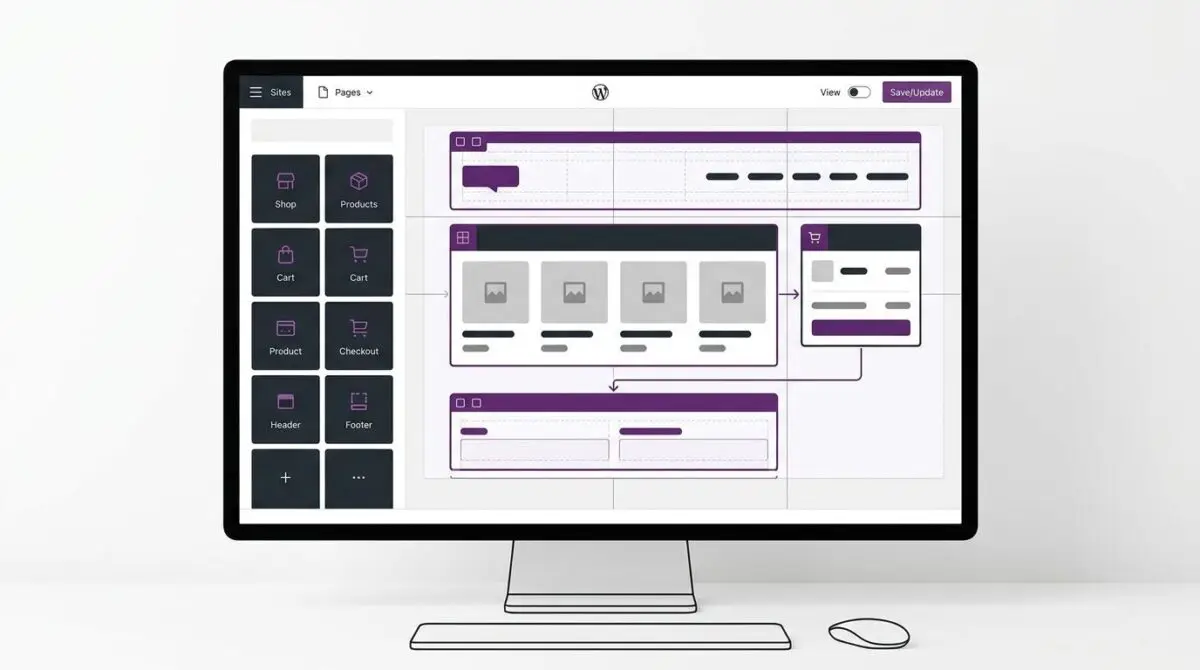
Purple is not a generic visual skin. It is a connected set of shop, category, single product, cart, and checkout templates that share the same template parts and pattern library.
According to the WordPress.com Blog, that shared system keeps a product page and a checkout screen aligned visually. Adding twenty products becomes an inventory job rather than a page-building exercise.
Editable Checkout on a Block System
Checkout is the highest-stakes page in many stores. A confusing layout, an unnecessary field, or a mismatched form can push a shopper away before payment.
Purple builds checkout from blocks, which is uncommon for standard themes. Merchants can open the Site Editor and adjust layout, labels, and fields just like any other page.
That includes removing fields that create friction or adding a reassurance line before the payment step. The checkout becomes a conversion surface operators can shape without developer work.
Infrastructure Included With the Commerce Plan
The theme alone is not the full package. A Commerce plan includes hosting, domain name, SSL, and payment processing for new stores.
WooPayments is available to merchants in 38 countries, and once configured it can accept payments from customers worldwide. WordPress.com applies no transaction fees to sales, though standard payment-processing fees still apply.
Analytics and SEO tools are built in, with no plugins required. WordPress.com also handles theme updates, and merchants can change colors, typography, spacing, headers, footers, and templates through the Site Editor.
A set of style presets lets a store change its entire look without rebuilding pages. That lowers the cost of a visual refresh or a quick brand differentiation.
Why Store-First Themes Signal a Shift in WordPress Commerce
The launch matters less as a new theme and more as a reduction in setup friction. Purple moves the first decision from layout assembly to product selection.
For store owners, that compresses the gap between signup and a usable storefront. For agencies and freelancers, it removes repetitive design work that has little differentiation value at the very start of a project.
The deeper signal is that WordPress.com is treating checkout and store pages as part of the product experience, not as site customization chores. A block-based checkout integrates commerce conversion into the same editing system used for the rest of the site.
The broader WordPress market has been moving toward faster time-to-value through prebuilt patterns and AI-assisted design. Purple extends that logic directly into WooCommerce onboarding.
That shift should push theme builders and agencies toward more vertical-oriented starting points. A store-first theme becomes a competitive baseline, not a novelty.
From Empty Canvas to Selling Faster
The practical outcome is a shorter distance between choosing a Commerce plan and processing a first order. For store owners evaluating Purple’s infrastructure layer on WordPress.com, managed WordPress cloud hosting is where Andres SEO Expert builds performance-first ecommerce foundations — contact us.
Frequently Asked Questions
What is Purple in WordPress.com Commerce?
Purple is a store-first WooCommerce theme built by WooCommerce. WordPress.com made it the default design starting point for new Commerce plan stores, with shop, product, cart, and checkout pages already assembled as one connected system.
How does Purple change WooCommerce checkout and store design?
Purple is a connected set of shop, category, single product, cart, and checkout templates that share the same template parts and pattern library. That keeps product pages and checkout visually aligned and makes adding products an inventory task instead of page building.
Can I edit the WooCommerce checkout with Purple?
Yes. Purple builds checkout from blocks, so merchants can open the Site Editor and adjust layout, labels, and fields like any other page. That includes removing friction fields or adding a reassurance line before payment.
What is included with a WordPress.com Commerce plan?
A Commerce plan includes hosting, domain name, SSL, and payment processing for new stores. WooPayments is available in 38 countries, and WordPress.com applies no transaction fees, though standard payment-processing fees still apply.
Does WordPress.com charge transaction fees on sales?
No. WordPress.com applies no transaction fees to sales on Commerce plans. Standard payment-processing fees from the payment provider still apply.
Why are store-first themes important for WordPress commerce?
Store-first themes like Purple reduce setup friction by moving the first decision from layout assembly to product selection. That shortens the gap between signup and a usable storefront and signals that checkout is part of the product experience.