Executive Summary
- Acts as a centralized gateway for all outbound traffic originating from the WordPress server to the public internet.
- Enhances enterprise security by masking internal IP addresses and enforcing strict access control lists (ACLs) on external requests.
- Improves performance through the caching of external API responses and remote resources, reducing redundant data transfer.
What is Forward Proxy?
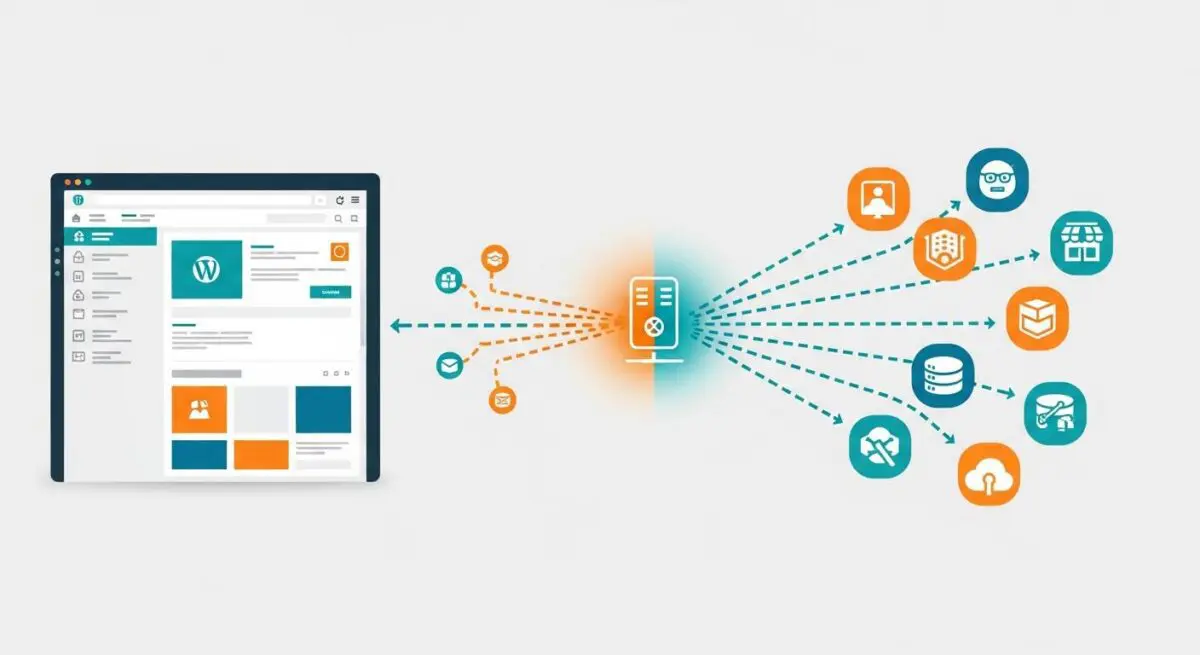
A Forward Proxy is a server that sits between a group of client machines—in this context, your WordPress web servers—and the external internet. When a WordPress application needs to make an outbound request, such as fetching a plugin update, connecting to a remote API, or communicating with a payment gateway, the request is first sent to the forward proxy. The proxy then evaluates the request, forwards it to the destination server, receives the response, and passes it back to the WordPress environment.
In high-security enterprise WordPress hosting, forward proxies are utilized to ensure that the internal server’s IP address is never exposed to the public web. This architecture allows system administrators to monitor, filter, and log all outgoing traffic, providing a critical layer of defense against data exfiltration and unauthorized communication with malicious external domains. Unlike a reverse proxy, which protects the server from incoming traffic, the forward proxy focuses entirely on the egress of data.
The Real-World Analogy
Imagine a high-security corporate office where employees are not allowed to mail letters directly from their desks. Instead, every employee must take their outgoing mail to a central mailroom. The mailroom clerk checks the destination address to ensure it is a legitimate business contact, places the letter in a corporate-branded envelope that hides the specific department’s internal room number, and then sends it out. If the employee asks for a document that the mailroom already has a copy of, the clerk provides it immediately without sending a new request. In this scenario, the mailroom is the Forward Proxy, protecting the internal structure of the office while managing all external communication.
How Forward Proxy Impacts Server Performance & Speed Engineering?
While often viewed as a security component, a forward proxy significantly impacts WordPress performance by optimizing outbound data flow. Many WordPress sites rely heavily on external REST APIs and third-party services. A forward proxy can be configured to cache these external responses. For example, if multiple processes on your server request the same exchange rate data or social media feed, the proxy serves the cached version, drastically reducing Time to First Byte (TTFB) for those specific internal operations and lowering server overhead.
Furthermore, in a clustered WordPress environment, a forward proxy provides a single point of egress. This simplifies firewall management and reduces the complexity of DNS resolution for the application servers. By offloading the overhead of establishing SSL/TLS handshakes with external servers to a dedicated proxy, the primary PHP processing units can focus entirely on executing the WordPress Loop and rendering content, leading to more efficient resource allocation.
Best Practices & Implementation
- Configure WordPress Core: Define the proxy settings in the
wp-config.phpfile using theWP_PROXY_HOST,WP_PROXY_PORT, andWP_PROXY_USERNAME/PASSWORDconstants to ensure the application natively routes traffic through the proxy. - Implement Bypass Lists: Use the
WP_PROXY_BYPASS_HOSTSconstant to exclude local traffic (likelocalhostor internal database clusters) from the proxy to prevent unnecessary latency and potential routing loops. - Enforce Strict ACLs: Configure the proxy server (e.g., Squid or Nginx) with Access Control Lists that only allow connections to verified, whitelisted domains required for your plugins and theme functionality.
- Monitor Egress Logs: Regularly audit proxy logs to identify plugins that may be making excessive or unauthorized external calls, which can degrade server performance and pose security risks.
Common Mistakes to Avoid
One frequent error is failing to configure the bypass list correctly, which can lead to WordPress attempting to reach its own database or local cron service through the external proxy, resulting in 504 Gateway Timeout errors. Another mistake is using an unauthenticated or poorly secured forward proxy, which can become a bottleneck or a single point of failure for the entire hosting stack. Finally, many administrators overlook the importance of SSL certificate verification at the proxy level, potentially exposing the server to man-in-the-middle attacks during outbound data transfers.
Conclusion
A forward proxy is an essential architectural component for enterprise WordPress deployments, providing a robust mechanism for outbound traffic control, security masking, and API response caching. When correctly implemented, it ensures that the hosting environment remains secure, compliant, and optimized for high-performance external data interactions.