Executive Summary
- ShortPixel utilizes advanced Lossy, Glossy, and Lossless compression algorithms to reduce image payloads by up to 90% without significant visual degradation.
- The service offloads intensive image processing to external API-driven cloud servers, preserving local origin server CPU and RAM resources.
- Native support for next-generation formats like WebP and AVIF facilitates compliance with Google’s Core Web Vitals, specifically targeting Largest Contentful Paint (LCP).
What is ShortPixel?
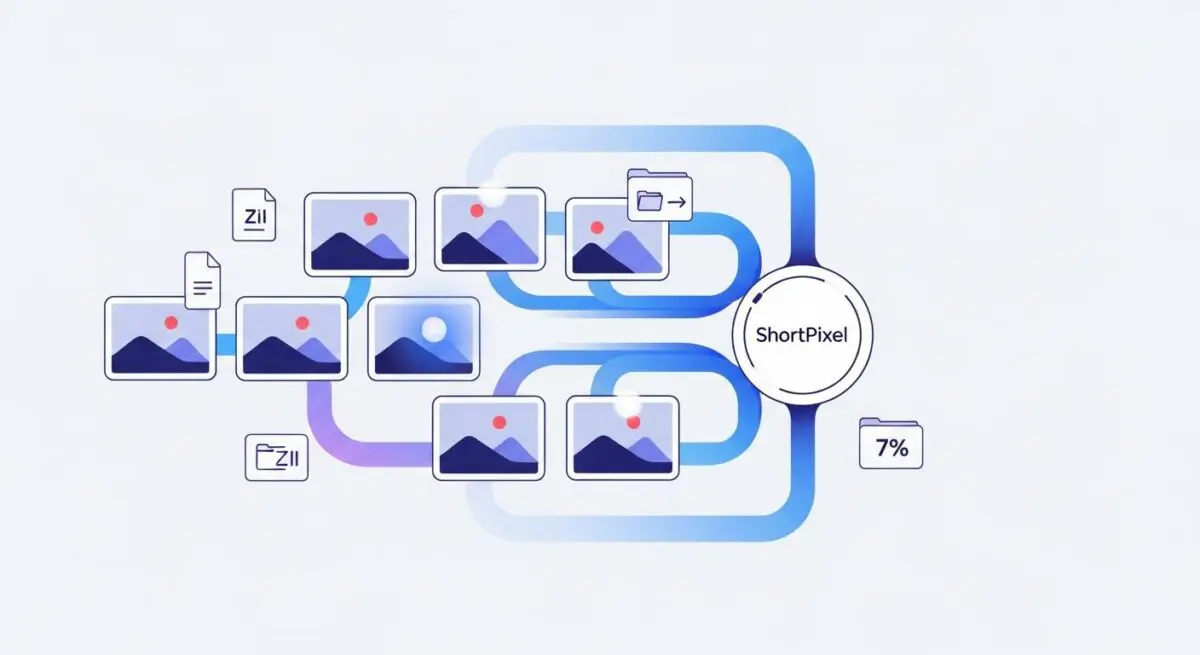
ShortPixel is a high-performance image optimization SaaS (Software as a Service) designed to integrate seamlessly with the WordPress Media Library and server-side workflows. It functions by intercepting image uploads or scanning existing media to apply sophisticated compression algorithms. Unlike standard WordPress image handling, which relies on basic GD or ImageMagick libraries on the local server, ShortPixel offloads the heavy computational task of image processing to its own dedicated cloud infrastructure via a REST API.
The platform offers three primary compression levels: Lossy, which provides the highest compression ratio for maximum speed; Glossy, a high-quality lossy algorithm optimized for photographers; and Lossless, which reduces file size by removing unnecessary metadata without altering a single pixel. By automating the conversion of legacy formats (JPEG/PNG) into modern, high-efficiency formats like WebP and AVIF, ShortPixel ensures that WordPress sites deliver the smallest possible payloads to the client browser.
The Real-World Analogy
Imagine a professional logistics company that specializes in vacuum-sealing bulky winter coats before shipping them. Instead of sending a massive, air-filled box that takes up significant space in a delivery truck (your server bandwidth and storage), the company extracts all the unnecessary air while keeping the coat perfectly intact. When the customer receives the package, it takes up far less room during transit, allowing the truck to move faster and carry more items simultaneously. ShortPixel is that vacuum-sealing service for your website’s visual assets.
How ShortPixel Impacts Server Performance & Speed Engineering?
ShortPixel significantly enhances WordPress architecture by reducing the Total Page Weight, which is the primary factor in slow mobile rendering. By offloading the compression process to external servers, it prevents the origin server from experiencing CPU spikes during bulk image uploads, which is critical for maintaining high availability in managed WordPress environments. Furthermore, smaller image files lead to faster Time to First Byte (TTFB) for asset delivery and directly improve the Largest Contentful Paint (LCP) metric by ensuring that hero images are decoded and rendered by the browser with minimal latency.
From a hosting perspective, ShortPixel reduces disk I/O and storage requirements. Since WordPress generates multiple thumbnails for every upload, the cumulative storage savings can be gigabytes of data on enterprise-scale sites. This reduction in data volume also streamlines server-level backups and decreases the time required for site migrations and staging deployments.
Best Practices & Implementation
- Implement AVIF Conversion: Always enable AVIF delivery for browsers that support it, as it offers superior compression over WebP, often reducing file sizes by an additional 20-30% without quality loss.
- Configure Global Resizing: Set a maximum width and height for all uploads (e.g., 2560px) to prevent users from uploading 20MB raw smartphone photos that bloat the database and storage.
- Utilize the Glossy Setting: For most business and e-commerce applications, the Glossy setting provides the optimal balance between visual fidelity and performance, avoiding the artifacts sometimes found in aggressive Lossy compression.
- Exclude Critical UI Elements: Use the exclusion settings to prevent the optimization of small, sensitive assets like logos or specific icons where pixel-perfect precision is required for brand integrity.
Common Mistakes to Avoid
One frequent error is failing to enable the Cloud Backup feature within the plugin settings; without a backup of the original unoptimized images, it is impossible to revert to a higher quality or different format later. Another mistake is running bulk optimization on a live production environment without first testing the compression levels on a staging site, which can lead to unexpected visual artifacts on high-resolution displays. Finally, many developers neglect to configure the ShortPixel Adaptive Images (SPAI) or a CDN, missing out on the benefits of dynamic, viewport-based image delivery.
Conclusion
ShortPixel is an essential tool for modern WordPress engineering, providing the necessary automation to maintain a lean media library and achieve elite Core Web Vitals scores. By offloading processing and utilizing next-gen formats, it ensures optimal performance across diverse hosting infrastructures.