Executive Summary
- Minification reduces the total byte weight of assets by stripping non-functional characters like whitespace, comments, and delimiters.
- The process significantly improves Largest Contentful Paint (LCP) by reducing the time required to download and parse critical CSS and JavaScript.
- Modern speed engineering workflows integrate minification into automated build pipelines to ensure production-ready code efficiency and consistency.
What is Minification?
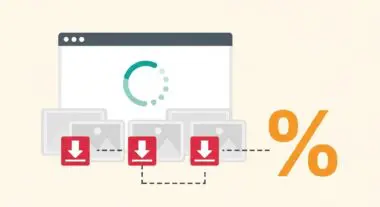
Minification is the technical process of removing unnecessary characters from source code—specifically HTML, CSS, and JavaScript—without altering its functional logic. These unnecessary characters include whitespace, newlines, comments, and block delimiters, which are essential for human readability but redundant for browser execution. By stripping these elements, the file size is significantly reduced, leading to faster transmission over the network.
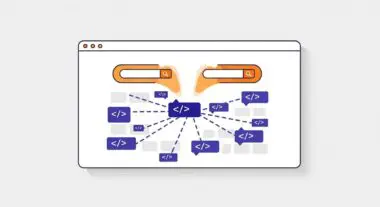
In the context of modern speed engineering, minification often involves more advanced techniques than simple whitespace removal. It can include variable renaming (mangling), where long variable names are replaced with shorter ones, and the removal of unused code. We at Andres SEO Expert categorize minification as a fundamental layer of Resource Optimization that serves as a prerequisite for effective compression and edge delivery.
The Real-World Analogy
Imagine you are sending a long-distance telegram where you are charged per character. To save money, instead of writing “I am going to arrive at the station at five o’clock in the evening,” you write “Arriving station 5pm.” The recipient still understands the exact same message, but the physical length of the message is drastically shorter. In this analogy, the original sentence is your source code, and the shortened version is the minified code. The browser, like the telegram recipient, doesn’t need the “polite” extra words to understand the instructions.
Why is Minification Critical for Website Performance and Speed Engineering?
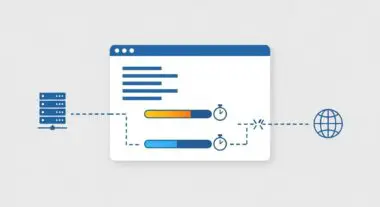
Minification is a primary driver for optimizing Core Web Vitals, particularly Largest Contentful Paint (LCP). By reducing the payload size of render-blocking resources like CSS and synchronous JavaScript, the browser can reach the “First Paint” milestone much faster. Smaller files result in fewer TCP round trips, which is especially critical for users on high-latency mobile networks.
Furthermore, minification enhances the efficiency of Edge Caching and Content Delivery Networks (CDNs). Smaller assets consume less cache storage and are served more rapidly from the edge to the end-user. When combined with modern compression algorithms like Brotli, minified files achieve the highest possible compression ratios, further decreasing the Time to First Byte (TTFB) for sub-resources.
Best Practices & Implementation
- Automate via Build Pipelines: Integrate minification tools like Terser (for JS), CSSNano (for CSS), or HTMLMinifier into your CI/CD pipeline using Webpack, Vite, or Rollup to ensure all production code is optimized.
- Utilize Source Maps: Always generate source maps during the minification process. This allows developers to debug the original, readable code in browser developer tools while serving the optimized version to users.
- Leverage CDN-Level Minification: For legacy systems where build-tool integration is difficult, enable “Auto Minify” features on platforms like Cloudflare to strip whitespace on-the-fly at the edge.
- Combine with Compression: Never treat minification as a substitute for Gzip or Brotli. Minification removes characters at the source, while compression optimizes the transfer; using both is mandatory for elite performance.
Common Mistakes to Avoid
One frequent error is manual minification, where developers attempt to minify code by hand or use one-off web tools, leading to inconsistencies and unmaintainable codebases. Another common mistake is failing to minify third-party scripts or inline styles, which can remain as bloated bottlenecks even if the main site files are optimized. Finally, neglecting to test functional integrity after aggressive variable mangling can lead to runtime errors in complex JavaScript applications.
Conclusion
Minification is a non-negotiable standard in speed engineering that reduces resource overhead and accelerates browser rendering. Implementing it through automated workflows ensures a leaner, faster, and more efficient digital experience.