Executive Summary
- Kadence WP utilizes a modular architecture that prioritizes conditional asset loading, significantly reducing the initial payload and improving Time to First Byte (TTFB).
- The framework is engineered to minimize DOM depth by leveraging native WordPress block protocols, avoiding the heavy div-nesting common in legacy page builders.
- Integrated performance features like local font hosting and CSS pre-loading directly address Core Web Vitals, specifically Largest Contentful Paint (LCP) and Cumulative Layout Shift (CLS).
What is Kadence WP?
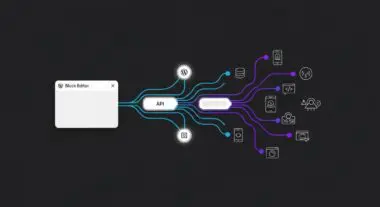
Kadence WP is a comprehensive ecosystem of WordPress development tools, primarily consisting of the Kadence Theme and Kadence Blocks. Unlike traditional multi-purpose themes that rely on heavy, proprietary page builders, Kadence WP is built on the native WordPress Block Editor (Gutenberg) architecture. This technical approach ensures that the site remains lightweight by utilizing the core CMS functionality while extending it with advanced layout controls and performance-oriented features. From an engineering perspective, Kadence WP functions as a framework that bridges the gap between high-level design flexibility and low-level code efficiency.
The architecture of Kadence WP is centered around modularity. The theme itself is exceptionally lean, with the core stylesheet often weighing less than 50kb in its minified state. When paired with Kadence Blocks, the system employs a conditional loading mechanism. This means that the CSS and JavaScript required for a specific block are only enqueued if that block is present on the page. This granular control over asset delivery is a departure from older frameworks that load a monolithic library on every page load, regardless of the actual content requirements. For enterprise-level WordPress deployments, this modularity translates to better scalability and easier maintenance of the codebase.
The Real-World Analogy
To understand Kadence WP, imagine a high-performance modular office building. Traditional page builders are like a pre-furnished office suite where every single piece of furniture, electronic device, and decoration is bolted to the floor before you even move in. Even if you only need a desk and a chair, you are forced to pay for and maintain the weight of the entire inventory. Kadence WP, by contrast, is a precision-engineered structural frame. It provides the essential utilities—electricity, plumbing, and structural integrity—but only brings in the specific furniture and equipment you need for a particular task. If a room only needs a table, only a table is delivered. This ensures the building remains light, efficient, and easy to navigate, without the unnecessary clutter of unused assets slowing down the occupants.
How Kadence WP Impacts Server Performance & Speed Engineering?
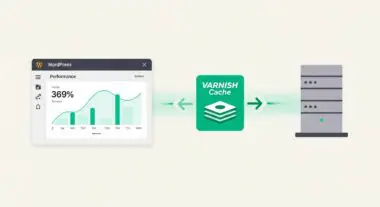
Kadence WP impacts server performance primarily through its reduction of server-side processing requirements and optimized front-end delivery. Because it relies on the native block editor, the server does not need to parse complex shortcodes or execute heavy third-party builder engines before sending the HTML to the browser. This results in a lower memory footprint during the PHP execution phase. Furthermore, Kadence WP implements a sophisticated CSS generation engine. Instead of generating dynamic CSS on every page load, it can compile and cache CSS into local files or inline it strategically to prevent render-blocking requests.
From a speed engineering standpoint, Kadence WP addresses the Critical Rendering Path by allowing developers to prioritize the loading of above-the-fold content. The framework includes built-in support for SVG icons instead of font-based icons (like FontAwesome), which eliminates additional HTTP requests and prevents layout shifts. Additionally, the theme’s integration with modern browser features, such as ‘font-display: swap; and pre-connect hints for third-party resources, ensures that the browser can begin rendering the page as soon as the first packets of data arrive. This technical alignment with modern web standards makes it a preferred choice for sites targeting high scores in Google’s Lighthouse and Core Web Vitals assessments.
Best Practices & Implementation
- Enable Local Google Fonts: Navigate to the Kadence Theme settings and enable the option to host Google Fonts locally. This reduces DNS lookups and allows you to leverage server-level caching and CDN delivery for typography assets.
- Utilize the Global Color Palette: Define your brand colors within the Kadence global settings rather than applying hex codes to individual blocks. This reduces the amount of inline CSS generated and ensures a smaller, more maintainable stylesheet.
- Implement Hooked Elements for Dynamic Content: Use the ‘Elements’ feature in Kadence Pro to inject content or code snippets into specific hooks. This is more efficient than using plugins for headers, footers, or sidebars, as it keeps the execution within the theme’s optimized logic.
- Optimize Block Defaults: Configure the default settings for Kadence Blocks to match your design system. This prevents the need for repetitive styling adjustments on a per-block basis, which can lead to bloated HTML if not managed correctly.
- Disable Unused Block Components: Within the Kadence Blocks settings, deactivate any blocks that are not being used on the site. This prevents the associated scripts and styles from being registered in the WordPress backend, streamlining the editor experience.
Common Mistakes to Avoid
One frequent error is the over-nesting of Row and Section blocks. While Kadence provides deep layout control, every additional layer of nesting increases the DOM depth. A high DOM depth can lead to increased memory usage in the browser and slower rendering times, particularly on mobile devices. Developers should strive for the flattest HTML structure possible by utilizing the advanced spacing and alignment controls within a single Row block rather than nesting multiple containers.
Another common mistake is failing to utilize the ‘Performance’ tab in the Kadence settings. Many users leave default WordPress behaviors active, such as loading emojis or legacy scripts, which Kadence can easily disable. Furthermore, users often overlook the importance of configuring the ‘CSS Output’ method. For most high-traffic sites, setting the CSS to ‘File’ rather than ‘Inline’ is preferable as it allows the browser to cache the stylesheet, reducing the total byte count for subsequent page views.
Conclusion
Kadence WP represents a shift toward performance-first WordPress architecture by leveraging the native block editor and modular asset delivery. When implemented with technical precision, it provides a scalable foundation that optimizes both server-side resource allocation and front-end user experience.