Key Points
- Google’s rendering engine requires the mainEntity property to bridge ProfilePage and Person entities to qualify for Perspectives rich results.
- Redundant JSON-LD @graph nodes from overlapping SEO plugins cause @id URI fragmentation, decoupling the author identity from the page content.
- Resolving this conflict demands synchronizing canonical @id fragments and purging persistent object caches serving stale schema structures.
Table of Contents
The Core Conflict: Schema Desynchronization
According to the HTTP Archive’s 2026 Web Almanac, nearly 28% of enterprise-level WordPress sites suffer from schema collisions on author pages due to the ‘Plugin Bloat’ effect. A recent study by Ahrefs confirms that correctly implemented ProfilePage schema correlates with a 14% increase in click-through rates from the Perspectives search carousel. This data underscores the critical nature of maintaining strict entity architecture on your domain.
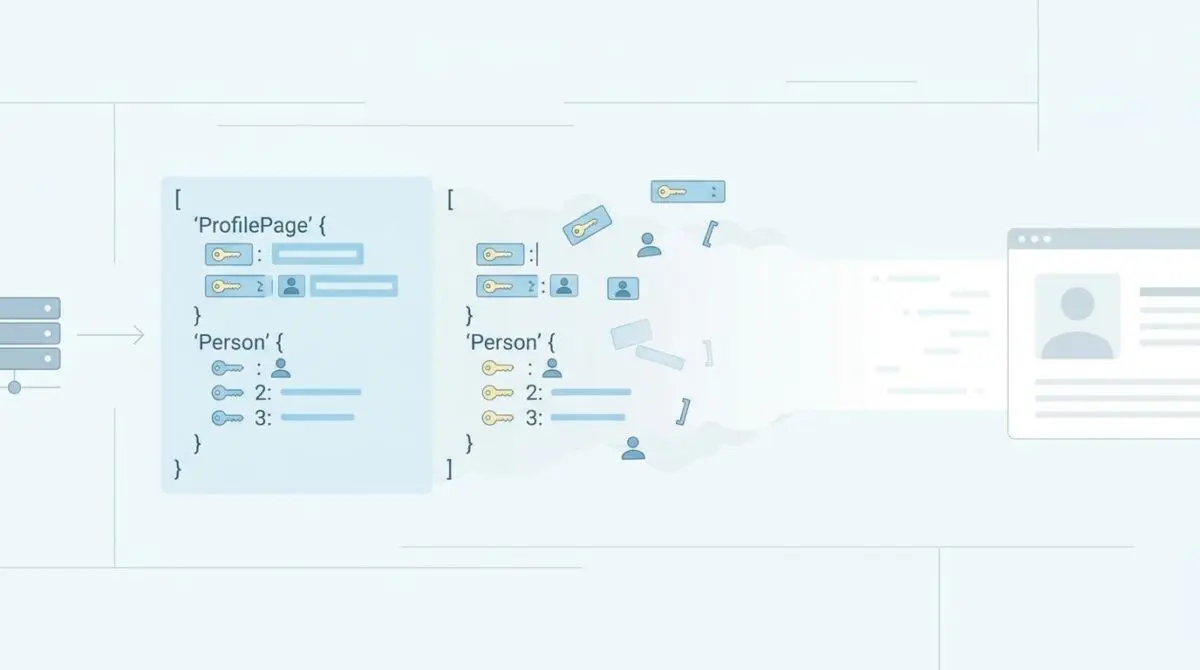
The ProfilePage and Person Schema Nesting Conflict is a severe structural error in JSON-LD implementation. It occurs when the ProfilePage type is defined as a sibling node to the Person entity, rather than its container. This prevents AI agents and Large Language Models from establishing a high-confidence Knowledge Graph link between a specific piece of content and its creator’s verified credentials.
In raw server log files, you will observe Googlebot repeatedly crawling author bio URLs but failing to update the author snippet in the SERPs. The X-Robots-Tag might be correctly set to index, but the Rich Results Test will show Person and ProfilePage as two separate, unrelated items.
Diagnostic Checkpoints and Root Causes
This error is fundamentally a desynchronization in your technology stack. When your system falls out of sync, the resulting schema decoupling manifests as ‘Critical Issues’ in the ‘Profile Page’ enhancements report. It often stems from overlapping responsibilities between the server layer, the content management system, and edge caching mechanisms.
Diagnostic Checkpoints
Redundant Schema Graph Nodes
Consolidate multiple @graph nodes into a single JSON-LD block.
Missing mainEntity Property Binding
Bridge entities via required mainEntity structural pointers.
Fragmented Identifier (@id) Collision
Match entities using unique fragment-based URI identifiers.
Object Cache Persistence of Stale Schema
Clear stale transients serving deprecated schema structures.
Redundant Schema Graph Nodes
Modern SEO plugins output structured data in a consolidated @graph array. However, if a site uses both a general SEO plugin and a dedicated schema plugin, both may inject conflicting identifiers for the author. Without a unified @id reference, Google processes two distinct entities.
This commonly occurs when a WordPress theme’s author template contains hardcoded Microdata while an SEO plugin injects JSON-LD via the document head. The resulting collision invalidates the ProfilePage rich result entirely.
Missing mainEntity Property Binding
Google’s rendering engine strictly requires the mainEntity property to serve as the structural bridge between the page and the person. If the JSON-LD structure defines both entities at the root level without an internal pointer, the search engine drops the rich snippet. The parser simply cannot determine which entity the page is primarily about.
The Engineering Resolution Roadmap
Resolving this conflict requires surgical precision within your schema generation logic. You must restructure the JSON-LD payload to explicitly nest the author identity within the page context.
Engineering Resolution Roadmap
Identify and Unify the Schema Graph
Inspect the source code of an author page. Locate the JSON-LD blocks. If there are multiple <script type=”application/ld+json”> blocks, use a filter in your functions.php to merge them into a single @graph or disable the redundant output from the theme/plugins.
Implement mainEntity Nesting
Modify your schema output to ensure ‘Person’ is nested within ‘ProfilePage’. The top-level ‘@type’ should be ‘ProfilePage’, and it must contain ‘”mainEntity”: { “@type”: “Person”, … }’.
Synchronize @id URI Identifiers
Ensure the @id for the Person entity is the canonical author URL with a fragment (e.g., ‘https://site.com/author/name/#person’). This allows Google to reconcile this entity across different pages (e.g., linking the bio page to the articles they wrote).
Flush Transients and Edge Cache
Use ‘wp transient delete –all’ via WP-CLI. If using Cloudflare, purge the cache for the ‘/author/.*’ URL pattern to ensure the new JSON-LD structure is served to Googlebot.
Official search engine guidelines mandate that a ProfilePage must explicitly define the mainEntity as a Person or Organization. Failure to adhere to this strict hierarchy breaks the Knowledge Graph integration.
Furthermore, fragmented identifier collisions must be addressed at the database level. In WordPress multisite environments, global user IDs often do not match site-specific author URLs. This leads plugins to generate non-matching URI identifiers that decouple the data in the indexing pipeline.
Executing the Fix: Code and Implementation
To repair the entity nesting, you must intercept the schema output before it renders to the DOM. This involves modifying the JSON-LD array to enforce the correct parent-child relationship.
Ensure the @id for the Person entity utilizes the canonical author URL appended with a fragment identifier. This specific architecture allows Google to reconcile the entity across your entire domain architecture.
Restructuring the JSON-LD Payload
Below is the exact JSON-LD architecture required to satisfy the 2026 rendering engine requirements. Implement this structure to bind the entities correctly.
{ "@context": "https://schema.org", "@type": "ProfilePage", "mainEntity": { "@type": "Person", "@id": "https://example.com/author/jane-doe/#person", "name": "Jane Doe", "jobTitle": "Senior Architect", "description": "Expert in server infrastructure.", "sameAs": [ "https://twitter.com/janedoe", "https://linkedin.com/in/janedoe" ] } }Validation Protocol and Edge Cases
Once the code is deployed, immediate verification is mandatory to ensure crawlers receive the updated payload. Do not rely solely on frontend inspection, as edge caching can mask underlying structural flaws.
Validation Protocol
- Verify live author URL via Google Rich Results Test to confirm mainEntity detection.
- Execute curl with Googlebot User-Agent to verify server-side JSON-LD delivery.
- Validate graph syntax and structural integrity via the Schema.org Validator tool.
When executing the curl command, always spoof the Googlebot User-Agent. This ensures you are bypassing conditional logic that might serve different markup to standard browsers.
In headless WordPress setups utilizing a Next.js frontend, extreme caution is required. The WordPress REST API may provide the Person data, but the frontend SEO component might independently generate the ProfilePage schema. If the mainEntity is not dynamically mapped to the Person object ID from the API, Google will see two orphaned entities.
Additionally, if Cloudflare Edge Workers are used for A/B testing author bios, they may inject conflicting schema versions. This geographic fragmentation leads to inconsistent rich snippet visibility across different crawl zones.
Autonomous Monitoring and Prevention
Manual validation is insufficient for enterprise environments. You must implement automated schema monitoring to prevent future regressions. Tools like SchemaApp or custom GitHub Actions can run the Rich Results Test API against your author bio URLs on every deployment.
Monitor your Google Search Console Enhancements reports weekly for any newly surfaced warnings. Establishing a standardized schema template across the entire WordPress instance is the most effective defense against plugin bloat.
At Andres SEO Expert, we engineer robust deployment pipelines that automatically halt builds if entity integrity fails. This level of AI-driven SEO automation ensures your technical architecture remains pristine at scale.
Conclusion
Resolving the ProfilePage and Person schema nesting conflict is a foundational requirement for modern generative search visibility. By unifying your schema graph, enforcing strict mainEntity binding, and synchronizing URI identifiers, you restore the critical link between your content and its creators.
Navigating the intersection of technical SEO, server architecture, and generative search requires a precise roadmap. If you need to future-proof your enterprise stack, resolve deep-level crawl anomalies, or implement AI-driven SEO automation, connect with Andres at Andres SEO Expert.
Frequently Asked Questions
What is a ProfilePage and Person schema nesting conflict?
It is a structural error in JSON-LD implementation where the ProfilePage type is defined as a sibling node to the Person entity rather than its container. This prevents AI agents and Large Language Models from establishing a high-confidence Knowledge Graph link between content and the creator’s credentials.
How does missing mainEntity property binding affect SEO?
Google’s rendering engine requires the mainEntity property to act as a structural bridge between a page and an entity. Without this nesting, search engines cannot determine which entity a page is primarily about, often resulting in the loss of author rich snippets in the SERPs.
What are the common symptoms of schema desynchronization?
Common indicators include ‘Critical Issues’ in Google Search Console’s Profile Page report, Googlebot crawling author URLs without updating snippets, and validation tools showing Person and ProfilePage as two separate, unrelated entities.
How do fragment-based @id identifiers help resolve entity collisions?
By using a unique URI fragment (such as #person) appended to the canonical author URL, you create a distinct identifier. This allows search engines to reconcile the entity across different domain sections, linking the author’s bio page effectively to their published content.
Why should I spoof the Googlebot User-Agent during schema validation?
Spoofing the Googlebot User-Agent ensures you are verifying the exact JSON-LD payload delivered to crawlers, bypassing any server-side conditional logic, edge caching, or security layers that might serve different markup to standard browsers.