Key Points
- Crawl Budget Preservation: Forcing static directory routing prevents Googlebot from wasting rendering resources on redundant, parameter-driven URL permutations.
- Server-Side Consolidation: Implementing strict NGINX or .htaccess 301 redirects ensures legacy dynamic query strings are instantly resolved to their static subdirectory equivalents.
- Edge Cache Integrity: Configuring Vary: Accept-Language headers and purging object caches prevents CDNs from serving poisoned, parameter-based HTML fragments to localized crawlers.
Table of Contents
The Core Conflict: URL Parameter Fragmentation
Recent technical SEO studies indicate that nearly a third of enterprise-level multilingual websites suffer from index bloat caused by unmanaged URL parameters. This architectural failure results in a significant decrease in organic visibility for primary language subdirectories due to internal competition.
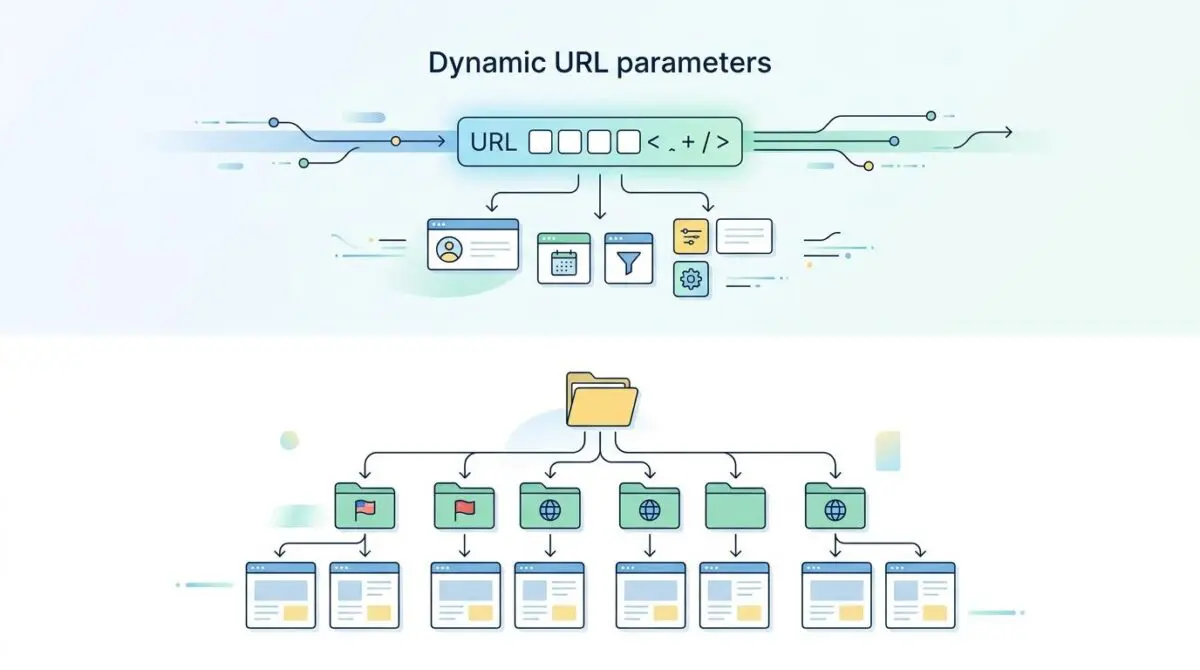
When Google indexes a translation plugin’s dynamic URL parameters instead of the intended static language subdirectories, you are witnessing a critical routing failure. This phenomenon is technically classified as URL parameter fragmentation in multilingual indexing.
It occurs when search engines prioritize crawling dynamic query strings, such as “?lang=de”, over your clean static paths like “/de/”. This conflict typically arises from a severe misalignment between the translation plugin’s internal routing logic and the site’s canonical or hreflang signaling.
In modern SEO, this fragmentation results in catastrophic crawl budget waste. Googlebot allocates heavy rendering resources to redundant URL permutations. This effectively dilutes the PageRank of your primary language versions.
For Generative Engine Optimization (GEO), this fragmentation is even more destructive. AI-driven crawlers and Retrieval-Augmented Generation (RAG) systems fail to establish a single source of truth for a specific language. This leads to AI hallucinations or the retrieval of outdated, parameter-driven content snippets in generated overviews.
Diagnostic Checkpoints and Root Causes
URL parameter fragmentation is rarely an isolated incident. It is usually the symptom of a broader desynchronization across your server, caching, and application layers.
Diagnostic Checkpoints
Hreflang Attribute Desynchronization
Hreflang tags point to parameter URLs instead of subdirectories.
JavaScript-Heavy Language Switchers
JS-driven navigation triggers discovery of parameter-based URL states.
Absence of ‘Vary: Accept-Language’ Header
Missing headers cause edge caches to serve parameter-based versions.
Canonical Tag Circular Logic
Canonical tags fail to consolidate signals back to directories.
Server and Edge Layer Failures
At the infrastructure level, the absence of a ‘Vary: Accept-Language’ HTTP header is a primary culprit. When the server fails to send this header, edge caches like Cloudflare serve the exact same cached version of a page to all crawlers.
This effectively poisons the cache, making the parameter-based version the master entry. Google’s localized crawlers become thoroughly confused by the conflicting signals, assuming the dynamic string is the intended destination.
WordPress and Plugin Misconfigurations
Within the WordPress application layer, hreflang attribute desynchronization is incredibly common. Translation plugins often generate alternate tags that point to the parameter-based URL rather than the static subdirectory.
Furthermore, JavaScript-heavy language switchers exacerbate the issue. If the switcher relies on JavaScript to modify the window location without proper anchor tags, Googlebot’s Web Rendering Service (WRS) executes those scripts during rendering.
This forces the crawler to discover parameter-based states, triggering infinite URL spaces that cause severe overcrawling. Canonical tag circular logic then traps the bot. Self-referencing canonicals on dynamic URLs fail to consolidate signals back to the static path.
Engineering Resolution Roadmap
Resolving this indexing anomaly requires a systematic, multi-layered approach. You must align the application’s permalink structure with strict server-side routing rules.
Engineering Resolution Roadmap
Force Static Directory Routing
Navigate to the translation plugin settings (e.g., WPML > Languages). Set ‘Language URL format’ to ‘Different languages in directories’. Perform a ‘Hard Reset’ of WordPress rewrite rules by visiting Settings > Permalinks and clicking ‘Save Changes’ twice.
Implement Server-Side Global Redirects
Add a 301 redirect rule in .htaccess or NGINX config to catch any incoming requests with the ‘lang’ parameter and redirect them to the equivalent subdirectory. This ensures that any legacy links or discovered parameters are consolidated immediately.
Configure GSC URL Parameter Tooling
Access the ‘URL Parameters’ tool (or the modern ‘Crawl Control’ equivalent in the 2026 GSC dashboard). Identify the ‘lang’ parameter and set it to ‘No: Doesn’t affect page content (representative URL)’ or ‘Yes: Changes content’ but then specify ‘Only crawl: No URLs’ to force Googlebot to ignore the parameter strings.
Purge Edge and Object Cache
Flush the Cloudflare/CDN cache and the WordPress Object Cache (Redis/Memcached). This removes stale HTML fragments that may still contain hardcoded parameter links in the navigation or footer.
Forcing static directory routing is your foundational step. By configuring your translation plugin to use directories and hard-resetting WordPress rewrite rules, you establish the baseline architecture.
However, application-level settings are easily bypassed by legacy links or cached JavaScript. This is why implementing server-side global redirects is non-negotiable for enterprise SEO.
Configuring Google Search Console’s URL parameter tooling acts as your ultimate safety net. It explicitly instructs Googlebot to ignore the parameter strings entirely, stopping the crawl bleed at the source.
Resolution Execution: NGINX and Server Rules
Implementing the redirect at the server level ensures that any discovered parameters are consolidated immediately. Relying on PHP-level redirects within WordPress is too slow and wastes critical server resources.
If you fail to intercept these requests at the NGINX layer, unmanaged query strings create severe duplicate content and index bloat. The following configuration demonstrates how to correctly capture the language parameter and permanently redirect it to the corresponding subdirectory.
rewrite ^/(.*)$ /index.php?lang=$1 last; # Wrong approach check
# Correct NGINX 301 Redirect for Parameter to Subdirectory
if ($args ~* "lang=([a-z]{2})") {
    set $lang_code $1;
    set $args "";
    rewrite ^(.*)$ /$lang_code$1? permanent;
}
This block checks the query string for a two-letter language code. It extracts the code, clears the arguments to prevent infinite loops, and issues a clean 301 permanent redirect to the static path.
Validation Protocol & Edge Cases
Deploying server rules without rigorous validation is an unacceptable risk. You must verify that the routing behaves exactly as intended for search engine user agents.
Validation Protocol
- Execute curl -I -L -A “Googlebot” to verify 301 redirects to /subdirectory/.
- Validate that Detected Canonical matches User-declared Canonical in GSC Live Test.
- Audit Network Tab for XHR/Fetch requests generating parameter-based URLs.
- Run Rich Result Test to confirm correct static hreflang attribute rendering.
While the standard protocol resolves most issues, headless architectures present unique edge cases. In a headless WordPress environment using Next.js or Nuxt, the frontend often utilizes Incremental Static Regeneration (ISR).
This strategy fetches data directly from the WordPress REST API. If the API responses contain parameter-based ‘self’ links in the JSON payload, the frontend will blindly render these into the DOM.
Even if your NGINX server redirects the browser, Googlebot may still index the parameter strings found within the JSON-LD or the REST API’s Link headers before the redirect is processed.
Autonomous Monitoring & Prevention
Fixing the immediate fragmentation is only half the battle. Enterprise environments require proactive systems to prevent regression during future deployments or plugin updates.
Implement a pre-publishing crawler within your CI/CD pipeline. Utilizing tools like ContentKing allows for real-time monitoring of hreflang and canonical mismatches before they reach production.
Ensure that your XML sitemaps are strictly generated from the static subdirectory hierarchy. You must use server-side logic to strip any ‘lang’ parameters from the internal link graph before the HTML is ever served to bots.
At Andres SEO Expert, we engineer advanced automation pipelines using platforms like Make.com to parse server logs autonomously. This allows us to monitor entity integrity and trigger instant alerts the moment a rogue parameter bypasses the routing rules.
Conclusion
URL parameter fragmentation is a critical structural flaw that cripples multilingual SEO performance. By enforcing strict server-side redirects, aligning hreflang attributes, and purging edge caches, you can restore crawl efficiency.
Maintain vigilant validation protocols to ensure your static subdirectories remain the undisputed canonical source. Stop letting dynamic query strings dilute your domain’s authority.
Navigating the intersection of technical SEO, server architecture, and generative search requires a precise roadmap. If you need to future-proof your enterprise stack, resolve deep-level crawl anomalies, or implement AI-driven SEO automation, connect with Andres at Andres SEO Expert.
Frequently Asked Questions
What is URL parameter fragmentation in multilingual SEO?
URL parameter fragmentation occurs when search engines prioritize indexing dynamic query strings, such as ?lang=de, instead of static paths like /de/. This architectural failure leads to index bloat, internal competition for rankings, and diluted PageRank across language versions.
How does index bloat from URL parameters affect crawl budget?
Index bloat wastes crawl budget by forcing Googlebot to allocate heavy rendering resources to redundant URL permutations. This effectively dilutes the crawl frequency of your primary language subdirectories and can prevent search engines from discovering high-value, static content.
Why is URL fragmentation a major risk for Generative Engine Optimization (GEO)?
In GEO, AI-driven crawlers and RAG systems require a single source of truth to properly index language-specific data. Fragmented URLs prevent these systems from establishing clear entity relationships, often leading to AI hallucinations or the retrieval of incorrect content snippets in AI-generated overviews.
What is the importance of the ‘Vary: Accept-Language’ header in multilingual architecture?
The ‘Vary: Accept-Language’ HTTP header instructs edge caches, such as Cloudflare, to serve different cached versions of a page based on the user’s language. Without this header, a parameter-based version of a site may poison the cache, causing crawlers to incorrectly index dynamic strings as the master version.
How can I resolve ?lang= parameter indexing issues at the server level?
The most effective solution is implementing an NGINX or .htaccess 301 redirect rule. This rule captures the language code from the query string and permanently redirects the request to the equivalent static subdirectory, ensuring all indexing signals are consolidated into the correct URL path.
How do JavaScript-heavy language switchers impact search indexing?
If a language switcher uses JavaScript to modify the window location without proper anchor tags, Google’s Web Rendering Service (WRS) may execute the scripts and discover parameter-based URL states. This triggers infinite URL spaces that cause severe overcrawling and indexing anomalies.