Executive Summary
- Standardizes WordPress deployments using Composer for dependency management and version control.
- Enhances security by isolating the web root and utilizing environment-specific configuration files.
- Facilitates modern DevOps workflows, including CI/CD pipelines and Twelve-Factor App methodology.
What is Bedrock?
Bedrock is a modern WordPress boilerplate developed by Roots that restructures the traditional WordPress installation to align with contemporary software engineering practices. Unlike the standard WordPress core distribution, Bedrock utilizes Composer for dependency management, allowing developers to manage WordPress core, plugins, and themes as versioned packages. This architecture shifts the CMS away from a monolithic structure toward a modular, manageable codebase.
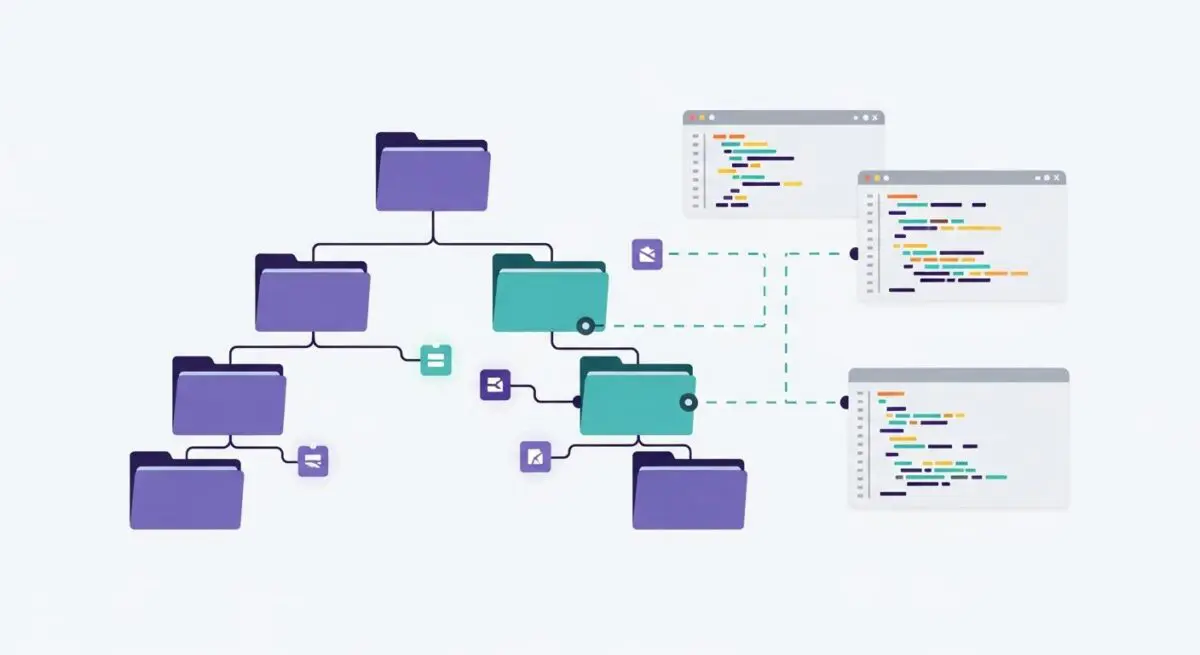
At its core, Bedrock implements a modified directory structure that separates the web root from the application configuration. By moving the WordPress core files into a subfolder and placing the public-facing files in a web/ directory, it prevents sensitive configuration files and source code from being accessible via direct HTTP requests. Furthermore, it integrates Dotenv for environment-specific configuration, ensuring that database credentials and API keys are never hardcoded into the version control system.
The Real-World Analogy
Imagine building a high-end custom home. A standard WordPress installation is like a traditional construction site where all materials—bricks, plumbing, and wiring—are piled together in the front yard, and the blueprints are taped to the front door for anyone to see. Bedrock, conversely, is like a modern modular construction project. Every component is cataloged in a central manifest (Composer), the structural core is kept separate from the aesthetic finishes, and the sensitive utility controls are locked in a secure, off-site vault. This organized approach ensures that if you need to replace a specific pipe or upgrade the electrical system, you know exactly where it is and how it interacts with the rest of the structure without risking a total collapse.
How Bedrock Impacts Server Performance & Speed Engineering?
Bedrock significantly optimizes server-side operations by streamlining the deployment process and reducing file system overhead. By utilizing a non-standard directory structure, it allows for cleaner Nginx or Apache configurations, where the server only interacts with the /web directory. This reduces the attack surface and minimizes the risk of executing unauthorized PHP scripts in the root directory. From a performance standpoint, Bedrock facilitates the use of automated CI/CD pipelines, enabling atomic deployments. This means that during a site update, the server switches symlinks between the old and new versions of the site instantly, eliminating downtime and ensuring that opcode caches like Zend OPcache are handled efficiently without stale file issues.
Best Practices & Implementation
- Manage All Dependencies via Composer: Avoid installing plugins through the WordPress admin dashboard; instead, use WPackagist to ensure all site components are tracked in
composer.jsonfor environment parity. - Utilize Environment Variables: Store all sensitive data and environment-specific settings (e.g.,
WP_ENV,DB_NAME) in a.envfile located outside the web root to prevent credential leakage. - Implement Atomic Deployments: Use deployment tools like Capistrano or Trellis to manage releases, ensuring that the
web/app/uploadsfolder is symlinked across releases to maintain persistent media assets. - Strict Version Control: Exclude the WordPress core and third-party plugins from your Git repository using a
.gitignorefile, relying on Composer to fetch the correct versions during the build process.
Common Mistakes to Avoid
One frequent error is manually updating plugins or WordPress core via the built-in GUI, which creates a discrepancy between the server’s file system and the composer.json manifest, leading to failed builds during the next deployment. Another mistake is failing to properly configure the web server’s document root to point to the /web folder, which can expose the entire project structure and sensitive configuration files. Finally, developers often forget to symlink the uploads directory, resulting in missing media files when switching between deployment releases.
Conclusion
Bedrock transforms WordPress into a professional-grade application framework by enforcing dependency management and secure configuration. It is the foundational choice for enterprise-level WordPress architecture where scalability, security, and DevOps integration are paramount.