Executive Summary
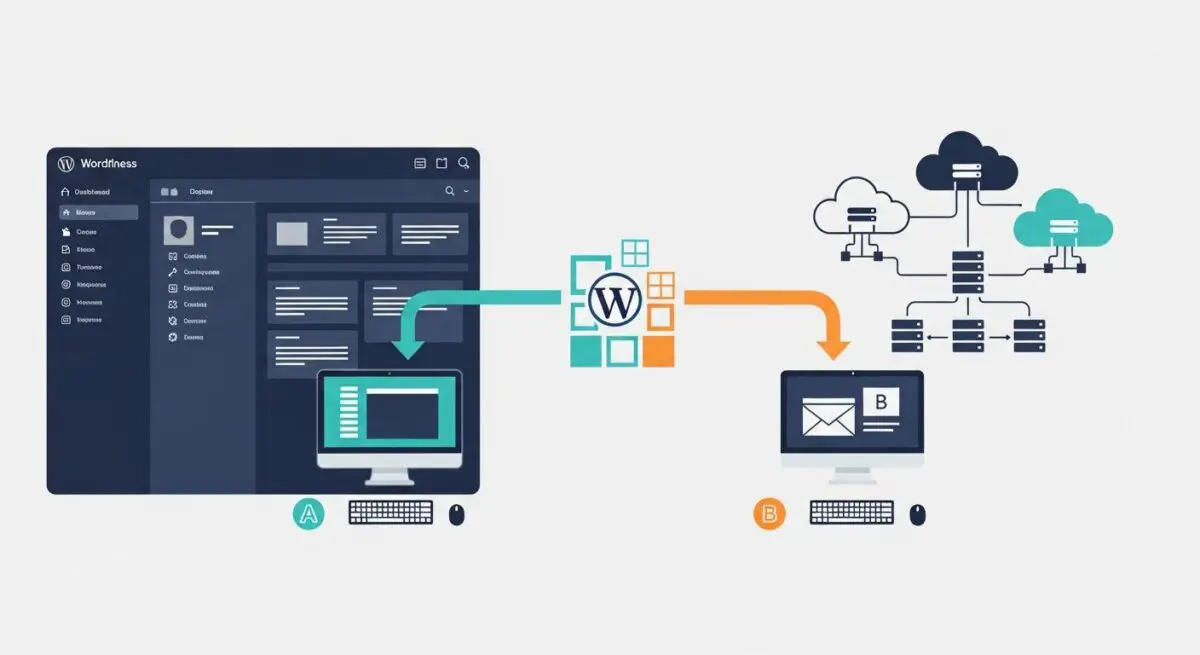
- Streamlines site portability by encapsulating the entire WordPress ecosystem—database, media, plugins, and themes—into a proprietary .wpress archive.
- Employs chunked data processing to circumvent PHP execution timeouts and server-side upload limits (client-side vs. server-side reconciliation).
- Automates complex database serialization during domain-level find-and-replace operations to ensure data integrity across disparate hosting environments.
What is All-in-One WP Migration?
All-in-One WP Migration is a specialized site portability framework designed to facilitate the seamless transfer of WordPress instances between different hosting infrastructures. Unlike standard manual migrations that require separate exports of the MySQL/MariaDB database and the wp-content directory via FTP/SFTP, this tool abstracts these processes into a unified workflow. It generates a proprietary .wpress file, which is an open-source archive format optimized for high-speed compression and decompression within the WordPress environment.
From an architectural standpoint, the plugin operates by intercepting the WordPress filesystem and database layers. During the export phase, it performs a comprehensive crawl of the installation, identifying all dependencies and assets. Crucially, it handles the complexities of PHP data serialization, ensuring that when a site’s URL or file path changes during migration, the underlying data structures remain intact and functional on the destination server.
The Real-World Analogy
Imagine you are moving an entire corporate headquarters to a new city. Instead of hiring separate teams to pack files, move furniture, and rewire the IT infrastructure—risking loss or damage at every step—you use a high-tech “facility teleporter.” This device scans every atom of the building, including the hidden plumbing and electrical configurations, and recreates an exact, functional replica at the new location. All-in-One WP Migration acts as this teleporter, ensuring that every “pipe” (database link) and “wire” (plugin dependency) is reconnected correctly without manual intervention.
How All-in-One WP Migration Impacts Server Performance & Speed Engineering?
The migration process is resource-intensive, primarily impacting CPU and Disk I/O during the compression and extraction phases. Because the plugin uses AJAX-based chunking, it breaks the migration file into smaller segments. This technique is vital for bypassing max_execution_time and memory_limit constraints in the php.ini configuration, which are common bottlenecks in managed WordPress hosting. However, on under-provisioned servers, the simultaneous read/write operations can lead to temporary spikes in server load, potentially affecting the Time to First Byte (TTFB) for concurrent users.
Furthermore, the plugin’s ability to exclude specific directories (such as cache folders or large media libraries) is a critical feature for speed engineering. By excluding non-essential data, developers can reduce the final archive size, leading to faster upload speeds and reduced server-side processing overhead during the restoration phase on the target environment.
Best Practices & Implementation
- Database Integrity: Always utilize the built-in “Find and Replace” functionality during the export process to update hardcoded strings and domain references, ensuring serialization remains valid.
- Resource Allocation: Before initiating a large migration, verify that the destination server has at least double the disk space of the archive size to accommodate both the uploaded file and the extracted content.
- Environment Parity: Ensure that the PHP version and critical extensions (e.g., mbstring, zip, openssl) on the destination server match or exceed the specifications of the source environment to prevent runtime errors.
- Selective Exporting: Exclude the wp-content/cache and wp-content/backups directories to minimize the .wpress file size and reduce the risk of timeout during the import process.
Common Mistakes to Avoid
One frequent error is attempting to import an archive that exceeds the server’s upload_max_filesize without utilizing the plugin’s Unlimited Extension or modifying the .htaccess/php.ini limits. Another critical mistake is failing to refresh the permalink structure (Settings > Permalinks) immediately after migration, which can result in 404 errors for all subpages due to stale .htaccess rules. Finally, migrating a site while active caching or security plugins are in a “locked” state can lead to path conflicts on the new server.
Conclusion
All-in-One WP Migration is a robust solution for maintaining WordPress site integrity during infrastructure transitions. By automating serialization and utilizing chunked data transfers, it ensures high-availability deployments remain consistent across diverse hosting architectures.