Executive Summary
- BlogVault utilizes an offsite incremental backup architecture that minimizes server-side resource consumption during data synchronization.
- The platform integrates a dedicated staging environment and automated recovery workflows to ensure high availability and disaster recovery compliance.
- Advanced security features, including real-time malware scanning and firewall integration, provide a multi-layered defense mechanism for WordPress installations.
What is BlogVault?
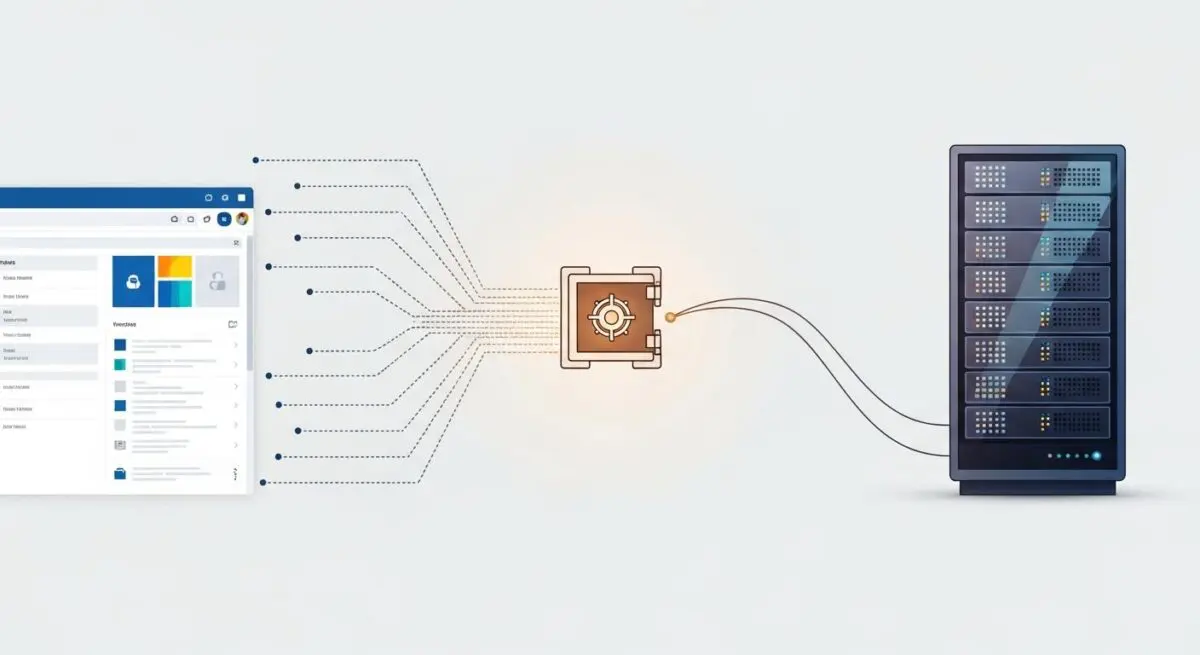
BlogVault is a specialized Software-as-a-Service (SaaS) backup, security, and management solution engineered specifically for the WordPress ecosystem. Unlike traditional backup plugins that execute resource-intensive compression and archival tasks directly on the host server, BlogVault offloads these processes to its own independent cloud infrastructure. This architectural choice ensures that the WordPress site’s primary server resources—specifically CPU and RAM—remain dedicated to serving user requests rather than background maintenance tasks.
The core of BlogVault’s technology is its incremental synchronization engine. Upon the initial backup, the system creates a complete mirror of the site’s file system and MySQL/MariaDB database. Subsequent operations only track and transfer modified data blocks. This methodology significantly reduces bandwidth consumption and minimizes the I/O (Input/Output) overhead on the production server, making it an ideal solution for high-traffic enterprise environments and complex WooCommerce installations where data integrity is paramount.
The Real-World Analogy
Imagine a high-security bank vault that doesn’t just store your assets but employs a team of specialized auditors who constantly monitor your business. Instead of you having to manually pack and transport your ledgers to the vault every night—which would be exhausting and slow down your business operations—these auditors work silently in a separate building, making exact copies of every new entry you write in real-time. If your office ever suffers a disaster, the auditors have a perfectly mirrored office ready for you to step into immediately, with every document exactly where you left it.
How BlogVault Impacts Server Performance & Speed Engineering?
BlogVault enhances server performance by eliminating the “noisy neighbor” effect often caused by local backup plugins. Traditional plugins frequently trigger PHP timeouts or exceed memory limits during the zipping of large directories, leading to 504 Gateway Timeout errors or site instability. By utilizing an offsite processing model, BlogVault maintains a low footprint on the WordPress REST API and server-side execution threads.
Furthermore, BlogVault impacts speed engineering through its integrated staging and merging capabilities. Developers can test performance-heavy updates, such as PHP version migrations or database schema changes, on BlogVault’s independent staging servers. This prevents the performance degradation that typically occurs when testing on the same hardware as the production site. Once validated, changes can be merged back to the live site with surgical precision, ensuring that the Time to First Byte (TTFB) and other Core Web Vitals remain unaffected by development cycles.
Best Practices & Implementation
- Enable Real-Time Backups: For WooCommerce or high-velocity membership sites, configure real-time synchronization to ensure that transactional data is captured the moment it occurs, reducing the Recovery Point Objective (RPO) to near zero.
- Utilize Automated Restoration Testing: Regularly use the “Auto-Restore” feature to deploy backups to a temporary staging URL, verifying the integrity of the backup and the functionality of the site’s core logic.
- Implement White-Label Management: For agencies, utilize the centralized dashboard to manage core, plugin, and theme updates across multiple environments simultaneously, reducing the risk of security vulnerabilities.
- Leverage Differential Migrations: When moving sites between hosting providers, use BlogVault’s migration tool to handle serialized data replacement automatically, preventing broken links and database corruption.
Common Mistakes to Avoid
One frequent error is relying on daily scheduled backups for dynamic sites with high database churn; this can lead to significant data loss between cycles. Another mistake is failing to whitelist BlogVault’s IP addresses in the server-level Web Application Firewall (WAF), which can lead to incomplete synchronizations or blocked requests. Finally, many administrators neglect to test the restoration process, assuming that a successful backup status guarantees a bootable recovery environment.
Conclusion
BlogVault provides a robust, offsite infrastructure for WordPress data redundancy and security, essential for maintaining high availability and optimal server performance in enterprise-grade hosting environments.