Executive Summary
- The upload_max_filesize directive is a critical PHP configuration setting that defines the maximum allowable size for a single file uploaded via the WordPress CMS.
- Successful implementation requires strict synchronization with the post_max_size and memory_limit directives to ensure the server can process the entire request body.
- Properly calibrating these limits is essential for maintaining server stability, preventing resource exhaustion, and mitigating Denial of Service (DoS) attack vectors.
What is Upload Max Filesize?
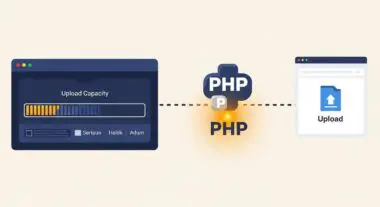
In the context of WordPress architecture and server-side engineering, upload_max_filesize is a PHP configuration directive found within the php.ini file. It establishes the hard upper limit for the size of a single file that can be uploaded to the server through a web interface, such as the WordPress Media Library or the REST API. This directive acts as a primary gatekeeper for server resource management, ensuring that incoming data streams do not exceed the predefined capacity of the hosting environment.
From a technical standpoint, this setting is intrinsically linked to the post_max_size directive. While upload_max_filesize limits the individual file, post_max_size limits the entire body of the HTTP POST request. For a WordPress site to function correctly during media ingestion, post_max_size must always be equal to or greater than upload_max_filesize. If these values are misconfigured, the server will terminate the connection, often resulting in a “413 Request Entity Too Large” error or a generic “HTTP Error” within the WordPress dashboard.
The Real-World Analogy
Imagine a high-security corporate mailroom designed to receive packages. The upload_max_filesize is equivalent to the physical dimensions of the intake slot on the front door. No matter how large the warehouse (the server’s total storage) or how fast the conveyor belt (the network bandwidth) is, if a package is wider than that intake slot, it cannot enter the building. The post_max_size would be the total weight capacity of the delivery truck allowed at the loading dock at one time. If you try to push a package through a slot that is too small, the delivery fails immediately, regardless of the resources available inside the facility.
How Upload Max Filesize Impacts Server Performance & Speed Engineering?
The configuration of upload_max_filesize directly influences the Time to First Byte (TTFB) and overall server stability during heavy I/O operations. When a file is uploaded, the server must allocate temporary memory buffers to handle the incoming data stream. If the limit is set excessively high without corresponding adjustments to the memory_limit, the server may encounter a fatal error during the processing phase, such as when WordPress attempts to generate multiple image sub-sizes (thumbnails) immediately after the upload completes.
Furthermore, in high-availability and enterprise WordPress environments, large file uploads can saturate the PHP-FPM process manager. Each upload occupies a worker process for the duration of the transfer. If multiple users attempt to upload large assets simultaneously, it can lead to process starvation, where no workers are available to serve standard page requests, thereby increasing latency for all site visitors. Efficient speed engineering requires balancing the need for high-resolution media with the necessity of keeping PHP processes available for rapid execution.
Best Practices & Implementation
- Hierarchical Configuration: Always attempt to set limits at the server level (php.ini or PHP-FPM pool configuration) rather than relying on .htaccess or wp-config.php, as server-level settings are more performant and secure.
- Directive Synchronization: Ensure your PHP settings follow the logical hierarchy: memory_limit > post_max_size > upload_max_filesize. A common stable ratio is 256M, 64M, and 64M respectively.
- Client-Side Validation: Implement JavaScript-based pre-upload checks to alert users if a file exceeds the limit before the data is sent to the server, reducing unnecessary bandwidth consumption.
- Offloading Large Assets: For enterprise sites requiring frequent uploads of large video or PDF files, consider offloading the ingestion process to an external cloud storage provider (e.g., AWS S3) to bypass PHP constraints entirely.
Common Mistakes to Avoid
One frequent error is setting an arbitrarily high upload_max_filesize (e.g., 2GB) on a shared or under-provisioned VPS. This creates a significant security vulnerability, as it allows an attacker to easily exhaust server disk space or memory via a single large request. Another common mistake is failing to restart the PHP-FPM service or the web server (Nginx/Apache) after modifying the php.ini file, leading to confusion when the WordPress dashboard continues to display the old limit. Finally, many developers overlook the client_max_body_size setting in Nginx, which can block uploads even if the PHP settings are correctly configured.
Conclusion
The upload_max_filesize directive is a fundamental component of WordPress server-side optimization that requires precise calibration. By aligning this limit with broader server resource policies, architects can ensure a seamless media management experience while maintaining high-performance standards and robust security.