Executive Summary
- Extends the WordPress database schema with custom transactional tables and High-Performance Order Storage (HPOS).
- Demands significant server resources due to dynamic, non-cacheable requests like AJAX cart fragments and checkout processes.
- Requires specialized hosting configurations, including object caching and optimized PHP worker limits, to scale effectively.
What is WooCommerce?
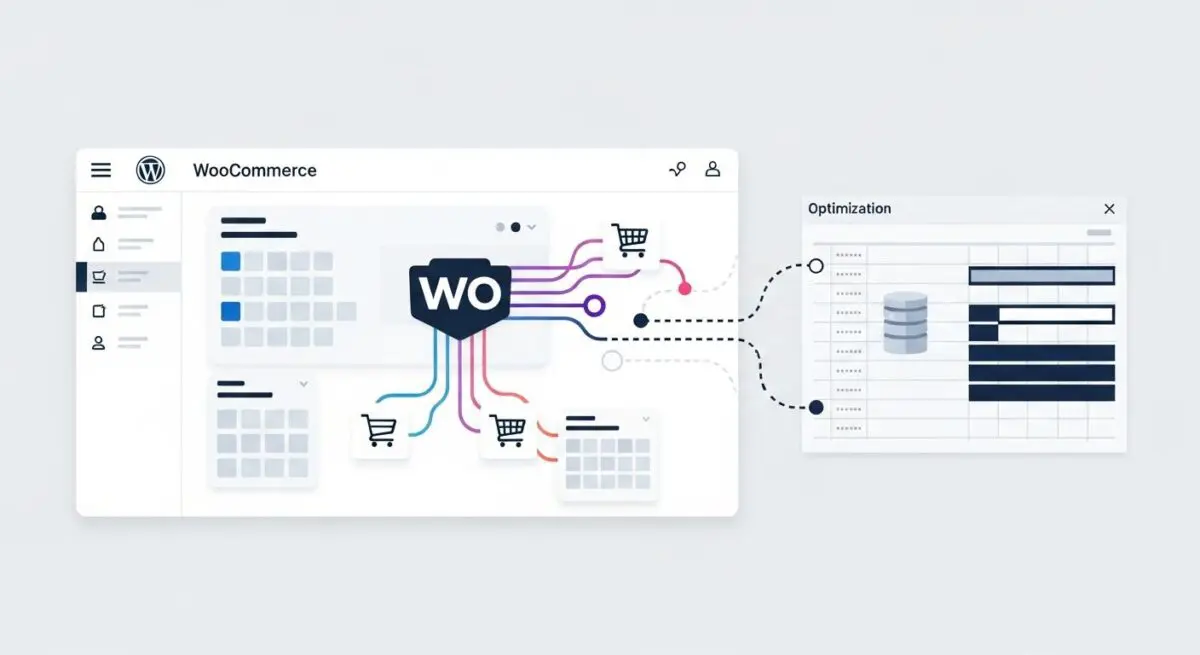
We at Andres SEO Expert define WooCommerce as an open-source, extensible e-commerce framework built specifically for the WordPress ecosystem. At its core, it leverages the WordPress plugin architecture to transform a standard content management system into a robust transactional engine. It utilizes a combination of Custom Post Types (CPTs) for products and orders, while increasingly moving toward custom database tables via High-Performance Order Storage (HPOS) to improve scalability and data retrieval speeds.
From an architectural perspective, WooCommerce operates through an extensive system of hooks (actions and filters), allowing developers to inject custom logic into the checkout flow, tax calculations, and shipping integrations. It relies heavily on the WordPress REST API for decoupled front-end experiences and mobile application synchronization, making it a critical component for modern headless commerce strategies within the WordPress environment.
The Real-World Analogy
Imagine a traditional public library (WordPress) that decides to open a high-volume, automated grocery store (WooCommerce) inside its lobby. While the library is excellent at organizing and displaying books (content), the grocery store introduces complex requirements like inventory tracking, secure payment processing, and refrigerated storage. The store requires its own dedicated power lines and security staff (server resources and SSL/WAF) to ensure that while one person is reading a book, another can check out a cart of groceries without the entire building’s lights flickering or the checkout line stalling.
How WooCommerce Impacts Server Performance & Speed Engineering?
WooCommerce significantly increases the server-side load compared to standard WordPress installations. One of the primary performance bottlenecks is the bypass of static page caching; since shopping carts and user accounts are unique to each visitor, these requests must be processed dynamically by PHP and the database. This often leads to high CPU utilization and requires a greater number of PHP workers to handle concurrent transactions.
Furthermore, the legacy fragment refreshment script (wc-ajax=get_refreshed_fragments) can trigger non-cacheable requests on every page load, impacting Time to First Byte (TTFB). Database bloat is another critical factor, as WooCommerce generates extensive metadata in the wp_postmeta and wp_options tables. Implementing Redis or Memcached for object caching is essential to mitigate the latency caused by these frequent and complex database queries.
Best Practices & Implementation
- Enable High-Performance Order Storage (HPOS): Transition from the legacy post-meta structure to dedicated order tables to drastically reduce query complexity and improve database indexing.
- Optimize AJAX Fragments: Disable or replace the default cart fragment script with a localized storage solution to prevent unnecessary server hits on non-commerce pages.
- Implement Object Caching: Utilize Redis to store frequently accessed data in memory, reducing the load on the MySQL database during high-traffic periods.
- Configure Server-Level Exclusions: Ensure the hosting environment is configured to exclude the cart, checkout, and my-account URIs from page caching to prevent session conflicts.
Common Mistakes to Avoid
A frequent error is the use of bloated, multi-purpose themes that load heavy WooCommerce-specific scripts on every page of the site, regardless of whether e-commerce functionality is present. Another common mistake is neglecting the cleanup of expired transients and orphaned metadata, which leads to massive database tables and degraded query performance over time.
Conclusion
WooCommerce is a powerful but resource-intensive framework that requires a highly optimized hosting environment and a database-first approach to performance engineering. Proper implementation of HPOS and object caching is mandatory for maintaining scalability in enterprise-level deployments.