Executive Summary
- Custom Post Types (CPTs) extend the WordPress data schema beyond default posts and pages, allowing for structured content modeling within the wp_posts table.
- Implementation via the register_post_type() function enables granular control over REST API visibility, rewrite rules, and administrative interface capabilities.
- Strategic use of CPTs optimizes database query efficiency and facilitates advanced SEO architectures through specialized taxonomies and metadata.
What is Custom Post Types?
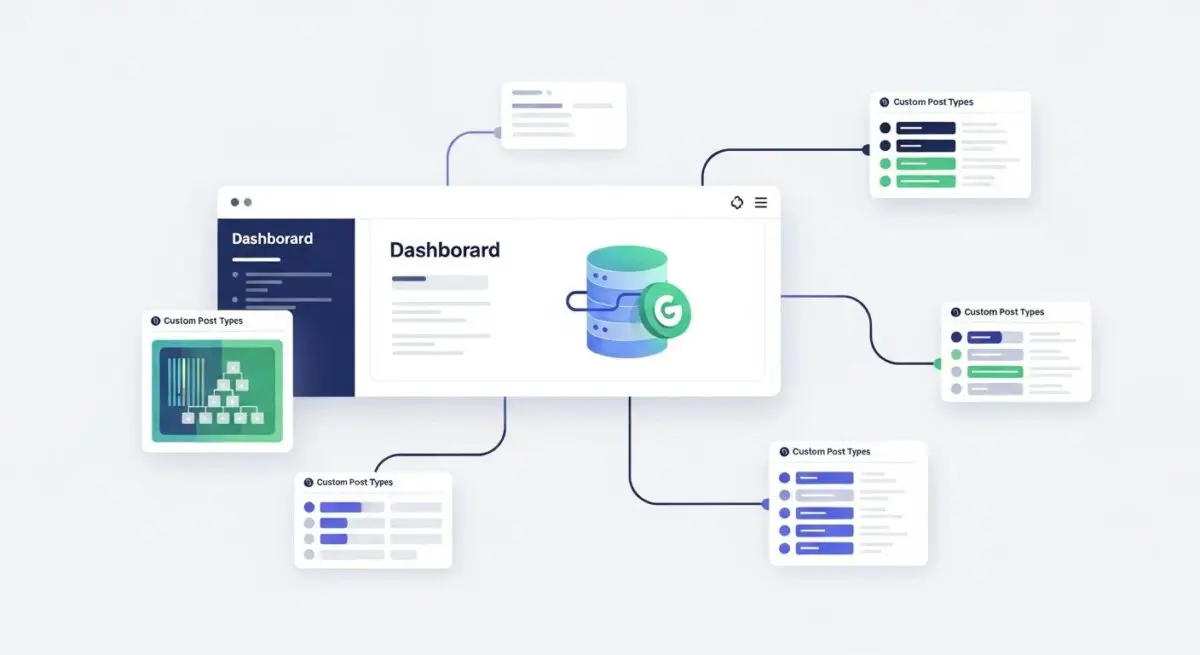
Custom Post Types (CPTs) are the fundamental mechanism used to extend the WordPress content model beyond the native ‘post’ and ‘page’ structures. Technically, all content in WordPress is stored within the wp_posts table, distinguished by a value in the post_type column. By registering a CPT, developers define a new content object with its own set of labels, capabilities, and supported features such as thumbnails, excerpts, or custom fields.
From an architectural perspective, CPTs allow for the creation of specialized data silos within the CMS. This enables the WordPress engine to handle diverse content formats—such as portfolios, testimonials, products, or events—while maintaining a clean separation of concerns. Each CPT can be associated with unique Custom Taxonomies and Post Meta, providing a robust framework for complex data relationships and server-side rendering logic.
The Real-World Analogy
Imagine a massive corporate filing system. By default, the system only provides two types of folders: ‘Internal Memos’ and ‘Public Reports.’ While you could technically stuff a ‘Product Inventory’ list or a ‘Client Contract’ into a ‘Public Report’ folder, it makes retrieval and organization inefficient. A Custom Post Type is like adding a specialized, color-coded drawer specifically designed for ‘Contracts.’ This drawer has its own unique labels, its own specific filing rules, and a dedicated index, making it significantly faster for the office staff (the server) to find exactly what they need without sifting through unrelated documents.
How Custom Post Types Impacts Server Performance & Speed Engineering?
The impact of Custom Post Types on server performance is primarily observed in database query execution and object caching efficiency. Because CPTs reside in the wp_posts table, they benefit from existing database indexes on the post_type column. When a developer executes a WP_Query for a specific CPT, the MySQL engine can quickly filter the dataset, reducing the overhead compared to querying a massive, undifferentiated pool of generic pages.
However, performance can degrade if CPTs are heavily reliant on unindexed wp_postmeta for filtering. High-performance WordPress engineering requires the use of specialized taxonomies for categorization rather than meta keys, as taxonomy relationships are indexed more efficiently. Furthermore, enabling show_in_rest for CPTs allows for decoupled or headless architectures, where the server can deliver content via the REST API, potentially offloading the rendering process to the client-side and reducing Time to First Byte (TTFB).
Best Practices & Implementation
- Enable REST API Support: Always set ‘show_in_rest’ => true when registering CPTs to ensure compatibility with the Block Editor (Gutenberg) and modern headless applications.
- Utilize Custom Taxonomies: Avoid using standard categories or tags for CPTs; instead, register dedicated taxonomies to maintain a clean data structure and optimize database lookups.
- Flush Rewrite Rules Programmatically: Ensure flush_rewrite_rules() is only triggered on plugin or theme activation/deactivation to prevent unnecessary server-side processing on every page load.
- Define Precise Capabilities: Use the capability_type argument to restrict access and editing permissions, ensuring enterprise-level security and data integrity.
Common Mistakes to Avoid
One frequent error is the over-reliance on plugins for CPT registration, which can introduce unnecessary code bloat and limit version control capabilities. Another critical mistake is failing to define a unique slug for the CPT, leading to permalink conflicts and 404 errors. Finally, developers often neglect to optimize the menu_icon and menu_position, resulting in a cluttered and non-intuitive administrative dashboard for end-users.
Conclusion
Custom Post Types are essential for transforming WordPress from a blogging platform into a sophisticated Enterprise Content Management System. Proper implementation ensures a scalable database architecture, improved SEO through structured data, and optimized server resource allocation.