



Key Points
- Main-Thread Protection: Wrapping non-essential GTM Custom HTML tags in a requestIdleCallback function prevents synchronous scroll triggers from blocking the browser rendering engine.
- Server-Side Offloading: Migrating heavy tracking pixels to a Server-Side GTM container eliminates client-side JavaScript execution bottlenecks and stabilizes Interaction to Next Paint metrics.
- API Optimization: Replacing legacy scroll depth listeners with Element Visibility triggers leverages the highly performant Intersection Observer API to reduce DOM evaluation overhead.
Table of Contents
The Core Conflict: INP and GTM Scroll Triggers
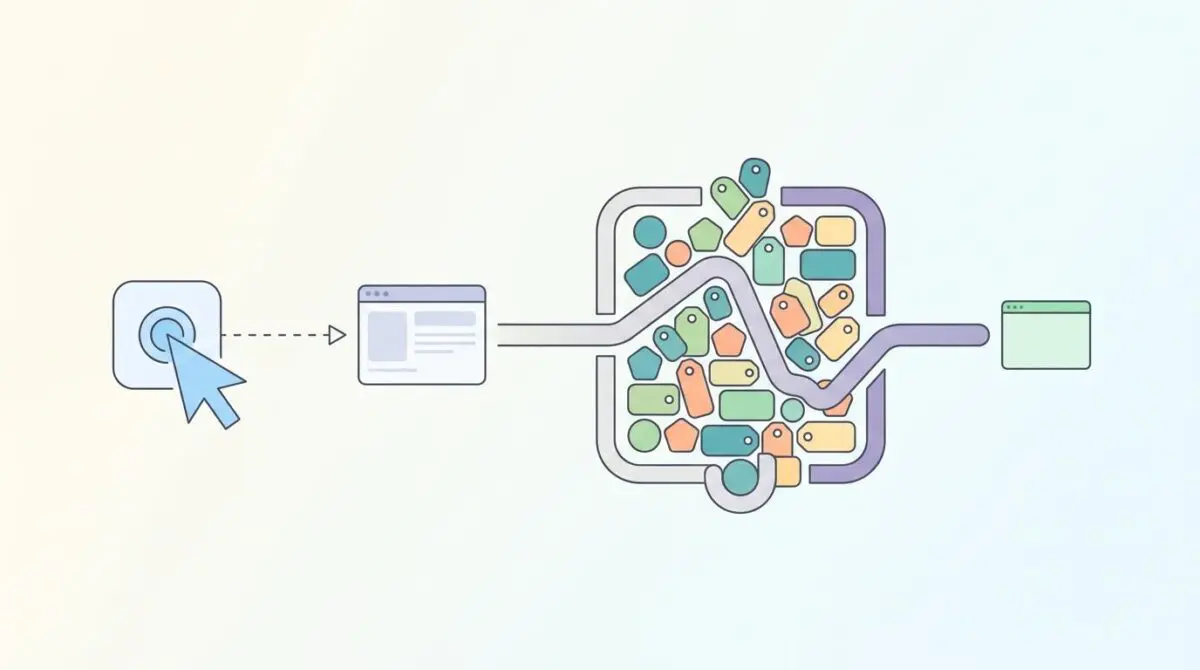
According to recent web performance data, websites using more than five Custom HTML tags in GTM are significantly more likely to fail Interaction to Next Paint thresholds. This occurs because third-party script overhead now accounts for a massive portion of total main-thread blocking time on mobile devices. When Google Tag Manager fires heavy Custom HTML tags on scroll events, it frequently triggers Long Tasks that paralyze the browser.
This resource contention prevents the browser from processing user inputs like clicks or taps. The result is a high Interaction to Next Paint (INP) score and a degraded user experience that search engines interpret as a signal of low quality. Consequently, the V8 JavaScript engine is forced to prioritize third-party tracking logic over native user interface responsiveness.
From a Crawl Budget and Generative Engine Optimization (GEO) perspective, excessive main-thread activity during the rendering phase forces rendering engines to consume more virtual memory. In the modern search landscape, GEO heavily weights interactivity stability. If an AI-driven crawler detects that third-party scripts hijack the UI thread, it may deprioritize that content for high-visibility AI Overview fragments.
Diagnostic Checkpoints for Main-Thread Contention
Resolving this error requires understanding exactly where the desynchronization occurs within your stack. The issue typically spans the server layer, the edge network, and the WordPress application layer. Review the diagnostic checkpoints below to identify the precise bottleneck.
Diagnostic Checkpoints
Main-Thread Resource Contention
Synchronous scripts block the rendering of the next frame.
Lack of Event Throttling or Debouncing
High-frequency triggers force repetitive script execution cycles.
Synchronous Third-Party Pixel Chaining
Blocking scripts stop rendering until network requests complete.
Excessive DOM Mutation via GTM
Layout recalculations triggered by late-stage DOM modifications.
Analyzing the Root Causes
Custom HTML tags in GTM often contain unminified, synchronous JavaScript that executes immediately upon a scroll trigger. Because JavaScript is single-threaded, these tasks become JavaScript executions exceeding 50ms that block the browser from painting the next frame. WordPress themes with heavy Document Object Model structures already tax the main thread, and adding GTM scroll-depth triggers creates a severe bottleneck.
Standard GTM scroll triggers can fire multiple times per second without any technical throttling. The browser is then forced to re-evaluate the JavaScript logic for every single pixel scrolled. Plugins that add infinite scroll functionality often conflict with the GTM scroll depth listener, creating an infinite loop of script execution and garbage collection spikes.
A single Custom HTML tag may also act as a wrapper for multiple tracking pixels. If these pixels use blocking script injections, the browser stops all rendering until the network request resolves. Furthermore, heavy tags frequently inject user interface elements on scroll, triggering layout recalculations that significantly inflate INP latency.
The Engineering Resolution Roadmap
To stabilize your INP metrics, you must shift the execution burden away from the main thread. This involves a strategic combination of browser API utilization, server-side processing, and edge-level optimizations. Follow the engineering roadmap below to implement the necessary architectural changes.
Engineering Resolution Roadmap
Implement requestIdleCallback for Non-Critical Tags
Wrap all non-essential Custom HTML tag logic inside a requestIdleCallback() wrapper. This instructs the browser to only execute the script when the main thread is idle.
Migrate to Server-Side GTM (sGTM)
Move heavy processing tasks (e.g., Facebook CAPI, GA4 event cleaning) to a server-side container hosted on App Engine or Cloudflare. This shifts the JS execution burden from the user’s browser to the server.
Transition to Element Visibility Triggers
In the GTM UI, replace generic ‘Scroll Depth’ triggers with ‘Element Visibility’ triggers for specific IDs. This uses the Intersection Observer API, which is significantly more performant than the legacy scroll event listener.
Optimize GTM Container Loading via .htaccess
Add Link: <https://www.googletagmanager.com>; rel=preconnect headers to your server configuration to ensure the GTM handshake occurs before the main-thread is occupied by WP Core scripts.
Moving heavy processing tasks to a Server-Side GTM container hosted on App Engine or Cloudflare is the most effective long-term strategy. This shifts the JavaScript execution burden from the user’s browser directly to the server. Additionally, replacing generic scroll depth triggers with Element Visibility triggers leverages the Intersection Observer API for vastly improved performance.
You must also optimize how the GTM container itself is loaded. Adding preconnect headers to your server configuration ensures the TCP and TLS handshakes occur before the main thread is occupied by WordPress core scripts. For tags that must remain client-side, implementing a callback wrapper is absolutely critical.
Executing the Fix: requestIdleCallback
The most immediate fix for client-side tag bloat is deferring execution until the browser has free resources. You achieve this by wrapping your tag logic in a specific browser API. This method instructs the browser to only execute the script when the main thread is idle.
Fixing via Browser API
Implement the following code structure within your Custom HTML tags to ensure they yield to user interactions.
<script> window.requestIdleCallback = window.requestIdleCallback || function(cb) { return setTimeout(function() { cb(); }, 1); }; requestIdleCallback(function() { console.log('Heavy tag executed during idle period to protect INP'); (function(w,d,s,l,i){ /* Third party script logic */ })(window,document,'script','dataLayer','GTM-XXXX'); }); </script>Validation Protocol & Edge Cases
Once the technical resolution is deployed, you must validate the fix using strict laboratory conditions. Relying solely on field data will delay your feedback loop by up to 28 days. Utilize the protocol below to confirm the main thread is no longer blocked during scroll events.
Validation Protocol
- Open Chrome DevTools Performance Tab and enable 4x or 6x CPU Throttling.
- Record a session while scrolling to verify interaction latency stays below 200ms.
- Use the Web Vitals Chrome Extension to monitor live INP scores during testing.
- Run a Live Test in Google Search Console URL Inspection tool to confirm rendering.
Handling Hydration Mismatches
Standard validation may occasionally fail due to edge cases in modern frontend architectures. In some Headless WordPress setups using Next.js or Nuxt, a hydration mismatch can easily occur. This happens if GTM injects HTML elements on scroll before the React or Vue hydration is complete.
This mismatch causes the entire main thread to freeze for seconds while the framework attempts to reconcile the Document Object Model. This leads to INP scores exceeding 1000ms that cannot be fixed by GTM settings alone. You must adjust the frontend hydration strategy to ensure third-party scripts wait for the framework lifecycle to complete.
Autonomous Monitoring & Prevention
Preventing future INP regressions requires establishing a strict performance budget for your GTM containers. No single tag should be allowed to exceed 50ms of execution time. You can use the GTM Monitor API to log tag durations directly to a BigQuery dashboard for real-time visibility.
Regularly perform log analysis to ensure GTM script requests are not being bloated by unnecessary version history fetches. Advanced automation pipelines using Make.com can be configured to alert your engineering team the moment a new tag violates the execution threshold. Andres SEO Expert recommends integrating these custom API alerts to monitor entity integrity at the enterprise level autonomously.
Conclusion
Resolving INP failures caused by GTM scroll triggers is a critical step in maintaining search visibility and user experience. By shifting execution to the server, leveraging idle callbacks, and utilizing modern browser APIs, you protect the main thread from catastrophic blocking.
Navigating the intersection of technical SEO, server architecture, and generative search requires a precise roadmap. If you need to future-proof your enterprise stack, resolve deep-level crawl anomalies, or implement AI-driven SEO automation, connect with Andres at Andres SEO Expert.
Frequently Asked Questions
Why does Google Tag Manager affect Interaction to Next Paint (INP)?
GTM impacts INP when Custom HTML tags execute heavy, synchronous JavaScript that blocks the main thread. These long tasks prevent the browser from processing user interactions like clicks or scrolls, resulting in higher latency and a lower INP score.
How do GTM scroll triggers cause main-thread blocking?
Standard scroll depth triggers often fire multiple times per second without built-in throttling. This forces the browser to constantly re-evaluate JavaScript logic for every pixel moved, creating a bottleneck that prevents the rendering of the next frame.
What is the advantage of using Element Visibility triggers over Scroll Depth?
Element Visibility triggers leverage the modern Intersection Observer API, which is significantly more performant than legacy scroll events. Instead of constant polling, the browser only triggers the tag when a specific ID enters the viewport, reducing CPU load.
How does Server-Side GTM help resolve INP issues?
Server-Side GTM (sGTM) moves the execution burden of tracking pixels from the user’s browser to a dedicated server. This architectural shift eliminates a significant portion of third-party JavaScript overhead, freeing up the client-side main thread for user interactions.
Why should I wrap GTM scripts in a requestIdleCallback function?
Wrapping non-critical tags in requestIdleCallback instructs the browser to delay execution until the main thread is idle. This prevents third-party tracking logic from competing with native UI responsiveness, effectively protecting your INP metrics.
How does main-thread resource contention impact Generative Engine Optimization (GEO)?
Excessive main-thread activity during rendering forces AI-driven crawlers to consume more virtual memory. In the GEO landscape, search engines favor resource-efficient content; if scripts hijack the UI thread, the site may be deprioritized for high-visibility AI Overview fragments.