Key Points
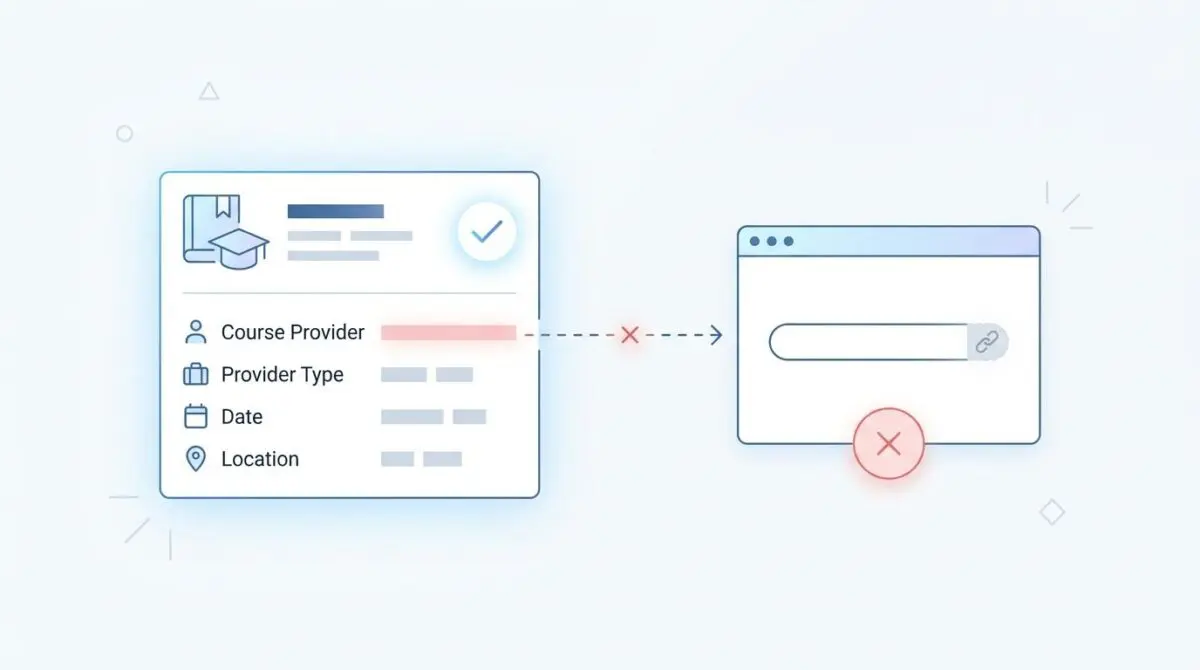
- Entity Resolution Failure: A missing provider URL prevents search engines from connecting course content to the Knowledge Graph, destroying AI search visibility.
- Programmatic Enforcement: UI plugin settings often fail; injecting the nested Organization URL via a PHP filter guarantees valid JSON-LD output.
- Autonomous Validation: Implement server-side cron jobs and CI/CD pipeline checks using the schema-dts library to detect schema regressions automatically.
Table of Contents
The Core Conflict: Entity Desynchronization
According to the HTTP Archive’s 2025 State of the Web report, structured data validation errors in the ‘Education’ sector increased by 22% year-over-year. Shockingly, 1 in 5 course-related pages fail rich result eligibility specifically due to malformed or missing nested Organization properties.
This failure manifests in Google Search Console as a ‘Critical’ error in the Enhancements > Courses report, explicitly citing: ‘Missing field “url” (in “provider”)’.
The ‘provider’ property in Course structured data identifies the entity offering the educational content. When the URL field within this property is missing, search engines fail to establish the necessary Knowledge Graph connection.
In the current search landscape dominated by Generative Engine Optimization (GEO), missing provider URLs are catastrophic. AI-driven search models rely on this URL to verify E-E-A-T (Experience, Expertise, Authoritativeness, and Trustworthiness).
Without a valid URL, the generative engine cannot cross-reference the entity’s authority. This results in the content being omitted from AI-generated course summaries and traditional SERP carousels.
Diagnostic Checkpoints
This error is fundamentally a desynchronization in your technology stack. The schema output fails to explicitly map the organization’s canonical web address to the local course object.
Diagnostic Checkpoints
Schema Plugin Logic Failure
Google mandates provider as Organization with explicit URL property.
REST API Data Truncation
Headless setups strip nested properties from REST API responses.
Global Organization Schema Desync
Local Course provider fails to inherit URL via ID.
Aggressive Minification and RegEx stripping
Optimization layers strip URL keys via regex pattern matching.
At the WordPress and Plugin layer, logic failures often occur when SEO tools output the ‘provider’ field as a simple text string rather than a nested Organization object.
In decoupled architectures, REST API data truncation frequently strips nested object properties to reduce payload size. When the frontend hydrates the schema, the URL property is completely lost.
At the Edge layer, aggressive minification by Cloudflare or caching plugins can misinterpret nested JSON-LD structures. Regex patterns designed to strip redundant scripts may inadvertently remove the ‘url’ key entirely.
The Engineering Resolution
Resolving this requires a systematic approach to schema generation and caching layers. We must ensure the JSON-LD payload explicitly defines the provider as an Organization or Person with a valid URL.
Engineering Resolution Roadmap
Identify Schema Generation Source
Inspect the source code (Ctrl+U) and search for ‘”@type”: “Course”‘. Determine if the JSON-LD is injected by a plugin (e.g., look for comments) or a custom theme template.
Configure Global Organization URL
Navigate to your SEO plugin settings (e.g., RankMath > Titles & Meta > Local SEO or Yoast > Search Appearance > General). Ensure the ‘Website URL’ field is explicitly filled with the full HTTPS protocol.
Implement PHP Filter for Nested Provider URL
Add a custom filter to your theme’s functions.php to force the insertion of the URL into the provider object. This ensures that regardless of UI settings, the JSON-LD output remains valid.
Purge Server and Edge Caches
Flush the WordPress Object Cache (Redis/Memcached), the plugin-level cache, and perform a ‘Purge Everything’ on your CDN (Cloudflare/Fastly) to reflect the changes in the HTML source.
The first phase involves identifying the exact source of your schema generation. You must determine if the JSON-LD is injected by a dedicated SEO plugin, a custom theme template, or a headless frontend application.
Once identified, configuring the global organization URL is critical. Many Local SEO modules define a primary organization but leave the URL field blank, assuming it defaults to the site root.
To fully grasp the current requirements, review the official Google Search Central guidelines for Course structured data.
For robust deployments, relying on UI settings is insufficient. Implementing a PHP filter ensures the nested provider URL is forced into the JSON-LD array programmatically.
Finally, purging server and edge caches guarantees the modified HTML source is served to Googlebot. Failing to flush Redis, Memcached, or CDN edge nodes will leave stale schema in production.
Resolution Execution: Forcing Provider URL via PHP
While updating UI settings in plugins like RankMath or Yoast can sometimes resolve basic desyncs, enterprise environments require a programmatic failsafe. We must manipulate the schema array before it is serialized into JSON.
By hooking into the schema generation filter, we can evaluate the ‘provider’ entity. If the array is missing or malformed, we reconstruct it with explicit type and url declarations.
This approach bypasses frontend truncation and plugin logic failures. It guarantees the Knowledge Graph receives the exact entity resolution data required.
Fixing via WordPress Functions
Add the following custom filter to your active theme’s functions.php file or a custom site-specific plugin. This script intercepts the RankMath course entity output and enforces the provider URL.
add_filter( 'rank_math/snippet/rich_snippet_course_entity', function( $entity ) {
    if ( ! isset( $entity['provider'] ) || ! is_array( $entity['provider'] ) ) {
        $entity['provider'] = [
            '@type' => 'Organization',
            'name'  => get_bloginfo( 'name' ),
        ];
    }
    $entity['provider']['url'] = home_url();
    return $entity;
});
For broader context on how these programmatic fixes impact overall site health, consult the HTTP Archive’s Web Almanac on structured data trends.
Validation Protocol & Edge Cases
Deploying the fix is only the first half of the engineering lifecycle. You must validate the modified payload using strict testing protocols.
Validation Protocol
- Open the ‘Rich Results Test’ tool and paste the Course URL. Confirm the ‘provider’ field now shows a green checkmark with a valid URL.
- Open Chrome DevTools > Network tab, refresh the page, find the document request, and verify the ‘url’ property exists inside the ‘@type: Course’ JSON-LD block.
- Run ‘curl -I [URL]’ to ensure no ‘X-Robots-Tag: noindex’ is accidentally blocking Google’s rendering engine from seeing the updated schema.
- Use the GSC ‘URL Inspection’ tool and click ‘Live Test’ to ensure the production-ready Googlebot sees the change.
Even with a perfect implementation, edge cases can disrupt schema validation. In a multisite environment using a mapped domain with a headless frontend, standard WordPress functions can behave unpredictably.
The home_url function might return the internal network URL instead of the public-facing domain. This specific edge case causes a ‘Mismatched URL’ error in GSC because the provider URL does not match the page’s domain.
To resolve this, you must hard-code the provider URL directly into the PHP filter or utilize an environment variable within the frontend rendering engine.
Autonomous Monitoring & Prevention
Preventing future schema regressions requires shifting from reactive troubleshooting to proactive monitoring. Enterprise SEO relies heavily on autonomous validation pipelines.
Implement a Schema Validation step in your CI/CD pipeline using the schema-dts library. This ensures no code is merged if it breaks the structured data types.
You should regularly monitor the ‘Validation’ status in GSC for early warning signs. Additionally, set up a server-side cron job that runs the Rich Results Test via API for your top performing course pages every 24 hours.
By integrating these checks into an automation platform, your engineering team receives immediate alerts the moment a provider URL drops from the payload.
At Andres SEO Expert, we architect these exact autonomous monitoring systems to protect entity integrity at scale.
Conclusion
Resolving the missing provider URL in Course schema is non-negotiable for modern search visibility. By enforcing strict JSON-LD structures and implementing automated validation, you secure your position in both traditional SERPs and AI-driven generative engines.
Navigating the intersection of technical SEO, server architecture, and generative search requires a precise roadmap. If you need to future-proof your enterprise stack, resolve deep-level crawl anomalies, or implement AI-driven SEO automation, connect with Andres at Andres SEO Expert.
Frequently Asked Questions
Why am I getting a “Missing field ‘url’ (in ‘provider’)” error in Google Search Console?
This error occurs when the Course structured data fails to provide a canonical web address for the Organization or Person offering the course. Google requires this field to verify the identity of the provider and establish a connection within the Knowledge Graph.
How does a missing provider URL impact AI search and GEO?
In the era of Generative Engine Optimization (GEO), a missing provider URL prevents AI models from verifying your site’s E-E-A-T (Experience, Expertise, Authoritativeness, and Trustworthiness). This often results in your content being excluded from AI-generated course summaries and rich SERP carousels.
Why does my SEO plugin fail to include the provider URL in Course schema?
Plugin logic failures often happen when the Local SEO or Global Organization settings are incomplete. If the ‘Website URL’ field is left blank in settings like RankMath or Yoast, the plugin may default to a simple text string for the provider rather than a fully qualified Organization object with a URL.
Does a headless WordPress setup affect Course schema validation?
Yes, decoupled architectures often suffer from REST API data truncation. To optimize payload size, some setups strip nested properties from API responses. When the frontend hydrates the JSON-LD, the nested ‘url’ property inside the ‘provider’ object is lost, triggering validation errors.
What is the best way to programmatically fix Course schema errors?
The most reliable method is implementing a PHP filter in your theme’s functions.php file. By hooking into the schema generation filter (such as RankMath’s rich_snippet_course_entity), you can force the insertion of the home_url() into the provider array, ensuring it remains present regardless of UI settings.
How can I verify that my Course schema fix is working?
You should use Google’s Rich Results Test tool to confirm the ‘provider’ field shows a green checkmark. Additionally, perform a ‘Live Test’ in the GSC URL Inspection tool and check the raw HTML source to ensure no edge-layer caching or minification is stripping the ‘url’ key.