Executive Summary
- Automated tracking of Core Web Vitals and Lighthouse metrics across global locations.
- Deep-dive diagnostic tools including request maps and filmstrip views for granular performance analysis.
- Integration capabilities with CI/CD pipelines to prevent performance regressions during deployment.
What is DebugBear?
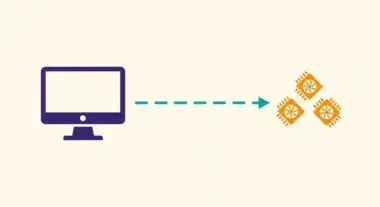
DebugBear is an enterprise-grade performance monitoring platform designed to track, analyze, and optimize website speed and Core Web Vitals (CWV). It operates by executing automated synthetic tests using headless Chrome instances, simulating real-world user conditions across various devices and network speeds. By providing a continuous stream of data, it allows engineering teams to move beyond point-in-time audits and transition into a proactive performance management lifecycle.
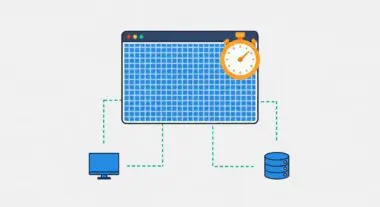
Beyond synthetic testing, DebugBear integrates Real User Monitoring (RUM) to capture field data from actual visitors. This dual-layered approach provides a comprehensive view of performance, correlating lab-based diagnostic metrics with real-world user experiences. The platform specifically targets key performance indicators such as Largest Contentful Paint (LCP), Interaction to Next Paint (INP), and Cumulative Layout Shift (CLS), offering deep-dive visualizations like request waterfalls, filmstrips, and main-thread execution breakdowns.
The Real-World Analogy
Imagine a Formula 1 racing team using a high-precision diagnostic scanner on their car. While a standard mechanic might just tell you the car is “slow,” this scanner monitors every sensor in real-time—fuel pressure, tire temperature, and aerodynamics—at every millisecond of the race. DebugBear is that scanner for your website. It doesn’t just say your site is slow; it pinpoints exactly which “part” (like a specific JavaScript file or a third-party script) is causing the drag, allowing you to make surgical adjustments to win the race for user retention and search rankings.
Why is DebugBear Critical for Website Performance and Speed Engineering?
In the era of Google’s Page Experience update, performance is a direct ranking factor. DebugBear is critical because it provides the granularity required to solve complex performance regressions. It tracks the impact of server-side changes on Time to First Byte (TTFB) and identifies how client-side script execution delays Interaction to Next Paint (INP). By maintaining a historical record of performance data, it enables teams to identify whether a slowdown was caused by a code deployment, a third-party provider outage, or a change in infrastructure. This level of observability is essential for maintaining high-performance scores in competitive AI-Search and SEO environments.
Best Practices & Implementation
- Establish Performance Budgets: Define strict thresholds for metrics like LCP and CLS within DebugBear to receive immediate alerts when a deployment exceeds these limits.
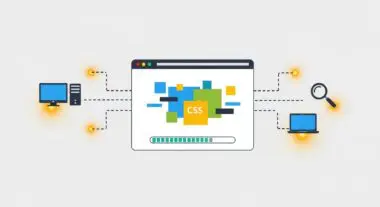
- Audit Third-Party Impact: Use the Request Map visualization to identify heavy third-party scripts that block the main thread and consider lazy-loading or removing non-essential dependencies.
- Integrate with CI/CD: Connect DebugBear to your GitHub or GitLab workflows to automatically run performance tests on pull requests, preventing slow code from reaching production.
- Analyze Mobile vs. Desktop Parity: Regularly compare performance across different device profiles to ensure that mobile users are not suffering from excessive CPU consumption due to heavy JavaScript.
Common Mistakes to Avoid
A frequent error is relying exclusively on synthetic (lab) data while ignoring Real User Monitoring (RUM) trends; lab tests may not capture the latency experienced by users on low-end devices in varied geographic regions. Additionally, many brands fail to monitor their competitors’ performance within the platform, missing opportunities to gain a competitive edge in search rankings through superior speed.
Conclusion
DebugBear is an essential diagnostic tool for modern web performance architecture, providing the continuous monitoring and deep technical insights necessary to sustain optimal Core Web Vitals and superior user experiences.