Key Points
- Main Thread Contention: Third-party chat widgets degrade INP by executing synchronous JavaScript that blocks the browser’s main thread during critical user interactions.
- Execution Isolation: Offloading third-party scripts to Web Workers via Partytown or implementing event-listener delays prevents CPU monopolization and hydration spikes.
- Headless Architecture Interventions: Modern JavaScript frameworks require code-splitting and dynamic imports to bypass hydration-blocking bundles that ignore standard asynchronous script attributes.
The Core Conflict: Main Thread Monopolization and INP Degradation
Interaction to Next Paint (INP) is a critical Core Web Vital that quantifies a page’s responsiveness by measuring the latency of all qualifying user interactions, such as clicks, taps, and keyboard presses, that occur throughout the duration of a user’s visit.
From a server and rendering architecture perspective, a high INP score indicates that the browser’s main thread is frequently blocked by Long Tasks. A Long Task is defined as any script execution exceeding 50 milliseconds. When the main thread is occupied by these tasks, the browser cannot process user input or render the subsequent frame, resulting in severe input delay and a poor user experience.
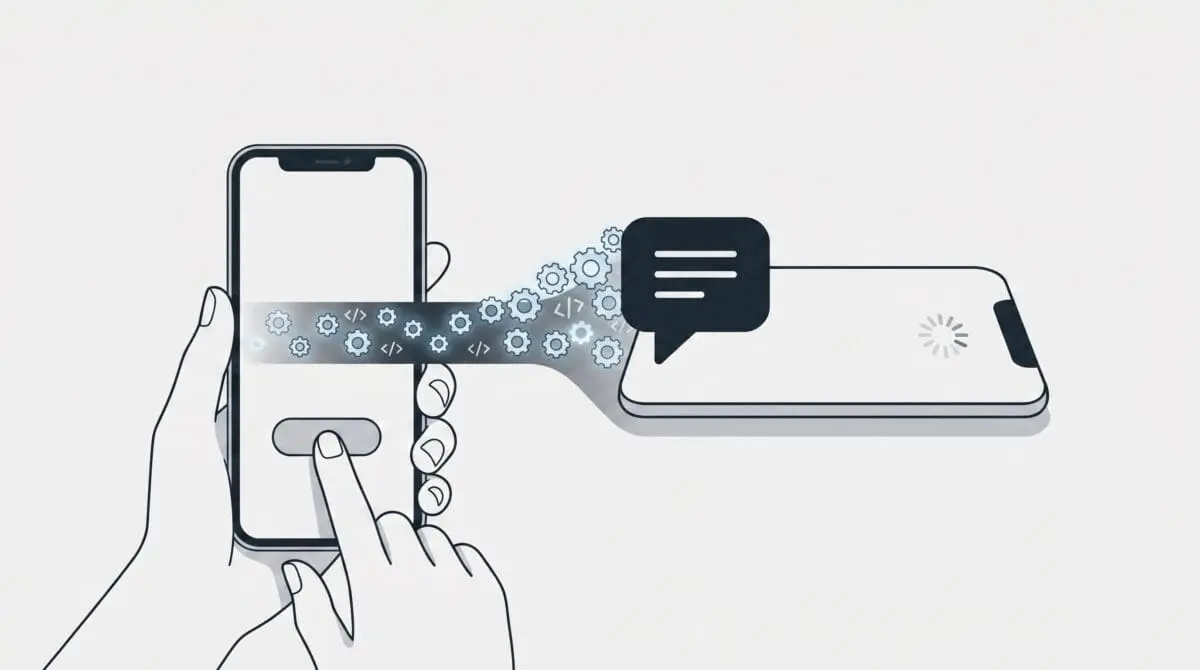
In the context of modern web architecture, third-party chat widgets are notorious for causing high INP. When a chat widget executes heavy JavaScript during the initial load or upon a user’s first interaction, it monopolizes the CPU. This prevents the browser from performing the Next Paint.
Google Search Console frequently flags this anomaly in the Core Web Vitals report as an INP issue longer than 200ms on mobile devices. For SEO, this is a catastrophic signal. Googlebot interprets this unresponsiveness as a degraded user experience, which directly threatens visibility in the mobile-first index.
Furthermore, in the era of Generative Engine Optimization (GEO), high INP introduces critical vulnerabilities. LLM-based crawlers and AI agents increasingly rely on interaction-based rendering to evaluate content accessibility and page quality. If an AI agent attempts to parse the DOM and encounters rendering timeouts due to CPU monopolization by a chat widget, it may classify the page as broken or low-value.
This delay also heavily impacts the Crawl Budget. The rendering engine wastes allocated computation time executing script-heavy frames from third-party domains rather than indexing the actual core content of the page.
Diagnostic Checkpoints: Identifying the Desynchronization
Resolving INP failures requires understanding that the error is fundamentally a desynchronization in the rendering stack. The server may deliver the initial HTML payload efficiently, but the client-side execution environment becomes bottlenecked. This bottleneck can originate at the server delivery layer, the edge caching layer, or within the application logic itself.
Diagnostic Checkpoints
Main Thread Contention via Synchronous JavaScript
Synchronous script execution prevents processing of critical user input events.
Event Loop Blocking during Hydration
Hydration-driven DOM manipulation causes massive CPU spikes during user interaction.
Unoptimized Resource Prioritization
Widget scripts delay browser handling of interactive elements and CSS.
At the application layer, particularly in monolithic CMS environments like WordPress, plugins often inject chat service scripts using standard header or footer hooks. If these plugins fail to implement asynchronous loading attributes, the browser is forced to pause HTML parsing and UI rendering to fetch and execute the external payload. This creates an immediate render-blocking scenario.
Beyond synchronous loading, modern frameworks face the hydration problem. Chat widgets often execute DOM manipulation immediately upon the DOMContentLoaded event. This triggers a massive spike in CPU activity precisely when the user is attempting their first interaction. If the site already utilizes heavy page builders, adding a chat widget creates a stacking effect where the aggregate script execution time vastly exceeds the 200ms INP threshold.
Finally, without explicit resource hints, the browser’s heuristic prioritization may fetch the heavy chat JavaScript before critical CSS or interaction-handling logic, further delaying the page’s interactive readiness.
The Engineering Resolution: Reclaiming the Main Thread
To eliminate INP bottlenecks, engineers must restructure how and when third-party scripts are executed. The objective is to yield the main thread back to the browser as quickly as possible, ensuring that the event loop remains clear to process user inputs.
Engineering Resolution Roadmap
Identify and Isolate Long Tasks
Open Chrome DevTools > Performance tab. Record a page load while interacting with the chat widget. Look for tasks highlighted with red crosshatched patterns. Identify the script source (e.g., ‘widget.js’) to confirm the chat widget is the culprit.
Implement User-Interaction Delay
Modify the chat widget snippet to load only after a specific user interaction (scroll, mouse move, or click) or after a 5-second delay using a JavaScript event listener. This ensures the main thread is free for initial rendering and first interactions.
Offload to Web Workers via Partytown
Install and configure Partytown (or a WP-equivalent like Flying Scripts) to run the third-party chat script in a background Web Worker, keeping the main thread dedicated to UI updates and user input.
Apply Resource Hints
Add ‘dns-prefetch’ and ‘preconnect’ links for the third-party chat domain in the header to reduce the connection setup time without blocking the main thread.
The resolution begins with precise profiling. Using the Performance tab in Chrome DevTools allows developers to record a trace and visually identify the red crosshatched blocks that denote Long Tasks. By tracing the call stack, engineers can isolate the exact third-party domain and script file responsible for the main thread contention.
Once isolated, the most effective immediate mitigation is implementing a user-interaction delay. By wrapping the chat widget’s initialization logic in an event listener that waits for a scroll, mouse movement, or touch event, the script is entirely removed from the critical rendering path. This guarantees that the initial page load and the very first user interaction occur with zero interference from the widget.
For a more robust architectural fix, offloading script execution to Web Workers is the definitive solution. Libraries like Partytown intercept third-party DOM operations and proxy them to a background thread. This allows the heavy JavaScript engine of the chat widget to execute without ever touching the browser’s main UI thread. Concurrently, applying resource hints ensures that when the script is eventually called, the DNS resolution and TCP/TLS handshakes have already been completed in the background.
The Code Implementations: Multi-Environment Solutions
Applying the resolution requires precise code modifications depending on your server environment and application stack. Below are the specific implementations required to resolve INP degradation caused by chat widgets.
Fixing via WordPress (functions.php)
This implementation hooks into the WordPress script loader to dynamically append the defer attribute to the chat widget script. This forces the browser to execute the script only after the HTML document has been fully parsed, mitigating synchronous blocking.
/* WordPress (functions.php): Delay Chat Script Loading */
add_filter('script_loader_tag', function($tag, $handle) {
    if ('third-party-chat-handle' !== $handle) {
        return $tag;
    }
    return str_replace(' src', ' defer src', $tag);
}, 10, 2);
Fixing via NGINX Server Configuration
At the server level, you can enforce strict browser policies to prevent third-party scripts from executing synchronous XMLHttpRequests, which are notorious for freezing the main thread during widget initialization.
/* NGINX: Set Permissions-Policy to restrict heavy features */
add_header Permissions-Policy 'sync-xhr=()';
Fixing via Vanilla JavaScript (Frontend)
This approach completely removes the chat script from the initial DOM. It utilizes an event listener to dynamically create and inject the script tag only after the user has demonstrated intent by scrolling the page.
/* WordPress/JS: Load on Interaction */
window.addEventListener('scroll', function() {
    if (!window.chatLoaded) {
        var script = document.createElement('script');
        script.src = 'https://cdn.chatwidget.com/widget.js';
        document.head.appendChild(script);
        window.chatLoaded = true;
    }
}, {once: true});
Validation Protocol & Edge Cases
After deploying the code modifications, immediate validation is required to ensure the main thread has been successfully reclaimed and that the INP metric is stabilized.
Validation Protocol
- Monitor real-time INP scores via the Web Vitals extension during manual testing.
- Verify script delivery headers using ‘curl -I’ to confirm optimized loading.
- Analyze blocking execution patterns in the Chrome Performance Insights panel.
- Execute a Live Test in Search Console to ensure zero rendering timeouts.
While the standard asynchronous and deferral techniques resolve the issue for monolithic applications, edge cases exist in modern Headless WordPress setups utilizing frameworks like Next.js or Nuxt.js. In these environments, the chat widget might be bundled directly into the main JavaScript chunk during the webpack or turbopack build process, rather than being loaded as an external script.
In this headless scenario, standard HTML attributes are entirely ineffective because the blocking code is deeply integrated into the application’s core hydration logic. The required fix is architectural code-splitting. Engineers must isolate the chat component and utilize dynamic imports. By configuring the dynamic import to disable server-side rendering, the framework is instructed to load the heavy widget logic only on the client side, and strictly during idle periods after the initial hydration phase has completed.
Autonomous Monitoring & Prevention
Resolving an isolated INP failure is only the first step; maintaining entity integrity at the enterprise level requires proactive prevention. Relying solely on Google Search Console for error discovery introduces an unacceptable latency between the occurrence of a performance regression and its detection.
To prevent third-party scripts from silently degrading performance, engineering teams must establish strict Performance Budgets within their CI/CD pipelines. Utilizing tools like Lighthouse CI allows automated builds to fail immediately if Total Blocking Time or INP metrics exceed predefined thresholds during the staging phase. Furthermore, conducting continuous log analysis on Real User Monitoring data provides granular visibility into real-world interaction bottlenecks.
By integrating advanced automation pipelines and custom API alerts, server architects can monitor rendering performance autonomously. This ensures that any new marketing script or chat widget deployed by external teams is instantly flagged if it violates the established main thread execution budgets, securing both technical SEO performance and Generative Engine Optimization visibility.
Conclusion
Interaction to Next Paint failures caused by third-party chat widgets represent a critical intersection of application logic and server-side delivery. By systematically isolating Long Tasks, enforcing interaction-based loading, and offloading heavy execution to Web Workers, engineers can successfully reclaim the browser’s main thread and restore optimal responsiveness.
Navigating the intersection of technical SEO, server architecture, and generative search requires a precise roadmap. If you need to future-proof your enterprise stack, resolve deep-level crawl anomalies, or implement AI-driven SEO automation, connect with Andres at Andres SEO Expert.