Executive Summary
- Bitbucket provides a Git-based version control system integrated with Atlassian’s ecosystem, facilitating streamlined CI/CD pipelines for WordPress development.
- It enables granular access control and private repository management, essential for protecting proprietary WordPress themes and custom plugin logic.
- Automated deployment via Bitbucket Pipelines reduces manual FTP/SFTP errors, ensuring consistent environment synchronization across staging and production servers.
What is Bitbucket?
Bitbucket is a Git-based source code management (SCM) solution designed for professional teams, owned by Atlassian. In the context of WordPress architecture, it serves as a centralized repository for managing the version history of custom themes, plugins, and site configurations. Unlike public-facing platforms, Bitbucket is frequently chosen by enterprise-level agencies for its robust private repository offerings and its seamless integration with project management tools like Jira and Trello. It allows developers to track every modification to the PHP, JavaScript, and CSS files that constitute a WordPress site, providing a robust audit trail and the ability to revert to previous states in the event of a deployment failure.
From a technical standpoint, Bitbucket supports both Git and Mercurial (though Git is the industry standard for WordPress). It facilitates a collaborative environment where multiple developers can work on disparate features of a WordPress site simultaneously using branches. These branches are later merged into a main trunk through a process known as a Pull Request, which includes code review and automated testing. This ensures that only high-quality, vetted code reaches the production hosting environment, significantly reducing the risk of the “White Screen of Death” or other critical PHP errors.
The Real-World Analogy
Imagine a high-security vault for a master architectural blueprint of a skyscraper. Instead of one person drawing on a single piece of paper, every architect gets a transparent overlay. They can test their changes on their specific overlay—adding a window here or a pipe there—without ruining the original master plan. Once the lead architect reviews and approves the change, it is permanently etched into the master blueprint. If a mistake is discovered later, you can simply look back through the stack of overlays to see exactly when and why that change was made, and remove it if necessary. Bitbucket is that vault and management system for your WordPress code, ensuring that the “building” remains stable even as it is constantly being upgraded.
How Bitbucket Impacts Server Performance & Speed Engineering?
Bitbucket itself does not reside on the production server, but its implementation via CI/CD (Continuous Integration/Continuous Deployment) significantly impacts performance and reliability. By using Bitbucket Pipelines, developers can automate code minification, image optimization, and dependency management (via Composer or NPM) before the code ever reaches the server. This ensures that the production environment only receives optimized, production-ready assets, reducing server-side processing overhead and improving Core Web Vitals such as Largest Contentful Paint (LCP).
Furthermore, Bitbucket facilitates “Atomic Deployments.” In a traditional FTP setup, files are uploaded one by one, which can leave a WordPress site in a broken state for several seconds or minutes during the transfer. With Bitbucket-driven deployments, the entire codebase is prepared in a separate directory on the server and then swapped instantly via a symlink change. This eliminates downtime and ensures that the server’s opcode cache (OPcache) can be cleared and re-primed efficiently, maintaining high response times even during heavy update cycles.
Best Practices & Implementation
- Implement a Strict .gitignore: Always exclude the WordPress core files, the
wp-config.phpfile, and thewp-content/uploadsdirectory from your Bitbucket repository. This keeps the repository lean and prevents sensitive credentials or large media binaries from bloating the Git history. - Leverage Bitbucket Pipelines: Automate your workflow by setting up pipelines that run PHPUnit tests and linting scripts every time code is pushed. This catches syntax errors and logic flaws before they are merged into the production branch.
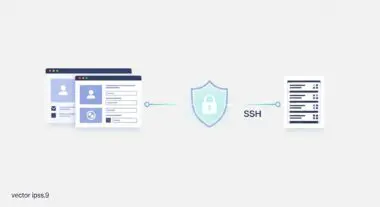
- Use SSH Keys for Authentication: Avoid using password-based authentication for deployments. Configure SSH keys between Bitbucket and your managed WordPress host (such as WP Engine, Kinsta, or a private VPS) to ensure secure, automated communication.
- Branching Strategy: Adopt a Gitflow or GitHub Flow methodology. Use a
developbranch for staging and amainormasterbranch for production to ensure that experimental code never accidentally impacts the live user experience.
Common Mistakes to Avoid
One frequent error is committing large binary files, such as high-resolution images or videos, directly into the Bitbucket repository. This significantly increases the time required to clone the repository and can lead to performance bottlenecks in the CI/CD pipeline. Instead, use Git Large File Storage (LFS) or keep media in the WordPress uploads folder, which should be backed up separately. Another critical mistake is hardcoding sensitive API keys or database credentials within the code stored on Bitbucket. Even in a private repository, this is a security risk; instead, utilize environment variables or the wp-config.php file on the server to manage secrets.
Conclusion
Bitbucket is a cornerstone of modern WordPress engineering, providing the version control and automation necessary for scalable, secure, and high-performance web architectures. By integrating Bitbucket into the development lifecycle, agencies can ensure code integrity and deployment reliability at an enterprise scale.