Executive Summary
- Elimination of the TCP/IP three-way handshake overhead for subsequent requests, significantly reducing Time to First Byte (TTFB).
- Optimization of database resource allocation by reusing existing MySQL/MariaDB links, preventing connection exhaustion during high-concurrency events.
- Critical role in HTTP/1.1 and HTTP/2 protocols to facilitate efficient delivery of WordPress assets including CSS, JS, and media files.
What is a Persistent Connection?
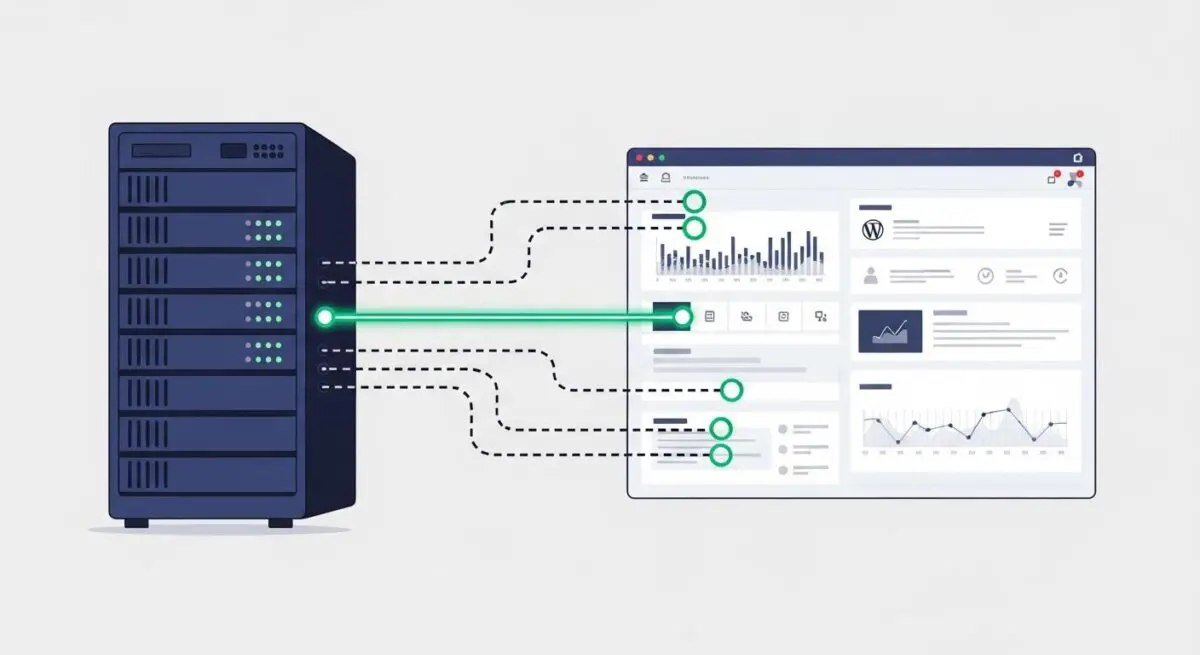
A persistent connection, often referred to as HTTP keep-alive or a persistent database connection, is a network communication method that allows a single TCP connection to remain open for multiple request and response cycles. In the context of WordPress architecture, this applies to two primary layers: the connection between the client browser and the web server (Nginx or Apache), and the connection between the PHP engine and the MySQL or MariaDB database server.
Without persistent connections, every individual asset—such as a theme’s stylesheet, a plugin’s JavaScript file, or a database query—would require a new TCP handshake. This process involves a resource-intensive exchange of packets to synchronize and acknowledge the connection before any data is transmitted. By maintaining a persistent state, the server avoids the repetitive overhead of establishing and tearing down connections, which is vital for high-traffic WordPress environments where latency and CPU cycles are at a premium.
The Real-World Analogy
Imagine a busy restaurant where a waiter (the server) must deliver multiple dishes (data) to a table (the client). Without a persistent connection, the waiter would have to walk back to the kitchen, change their entire uniform, re-introduce themselves to the table, and verify the table’s identity before delivering every single fork, plate, or glass. With a persistent connection, the waiter stays at the table after the first introduction, delivering everything needed in one continuous session until the meal is finished. This drastically reduces the time spent on formalities and speeds up the service significantly.
How Persistent Connection Impacts Server Performance & Speed Engineering?
Persistent connections are a cornerstone of server-side optimization. By reducing the number of TCP handshakes, the server experiences lower CPU utilization and reduced network congestion. In WordPress environments, where a single page load can trigger dozens of requests for various assets, persistent connections prevent the server from becoming bottlenecked by the “connection setup” phase. This leads to a marked improvement in the Time to First Byte (TTFB) and overall Largest Contentful Paint (LCP) metrics.
Furthermore, in database-heavy WordPress sites (such as WooCommerce or membership platforms), using persistent database connections (via mysqli.allow_persistent) can reduce the latency involved in PHP-to-MySQL communication. This ensures that the WordPress Loop and complex SQL queries are executed more rapidly, as the overhead of authenticating and establishing a new database session is bypassed for subsequent requests within the same process pool.
Best Practices & Implementation
- Configure Web Server Timeouts: In Nginx, optimize the
keepalive_timeoutandkeepalive_requestsdirectives to balance resource retention with connection availability. - Enable HTTP/2 or HTTP/3: Modern protocols utilize multiplexing over a single persistent connection, allowing WordPress to serve multiple assets simultaneously without head-of-line blocking.
- Database Connection Pooling: For enterprise-scale WordPress, utilize tools like ProxySQL or persistent PHP-FPM connections to manage database links efficiently without hitting the
max_connectionslimit. - Monitor Server Resources: Use tools like
htopornetstatto ensure that keeping connections open does not lead to memory exhaustion on low-RAM VPS environments.
Common Mistakes to Avoid
One frequent error is setting the keep-alive timeout too high on high-traffic servers, which can lead to “zombie” connections that consume RAM and prevent new users from connecting. Another mistake is enabling persistent database connections in PHP without properly configuring the MySQL wait_timeout, which can result in “Too many connections” errors that take the entire WordPress site offline. Finally, failing to account for load balancer behavior can cause persistent connections to be prematurely terminated, negating their performance benefits.
Conclusion
Persistent connections are essential for reducing latency and optimizing resource utilization in modern WordPress hosting. Proper configuration at the server and database levels ensures a scalable, high-performance architecture capable of handling complex enterprise demands.