Executive Summary
- The Widgets API provides a standardized PHP class-based framework (WP_Widget) for creating and managing modular UI components.
- It abstracts complex backend logic into user-friendly interfaces, allowing for dynamic content injection into registered sidebars.
- Modern implementations must balance legacy PHP rendering with the block-based paradigm to maintain optimal server response times.
What is Widgets API?
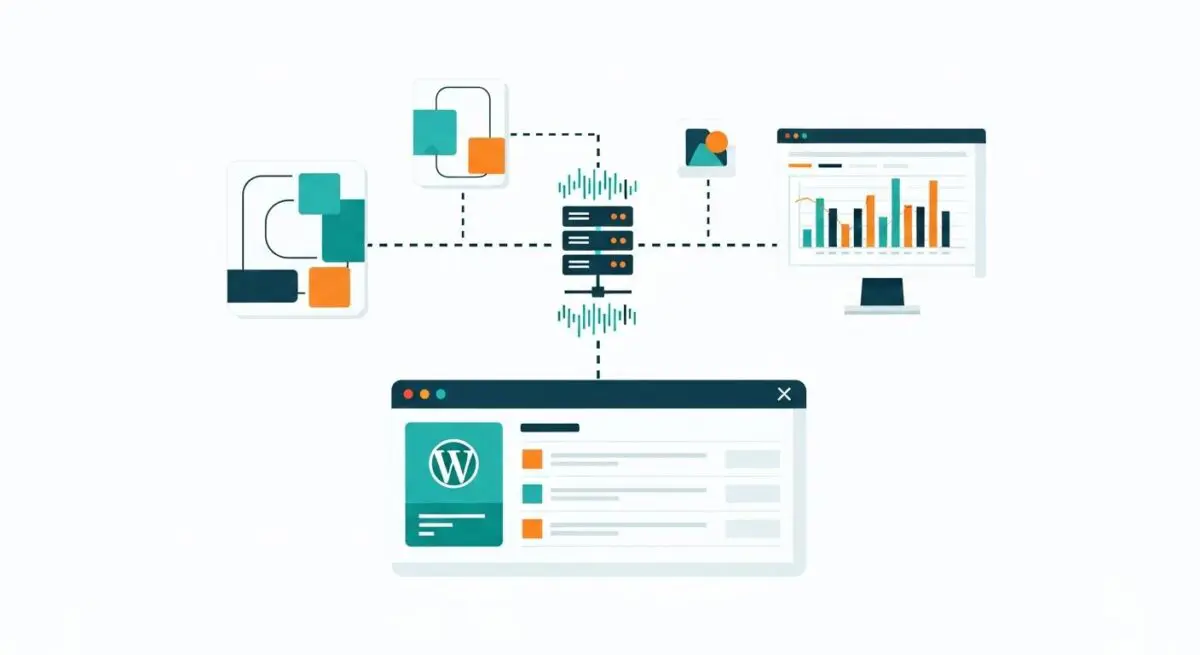
The WordPress Widgets API is a technical framework and set of functions that allow developers to create, register, and manage modular content blocks known as widgets. At its core, the API is built around the WP_Widget class, which provides a standardized structure for defining a widget’s behavior, administrative interface, and front-end output. By extending this class, developers can build complex, reusable components that end-users can manipulate via the WordPress Customizer or the Widgets administrative screen without modifying theme templates directly.
Architecturally, the Widgets API operates by registering sidebars—designated areas within a theme—using the register_sidebar() function. Once a sidebar is defined, the API manages the persistence of widget instances within the wp_options database table as serialized arrays. During the page lifecycle, the dynamic_sidebar() function triggers the execution of the widget() method for each assigned instance, facilitating server-side rendering of the UI components. This decoupling of content logic from the theme’s structural PHP files is fundamental to the modularity of the WordPress CMS.
The Real-World Analogy
Imagine a high-end modular kitchen system. The “Sidebars” are the pre-installed tracks or slots on the wall, while the “Widgets” are the various appliances or containers—like a spice rack, a knife magnet, or a digital timer—that can be snapped into those slots. The Widgets API is the universal mounting standard that ensures every appliance fits perfectly into any slot, regardless of who manufactured the appliance. Just as you can swap a spice rack for a paper towel holder without rebuilding the entire wall, the Widgets API allows site owners to swap functional blocks without altering the underlying architecture of the website.
How Widgets API Impacts Server Performance & Speed Engineering?
The Widgets API significantly influences server-side performance, primarily through database I/O and PHP execution overhead. Every widget instance active on a page requires WordPress to retrieve and unserialize data from the wp_options table. In enterprise environments with dozens of active widgets, this can lead to “autoload” bloat, where large amounts of configuration data are loaded into memory on every request, potentially increasing Time to First Byte (TTFB).
Furthermore, because widgets are rendered server-side, complex logic within the widget() method—such as custom WP_Query calls or external API requests—can create bottlenecks. If a widget is not properly optimized, it can block the rendering process, delaying the delivery of HTML to the browser. Efficient use of the Widgets API involves implementing fragment caching (e.g., via the Transients API) to store the generated HTML of expensive widgets, thereby reducing the computational load on the CPU and minimizing database queries during the page load sequence.
Best Practices & Implementation
- Extend the WP_Widget Class: Always use the standard class-based approach to ensure compatibility with core updates and third-party plugins.
- Implement Fragment Caching: Use the Transients API within the
widget()method to cache the output of resource-intensive widgets, significantly reducing server load. - Sanitize and Validate: Strictly use the
update()method to sanitize all user input before it is saved to the database to prevent XSS and data corruption. - Minimize Global Queries: Avoid running heavy
WP_Queryinstances inside widgets that appear on every page; instead, use targeted logic to only execute code where necessary. - Adopt Block-Based Widgets: For modern themes, transition to block-based widget management to leverage the performance benefits of the REST API and client-side rendering.
Common Mistakes to Avoid
One frequent error is hardcoding widget logic directly into theme files instead of using the API, which breaks the modularity and makes the site difficult to maintain. Another critical mistake is failing to optimize the wp_options table; excessive widget instances with large amounts of metadata can lead to slow database performance. Finally, developers often neglect to use the is_active_sidebar() check, causing the server to process unnecessary logic even when no widgets are present in a specific area.
Conclusion
The Widgets API remains a cornerstone of WordPress modularity, providing a robust framework for extensible UI components. When implemented with performance-first engineering—such as fragment caching and efficient database management—it enables highly dynamic, scalable enterprise web architectures.