Executive Summary
- Malware scanning in WordPress involves the systematic analysis of the file system and database to identify malicious code, including backdoors, webshells, and obfuscated PHP scripts.
- High-performance scanning utilizes a combination of signature-based detection for known threats and heuristic analysis to identify zero-day vulnerabilities and behavioral anomalies.
- Optimizing scan frequency and execution level (server-side vs. application-level) is critical to maintaining low Time to First Byte (TTFB) and preventing CPU resource exhaustion.
What is Malware Scanning?
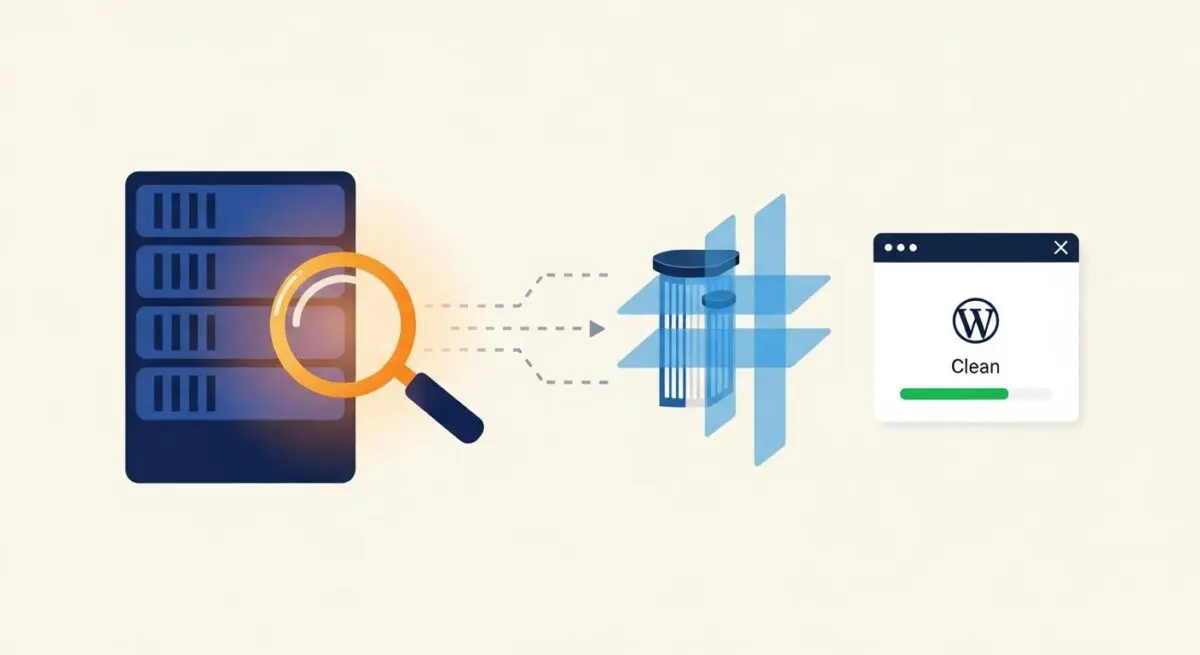
Malware scanning within the WordPress ecosystem is a rigorous security protocol designed to detect, isolate, and remediate unauthorized or malicious code segments embedded within the CMS architecture. This process extends beyond simple file comparison; it involves deep inspection of the WordPress core, theme files, plugin directories, and the MySQL/MariaDB database. In a professional hosting environment, malware scanning is typically executed at the server level to ensure that the scanning process itself does not compete for the same PHP-FPM resources required to serve web traffic to end-users.
Technically, malware scanning operates through two primary methodologies: signature-based detection and heuristic analysis. Signature-based detection relies on a database of known malicious code snippets (hashes) to identify threats. Heuristic analysis, conversely, examines the behavior and logic of code—such as the presence of highly obfuscated strings, unusual eval() or base64_decode() functions, and unauthorized administrative user creation—to identify previously undocumented threats. For enterprise WordPress deployments, these scans must be integrated into a broader security posture that includes file integrity monitoring (FIM) and real-time threat intelligence feeds.
The Real-World Analogy
To understand malware scanning, imagine a high-security international airport. The WordPress file system is the airport terminal, and every line of code is a passenger. Signature-based scanning is equivalent to the ‘No-Fly List’ and passport control; if a passenger’s identity matches a known criminal in the database, they are immediately flagged. Heuristic analysis is more akin to the behavioral detection officers and X-ray machines. Even if a passenger has a clean record (no known signature), if they are carrying suspicious tools or behaving in a way that suggests they intend to bypass security protocols, they are pulled aside for further inspection. Just as an airport needs both lists and observation to remain secure, a WordPress site needs both signature and heuristic scanning to protect against known and unknown threats.
How Malware Scanning Impacts Server Performance & Speed Engineering?
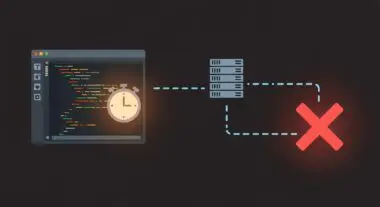
The execution of malware scans is a resource-intensive operation that can significantly impact server performance if not architected correctly. When a scan is initiated, the server must perform extensive disk I/O operations to read every file in the WordPress installation. On shared or under-provisioned hosting environments, this can lead to high I/O wait times, which directly increases the Time to First Byte (TTFB) for site visitors. Furthermore, if the scanner is a WordPress plugin (application-level), it consumes PHP memory and CPU cycles that would otherwise be allocated to processing user requests and database queries.
To mitigate these performance bottlenecks, elite hosting architectures utilize server-level scanners like Imunify360 or ClamAV, which operate independently of the PHP process manager. By utilizing ‘nice’ values in Linux to deprioritize scanning processes, engineers can ensure that security checks only consume idle CPU cycles. Additionally, implementing incremental scanning—where only files modified since the last scan are analyzed—reduces the total I/O load. From a speed engineering perspective, offloading the heavy lifting of malware detection to the edge or a dedicated security layer ensures that the application layer remains lean and responsive, preserving Core Web Vitals and overall user experience.
Best Practices & Implementation
- Implement Server-Side Scanning: Move away from plugin-based scanners in favor of server-level tools that utilize kernel-level monitoring (such as inotify) to detect file changes in real-time without taxing the WordPress application layer.
- Utilize Checksum Verification: Regularly compare WordPress core, plugin, and theme files against the official WordPress.org checksums to identify unauthorized modifications instantly.
- Automate Database Scanning: Ensure your scanning protocol includes the
wp_options,wp_users, andwp_poststables to detect SQL injection artifacts and malicious redirects stored within the database. - Schedule Scans During Low-Traffic Windows: Use cron jobs to schedule deep, recursive scans during periods of minimal user activity to prevent resource contention and maintain optimal server response times.
- Integrate with a Web Application Firewall (WAF): Use a WAF to block known malicious payloads at the edge, reducing the likelihood that malware ever reaches the server’s file system.
Common Mistakes to Avoid
One of the most frequent errors is relying exclusively on client-side or plugin-based scanners. These tools often fail to detect malware hidden in the server’s system files or in directories above the WordPress root. Furthermore, they can create a false sense of security while simultaneously slowing down the site due to inefficient resource usage. Another common mistake is failing to update the malware signature database. A scanner is only as effective as its latest update; an outdated database will miss the latest polymorphic malware strains. Finally, many administrators neglect the remediation phase, assuming that detection is sufficient. Without an automated or professional quarantine and cleaning process, detected malware can continue to execute or re-infect the system via persistent backdoors.
Conclusion
Malware scanning is a non-negotiable component of WordPress server architecture that requires a balance between rigorous security and performance optimization. By implementing server-level, heuristic-based scanning and integrating it with a robust WAF, agencies can ensure high-availability and security without compromising on speed.