Executive Summary
- Max Execution Time is a PHP configuration directive that defines the maximum duration a script can run before being terminated by the server.
- It serves as a critical resource management tool in WordPress to prevent runaway processes from exhausting PHP-FPM worker pools.
- Proper optimization involves balancing script limits with server-side timeouts like Nginx fastcgi_read_timeout to ensure high availability.
What is Max Execution Time?
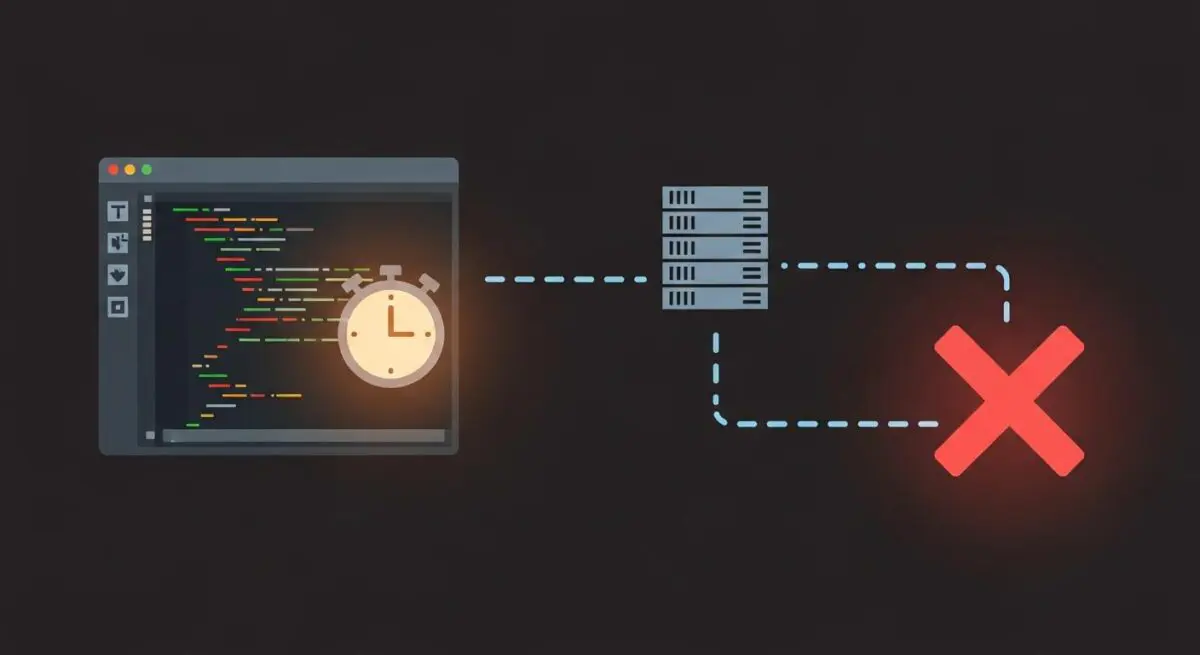
Max Execution Time is a fundamental PHP configuration directive, typically defined as max_execution_time within the php.ini file, .user.ini, or via server-level configurations. It specifies the maximum amount of time, in seconds, that a PHP script is permitted to run before the parser terminates it. In the context of WordPress architecture, this limit is a safeguard designed to protect server resources from being monopolized by a single process. When a script exceeds this threshold, the server returns a fatal error, often manifesting as a “Maximum execution time exceeded” message or a 504 Gateway Timeout if the web server (Nginx or Apache) loses patience before PHP does.
From a technical standpoint, it is important to note that the max_execution_time directive only measures the time spent by the script itself. This includes CPU cycles consumed by the PHP processing engine but excludes time spent on system calls, database queries (I/O wait), and network operations. Consequently, a script might actually take longer than the defined limit to complete if it is waiting on external resources. In managed WordPress hosting environments, this value is usually set between 30 and 60 seconds, though enterprise-level background tasks may require temporary adjustments to handle intensive data migrations or complex image processing routines.
The Real-World Analogy
To understand Max Execution Time, imagine a professional kitchen in a high-end restaurant. The PHP-FPM workers are the chefs, and the incoming web requests are the orders from customers. To ensure the kitchen operates efficiently, the head chef (the server configuration) sets a strict timer for every dish. If a chef spends too long on a single appetizer—perhaps because they are stuck on a complex garnish—the timer goes off, and the dish is discarded. This prevents that one chef from holding up the entire line while other customers wait for their meals. Without this timer, one difficult order could cause the entire kitchen to grind to a halt, leading to a backlog that eventually shuts down the restaurant. Max Execution Time is that kitchen timer, ensuring no single task prevents the server from serving other users.
How Max Execution Time Impacts Server Performance & Speed Engineering?
In the ecosystem of WordPress speed engineering, Max Execution Time is a double-edged sword. On one hand, it is a vital security and stability mechanism. By terminating long-running scripts, it prevents resource exhaustion attacks and poorly optimized code from consuming all available CPU threads. If a plugin enters an infinite loop or a database query becomes stuck, the execution limit ensures that the PHP worker is eventually released back into the pool, maintaining the server’s ability to handle concurrent traffic.
However, from a performance perspective, hitting the execution limit is a symptom of underlying architectural inefficiency. When a script is terminated prematurely, it can lead to corrupted database entries or incomplete background tasks. Speed engineering professionals must look beyond simply increasing the limit. High-performance WordPress sites utilize asynchronous processing to handle tasks that would otherwise exceed standard execution times. By offloading heavy lifting to the WP-Cron system or the Action Scheduler, developers can keep the front-end Max Execution Time low (e.g., 30 seconds), ensuring rapid Time to First Byte (TTFB) while allowing background processes the time they need to complete without impacting the user experience.
Best Practices & Implementation
- Utilize Background Processing: Instead of increasing the execution time for heavy tasks like CSV imports or image optimization, use tools like the Action Scheduler or WP-CLI to run these processes in the background, bypassing the web server’s timeout constraints.
- Synchronize Server Timeouts: Ensure that your PHP
max_execution_timeis slightly lower than your web server’s proxy timeouts (e.g., Nginx’sfastcgi_read_timeoutorproxy_read_timeout). This allows PHP to throw a catchable error before the web server cuts the connection with a generic 504 error. - Optimize Database Queries: Since Max Execution Time does not strictly account for I/O wait, a script may hang for minutes if a database query is unindexed. Use Query Monitor or New Relic to identify and optimize slow SQL queries rather than masking the issue with higher execution limits.
- Environment-Specific Limits: Set lower limits (30s) for production environments to maintain high availability, while allowing higher limits (120s+) in staging environments for development-heavy tasks like site migrations or theme builds.
Common Mistakes to Avoid
One of the most frequent errors made by WordPress administrators is setting the max_execution_time to 0, which implies an infinite duration. This is extremely dangerous in a production environment as it allows a single buggy plugin to consume 100% of the CPU indefinitely, eventually leading to a full server crash. Another common mistake is increasing the execution time to solve a “White Screen of Death” without investigating the root cause. Increasing the limit is often a temporary fix for inefficient code that will eventually fail again as the site’s database grows or traffic increases.
Conclusion
Max Execution Time is a critical guardrail in WordPress server architecture that ensures PHP processes remain performant and predictable. By understanding its limitations and implementing background processing for intensive tasks, developers can maintain a high-availability environment that scales effectively.