Executive Summary
- AWS enables horizontal scaling for WordPress through Elastic Load Balancing (ELB) and Auto Scaling groups, ensuring high availability during traffic spikes.
- Decoupling the WordPress stack using Amazon RDS for databases and Amazon S3 for media storage eliminates local I/O bottlenecks and improves data redundancy.
- Global edge distribution via Amazon CloudFront significantly reduces latency by caching both static and dynamic content at locations closest to the end-user.
What is Amazon Web Services?
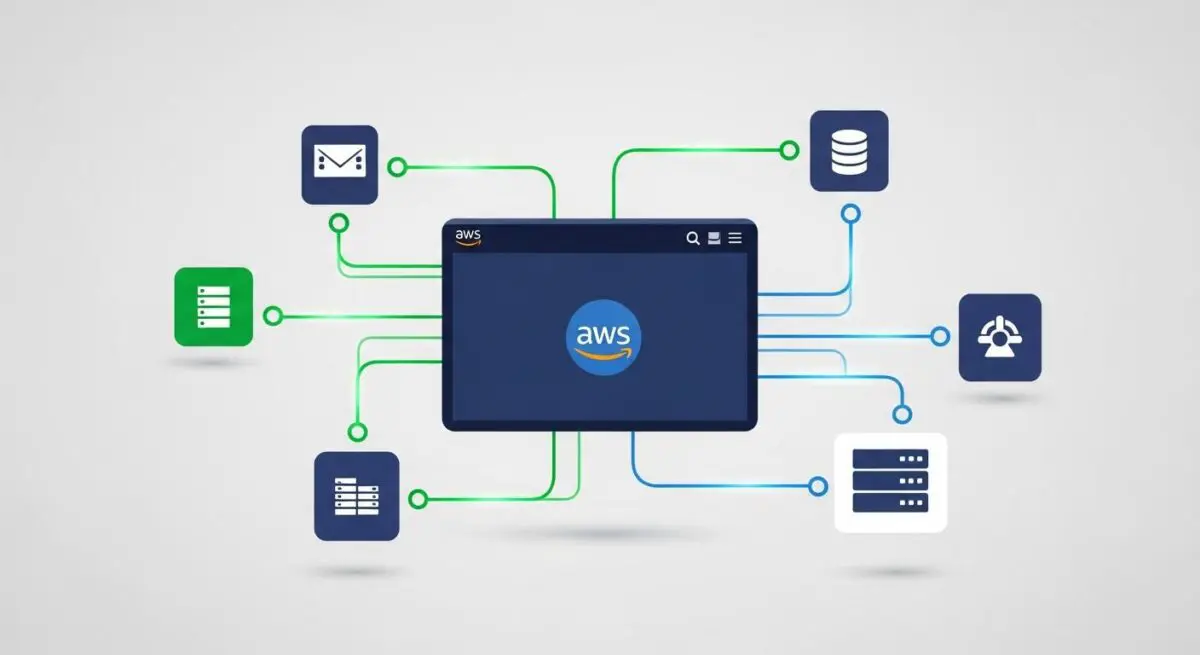
Amazon Web Services (AWS) is a comprehensive, evolving cloud computing platform provided by Amazon that includes a mixture of infrastructure-as-a-service (IaaS), platform-as-a-service (PaaS), and packaged software-as-a-service (SaaS) offerings. In the context of WordPress, AWS represents a paradigm shift from traditional monolithic hosting to a decoupled, distributed architecture. Instead of a single server handling PHP processing, database queries, and file storage, AWS allows developers to distribute these workloads across specialized services like EC2, RDS, and S3.
For enterprise-level WordPress deployments, AWS provides the tools necessary to build a stateless application environment. This means the WordPress core files, the database, and the media library exist independently of any single virtual machine. This architecture is essential for achieving 99.99% uptime and managing millions of concurrent users, as it allows for the dynamic scaling of resources based on real-time demand without manual intervention.
The Real-World Analogy
Think of AWS as a massive, modular utility grid for a modern city. In a traditional hosting setup, you own a single power generator in your basement; if it breaks or if you host a massive party, the lights go out. AWS is like being connected to a global smart grid. If you need more power, the grid automatically directs more electricity to your home. If one power plant goes down, the grid reroutes energy from another source so you never notice a flicker. You only pay for the exact amount of energy you consume, and you can add new features—like a high-capacity water line or a fiber-optic connection—instantly by simply plugging into the existing infrastructure.
How Amazon Web Services Impacts Server Performance & Speed Engineering?
AWS fundamentally transforms WordPress performance by addressing the primary bottlenecks of web architecture: compute limitations, database latency, and storage I/O. By utilizing Amazon EC2 (Elastic Compute Cloud), developers can select instance types optimized specifically for compute-heavy tasks like PHP execution. When paired with Amazon RDS (Relational Database Service), the database is moved to a dedicated environment optimized for MySQL or MariaDB, featuring automated backups and multi-Availability Zone replication which prevents the site from crashing during database-intensive operations.
Furthermore, AWS impacts speed through Amazon CloudFront, a Content Delivery Network (CDN) that integrates deeply with the AWS ecosystem. CloudFront caches content at edge locations worldwide, reducing the physical distance data must travel. When combined with Amazon S3 (Simple Storage Service) for media offloading, the primary web server no longer needs to serve heavy image or video files, drastically reducing the server’s memory footprint and improving the Time to First Byte (TTFB) and overall Core Web Vitals.
Best Practices & Implementation
- Implement Database Offloading: Use Amazon RDS with a Multi-AZ deployment to ensure your WordPress database is highly available and isolated from the web server’s CPU usage.
- Leverage S3 for Media: Offload the
wp-content/uploadsdirectory to Amazon S3 using a plugin like WP Offload Media to ensure your application remains stateless and scalable. - Utilize ElastiCache: Deploy an Amazon ElastiCache (Redis) cluster to handle object caching, which reduces the number of repetitive queries sent to the database.
- Configure Auto Scaling: Set up Auto Scaling groups that automatically launch or terminate EC2 instances based on CPU utilization or traffic patterns to maintain performance while controlling costs.
- Edge Caching: Use Amazon CloudFront with a custom Cache Policy to serve both static assets and, where possible, cached HTML pages at the edge.
Common Mistakes to Avoid
One frequent error is over-provisioning, where brands select EC2 instances that are far larger than necessary, leading to excessive monthly costs without a measurable impact on user experience. Another critical mistake is neglecting Security Group configurations; failing to restrict database access to specific IP addresses or internal VPC ranges can expose the WordPress database to external brute-force attacks. Finally, many organizations fail to implement a proper deployment pipeline, manually editing files on a single EC2 instance and negating the benefits of a distributed, scalable cloud environment.
Conclusion
Amazon Web Services provides the most robust and scalable infrastructure for WordPress, enabling enterprise-grade performance through decoupled services and global edge distribution. Mastering AWS mechanics is essential for any organization requiring high availability and rapid server-side response times.