Executive Summary
- Error Rate quantifies the percentage of failed HTTP requests (4xx and 5xx) relative to total traffic, serving as a primary indicator of system stability.
- High error rates degrade Core Web Vitals by preventing critical assets from loading, leading to increased Largest Contentful Paint (LCP) and layout shifts.
- Monitoring error rates at the edge and origin is essential for identifying bottlenecks in API integrations, database queries, and CDN configurations.
What is Error Rate?
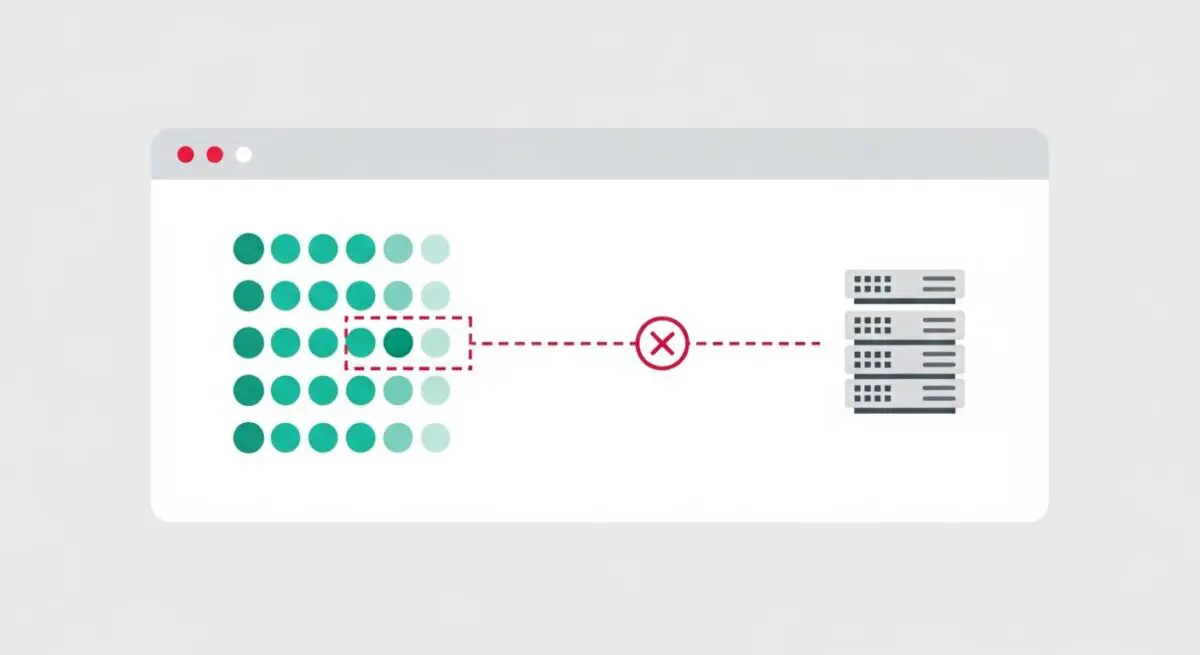
In the context of website performance and systems engineering, the Error Rate is a critical metric that measures the percentage of total requests that result in a failure over a specific period. These failures are typically categorized by HTTP status codes, specifically the 4xx (Client Error) and 5xx (Server Error) ranges. At Andres SEO Expert, we define a healthy error rate as one that approaches zero, though in complex enterprise environments, a baseline “noise” level is often present due to bot traffic or misconfigured client-side assets.
Technically, the error rate is calculated by dividing the number of failed requests by the total number of requests received. This metric is a cornerstone of the SRE (Site Reliability Engineering) “Golden Signals,” alongside latency, traffic, and saturation. A spike in the error rate often indicates underlying infrastructure issues, such as database connection timeouts, memory leaks in the application layer, or misconfigured edge caching rules that prevent the delivery of static assets.
The Real-World Analogy
Imagine a high-speed automated sorting facility responsible for delivering thousands of packages per hour. The Error Rate is equivalent to the percentage of packages that fall off the conveyor belt or are sent to the wrong destination because of a mechanical glitch. Even if the conveyor belt is moving at record speeds (low latency), if 10% of the packages never reach the customer, the system is failing its primary objective. In web performance, these “fallen packages” are the failed requests that prevent a webpage from rendering correctly, leaving the user with a broken experience despite a fast initial connection.
Why is Error Rate Critical for Website Performance and Speed Engineering?
Error Rate is a silent killer of Core Web Vitals and overall search engine visibility. When a browser requests a critical resource—such as a CSS file or a hero image—and receives a 404 or 500 error, the rendering process is disrupted. This directly impacts the Largest Contentful Paint (LCP), as the browser must either wait for a timeout or fail to display the primary content altogether. Furthermore, intermittent errors in API calls can lead to unexpected Cumulative Layout Shift (CLS) if the DOM elements fail to populate correctly, causing the page structure to jump.
From a server-side perspective, a high error rate often correlates with increased Time to First Byte (TTFB). When a server struggles with internal errors, it consumes CPU and memory resources attempting to process failed requests or generate error logs, which slows down the response time for successful requests. For AI-Search and GEO (Generative Engine Optimization), a high error rate signals to crawlers that the infrastructure is unreliable, potentially leading to a reduction in crawl budget and lower rankings in search results.
Best Practices & Implementation
- Implement Real-Time Observability: Utilize tools like Prometheus, Grafana, or New Relic to monitor error rates at the load balancer and CDN levels. Set up automated alerts for any deviation from the established baseline.
- Deploy Circuit Breakers: In microservices architectures, implement circuit breaker patterns to prevent a single failing service from cascading errors across the entire system, which maintains a lower overall error rate.
- Optimize Retry Logic: Use exponential backoff strategies for client-side and server-side retries. This prevents “retry storms” where multiple clients simultaneously hammer a struggling server, further inflating the error rate.
- Validate Edge Configurations: Ensure that your Content Delivery Network (CDN) is correctly configured to handle stale content during origin timeouts, reducing the 5xx error rate perceived by the end-user.
Common Mistakes to Avoid
One frequent error is failing to distinguish between 4xx and 5xx errors in reporting. While 4xx errors often point to broken links or client-side issues, 5xx errors indicate critical server-side failures that require immediate engineering intervention. Another mistake is ignoring “soft errors,” where a server returns a 200 OK status code but the response body contains an error message; this masks the true error rate and complicates performance debugging.
Conclusion
Maintaining a near-zero Error Rate is fundamental to speed engineering and site reliability. By systematically identifying and resolving the root causes of failed requests, organizations ensure that their performance optimizations translate into a seamless, high-speed user experience.