Executive Summary
- Action hooks are event-driven execution points within the WordPress core, themes, and plugins that allow developers to trigger custom PHP functions at specific lifecycle stages.
- Unlike filter hooks, action hooks do not return values; they are designed to perform tasks such as modifying database records, sending emails, or outputting HTML.
- Proper utilization of action hooks is critical for maintaining a decoupled architecture, ensuring that core files remain untouched while extending functionality.
What is Action Hooks?
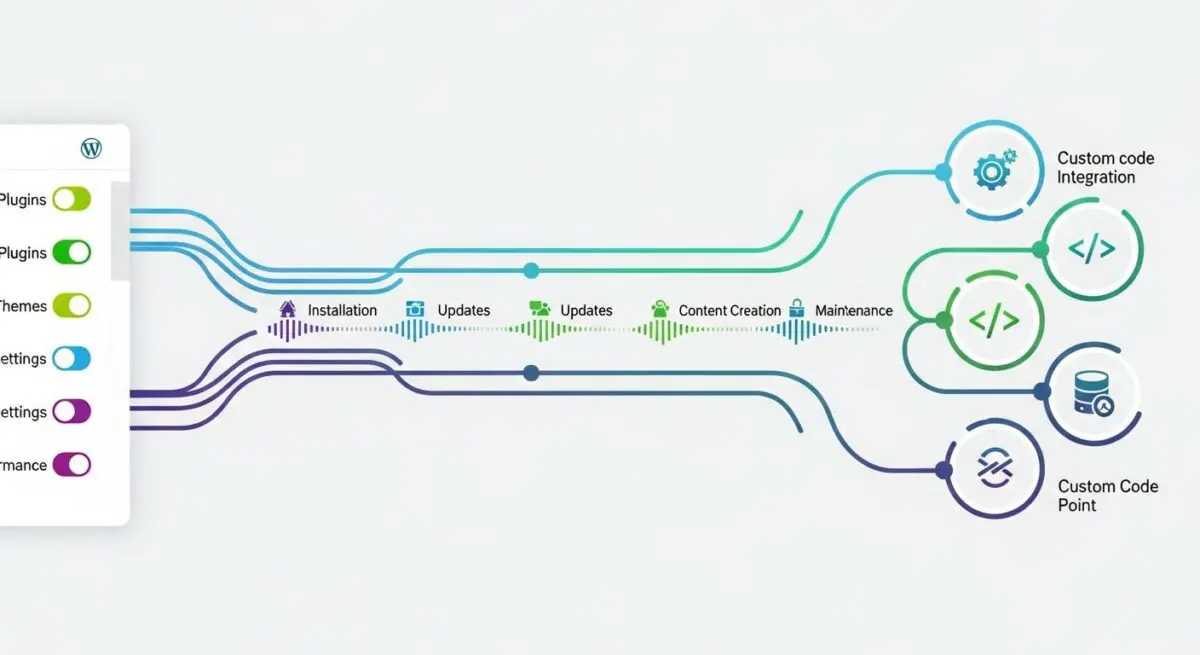
Action hooks are fundamental components of the WordPress Plugin API, serving as specific execution points throughout the WordPress lifecycle where custom PHP code can be injected. When the WordPress core, a theme, or a plugin reaches a predefined point in its execution—such as during the initialization of the CMS or the rendering of the document head—it triggers an action using the do_action() function. This mechanism allows developers to “hook” their own custom functions into these events via add_action(), enabling the execution of tasks without modifying the original source code.
Technically, action hooks differ from filter hooks in their primary objective. While filters are designed to intercept, modify, and return data, action hooks are intended to perform a specific task or “action” at a specific time. These tasks can range from inserting scripts and styles into the front-end to updating database tables or triggering external API calls. Because they facilitate a decoupled architecture, action hooks are essential for maintaining the upgradeability and scalability of enterprise-level WordPress installations.
The Real-World Analogy
Imagine a professional theater production. Throughout the play, there is a stage manager who calls out specific “cues” like “Curtain Up,” “Intermission,” or “Final Bow.” The stage manager doesn’t need to know exactly how the lighting technician changes the gels or how the orchestra begins the overture; they simply announce the event. When “Curtain Up” is called, multiple departments act simultaneously: the lights dim, the curtain rises, and the actors take their positions. In this scenario, the stage manager’s cue is the Action Hook, and the specific tasks performed by the crew are the callback functions hooked into that event. This allows the production to run smoothly without the stage manager having to manually perform every single job.
How Action Hooks Impacts Server Performance & Speed Engineering?
Action hooks directly influence server-side resource allocation and Time to First Byte (TTFB). Every time do_action() is called, the WordPress Hook System must iterate through an array of registered functions, sort them by priority, and execute them sequentially. If an enterprise site has hundreds of functions hooked into high-frequency events like init or wp_loaded, it can lead to significant PHP memory consumption and increased CPU cycles. Furthermore, poorly optimized functions attached to hooks that fire before the page renders can delay the server response, negatively impacting Core Web Vitals. Efficiently managing these hooks is paramount for maintaining high-concurrency environments and ensuring that the server’s execution thread remains streamlined.
Best Practices & Implementation
- Optimize Priority Levels: Always specify an explicit priority (default is 10) to ensure functions execute in the correct logical order, preventing race conditions and dependency conflicts.
- Implement Conditional Execution: Wrap hooked functions in conditional tags (e.g.,
is_admin()oris_single()) to ensure code only runs when necessary, reducing unnecessary server overhead. - De-register Unused Actions: Use
remove_action()to disable heavy or redundant functions loaded by third-party plugins that are not required for your specific deployment. - Utilize Named Functions: While anonymous functions are convenient, they cannot be easily unhooked by other developers; use named functions or class methods to maintain modularity and debugging ease.
Common Mistakes to Avoid
A frequent error is performing heavy database queries or external API requests inside hooks that fire on every page load without implementing proper caching mechanisms. Another common mistake is confusing actions with filters; attempting to return a value from an action hook to modify a variable will fail, as the system is not designed to capture that output. Finally, developers often neglect to check for the existence of third-party hooks before attempting to attach functions, which can lead to fatal PHP errors if a dependency is missing.
Conclusion
Action hooks are the architectural pillars that enable WordPress to remain a flexible and extensible CMS. By mastering their implementation and monitoring their impact on server resources, developers can build high-performance, enterprise-grade web applications.