Executive Summary
- IP whitelisting establishes a zero-trust security perimeter by explicitly permitting only verified IP addresses to access sensitive WordPress directories and server protocols.
- Implementing whitelisting at the server or WAF level significantly reduces CPU overhead by dropping unauthorized requests before they trigger the PHP interpreter.
- Strategic use of CIDR notation and VPN-backed static IPs is essential for maintaining secure administrative access in distributed enterprise environments.
What is IP Whitelisting?
IP whitelisting, also known as allowlisting, is a proactive security configuration that restricts network access to a specific set of trusted IP addresses. In the context of WordPress architecture, this mechanism ensures that only authorized users, services, or servers can interact with sensitive components such as the wp-admin dashboard, the XML-RPC interface, or the REST API. By defining a strict list of permitted identifiers, the server automatically rejects any incoming traffic originating from an IP address not present on the list.
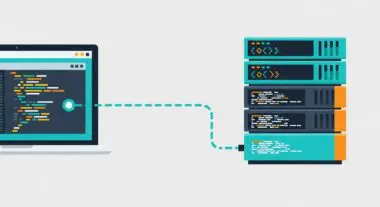
From a technical standpoint, whitelisting can be implemented at multiple layers of the stack: the Web Application Firewall (WAF), the edge network (CDN), the web server configuration (Nginx or Apache), or via application-level logic. For enterprise WordPress deployments, whitelisting is often used to secure staging environments and database management tools, ensuring that internal development resources remain invisible to the public internet and automated botnets.
The Real-World Analogy
Imagine a high-security corporate data center that requires a biometric scan for entry. Even if an individual possesses a stolen physical keycard (representing a compromised password), the security system will not grant access unless their specific biometric signature is already registered in the building’s pre-approved database. IP whitelisting acts as that biometric database; it doesn’t just check if you have the right credentials, it checks if you are connecting from a location that has been explicitly cleared for entry by the administration.
How IP Whitelisting Impacts Server Performance & Speed Engineering?
IP whitelisting is a critical component of high-performance hosting because it facilitates early request termination. When a request is blocked at the firewall or server level (such as via iptables or nginx.conf), the server does not need to spawn a PHP process or query the MySQL database to determine the user’s permissions. This prevents “PHP worker exhaustion,” a common issue during brute-force attacks where thousands of malicious login attempts consume all available server resources, leading to increased Time to First Byte (TTFB) for legitimate users.
Furthermore, by offloading whitelisting to an Edge Network or WAF like Cloudflare, the filtering happens geographically closer to the source of the attack. This reduces the bandwidth load on the origin server and ensures that the server’s compute power is reserved exclusively for rendering pages and executing business logic for verified users, thereby maintaining optimal Core Web Vitals under heavy traffic or attack conditions.
Best Practices & Implementation
- Implement at the Server Level: Use Nginx allow and deny directives or Apache Require ip rules to block access to wp-login.php and wp-admin for all but your office or VPN IP addresses.
- Utilize CIDR Notation: When whitelisting entire office networks or cloud services, use Classless Inter-Domain Routing (CIDR) to efficiently define IP ranges without listing every individual address.
- Whitelist Essential Third-Party Services: Ensure that the IP ranges for critical services like Jetpack, Sucuri, or uptime monitors are whitelisted to prevent false positives from breaking site functionality.
- Static IP via VPN: For remote teams, require the use of a corporate VPN with a static IP address, allowing for a single, manageable entry point in the whitelist configuration.
Common Mistakes to Avoid
A frequent error is whitelisting dynamic IP addresses, which change periodically; this can lead to legitimate administrators being locked out of their own systems. Another common mistake is relying solely on WordPress plugins for whitelisting; while convenient, application-level blocking is less efficient than server-level blocking because it still requires the server to load the PHP environment. Finally, failing to whitelist the server’s own loopback address (127.0.0.1) can sometimes interfere with internal cron jobs and server-side communications.
Conclusion
IP whitelisting is a fundamental pillar of WordPress security that provides a robust defense against unauthorized access while simultaneously preserving server resources. By integrating whitelisting into the server architecture and WAF, organizations can ensure a high-availability environment that is both secure and performant.