Executive Summary
- The production environment is the final stage of the deployment pipeline where live traffic interacts with the WordPress core, database, and application assets.
- High-availability configurations in production require robust server-side caching, load balancing, and database optimization to maintain sub-second Time to First Byte (TTFB).
- Strict security protocols, including immutable file systems and environment-specific variable management, are essential to protect the integrity of the live user data.
What is Production Environment?
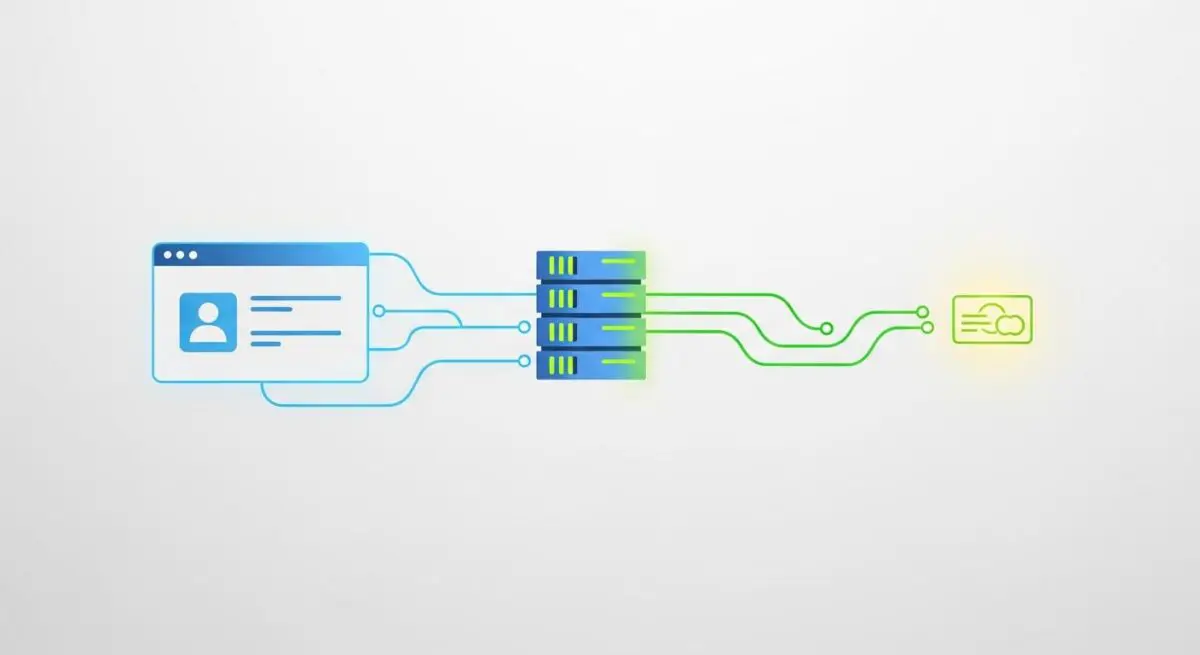
In the context of WordPress CMS architecture and enterprise web hosting, the production environment is the live, public-facing server setting where the application is actively served to end-users. Unlike development or staging environments, which are used for coding and quality assurance respectively, the production environment is the definitive state of the website. It represents the culmination of the Continuous Integration and Continuous Deployment (CI/CD) pipeline. Technically, it consists of a complex stack typically involving a web server (Nginx or Apache), a process manager (PHP-FPM), a database management system (MySQL or MariaDB), and various caching layers such as Redis or Memcached. In high-scale WordPress deployments, this environment is often distributed across multiple nodes using containerization technologies like Docker and orchestration platforms like Kubernetes to ensure 99.99% uptime.
The production environment is characterized by its strict configuration requirements. For instance, the wp-config.php file in a production setting must have WP_DEBUG set to false to prevent the leakage of sensitive path information or database queries to the front-end. Furthermore, production environments are optimized for read/write efficiency, often utilizing high-performance NVMe storage and dedicated resources to handle concurrent user sessions. The integrity of the production environment is paramount, as any latency or downtime directly impacts revenue, SEO rankings, and brand reputation. It is the environment where the WordPress Loop executes for real users, where the REST API handles live requests, and where the database processes actual transactions and user-generated content.
The Real-World Analogy
To understand a production environment, imagine a high-end restaurant. The development environment is the test kitchen where chefs experiment with new recipes and ingredients. The staging environment is the private tasting room where the menu is presented to the owners for final approval. The production environment is the actual dining room during peak dinner service. In the dining room, every plate must be perfect, the service must be seamless, and there is no room for the experimentation that happened in the test kitchen. If a chef tries a new, unverified technique in the dining room (equivalent to “cowboy coding” in production), they risk ruining the experience for paying customers and damaging the restaurant’s reputation. The production environment is where the “performance” happens, and every system must be tuned to handle the pressure of the live audience.
How Production Environment Impacts Server Performance & Speed Engineering?
The configuration of the production environment is the single most significant factor in determining a WordPress site’s Core Web Vitals and overall speed engineering. In a production setting, performance optimization starts at the kernel level and extends to the application layer. One of the primary impacts is on the Time to First Byte (TTFB). A well-optimized production environment utilizes Bytecode caching via PHP OPcache, which stores precompiled script bytecode in shared memory, eliminating the need for PHP to load and parse scripts on every request. This drastically reduces CPU overhead and accelerates response times.
Furthermore, production environments leverage advanced caching strategies such as FastCGI caching or Varnish. These layers sit in front of the WordPress application and serve static HTML versions of dynamic pages, bypassing the heavy PHP and MySQL processing entirely for cached content. For enterprise WordPress, the production environment also involves database optimization, such as implementing a Master-Slave replication setup. In this configuration, the production site sends write queries to the Master database while offloading read queries to Slave replicas, preventing database bottlenecks during high traffic periods. Additionally, the production environment is where Content Delivery Network (CDN) integration is finalized, ensuring that static assets like images, CSS, and JavaScript are served from edge locations closest to the user, minimizing latency caused by physical distance.
Best Practices & Implementation
- Implement Immutable Infrastructure: Treat your production environment as immutable. Instead of making changes directly on the live server, deploy new versions of the entire environment or application container. This ensures consistency and allows for instant rollbacks if a deployment fails.
- Enforce Strict Security Headers: Configure the production web server to send security headers such as Content-Security-Policy (CSP), X-Frame-Options, and HSTS. These headers protect the production environment from Cross-Site Scripting (XSS) and clickjacking attacks.
- Utilize Object Caching: Implement a persistent object cache like Redis in the production environment. This stores the results of complex database queries in memory, significantly reducing the load on the MySQL server and speeding up page generation for logged-in users or dynamic requests.
- Automated Monitoring and Alerting: Deploy real-time monitoring tools like New Relic or Datadog within the production environment. These tools track PHP execution time, database query performance, and error rates, allowing engineers to identify and resolve bottlenecks before they affect the user experience.
- Disable File Editing: Always set define(‘DISALLOW_FILE_EDIT’, true); in the production wp-config.php. This prevents any user from editing plugin or theme files through the WordPress dashboard, closing a major security loophole and preventing accidental site breakage.
Common Mistakes to Avoid
One of the most frequent errors is “Cowboy Coding,” or editing code directly in the production environment via SFTP or the WordPress theme editor. This bypasses version control and testing, often leading to the “White Screen of Death” and making it nearly impossible to track changes or revert errors. Another common mistake is leaving development tools active, such as the Query Monitor plugin or WP_DEBUG_LOG, which can consume significant server resources and create massive log files that fill up disk space. Finally, many organizations fail to maintain environment parity, where the production environment has a different PHP version or different server modules than the staging environment. This discrepancy often leads to “it works on my machine” bugs that only manifest once the code is deployed to the live production server, causing unexpected downtime.
Conclusion
The production environment is the critical engine of any WordPress-based enterprise, requiring meticulous optimization, rigorous security, and a robust deployment pipeline. By treating production as a high-performance, immutable space, developers and SEO professionals can ensure maximum site stability and superior user experiences.