Executive Summary
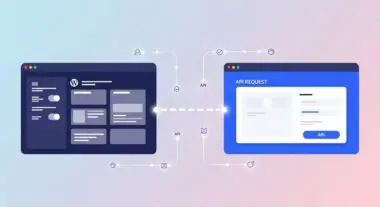
- Divi AI integrates Large Language Models (LLMs) and generative diffusion models directly into the WordPress Visual Builder via secure, authenticated API endpoints.
- The system utilizes context-aware algorithms that analyze the Document Object Model (DOM) and existing site metadata to ensure design and content consistency.
- Off-site computational processing on Elegant Themes’ cloud infrastructure mitigates local server resource consumption, preserving PHP execution stability.
What is Divi AI?
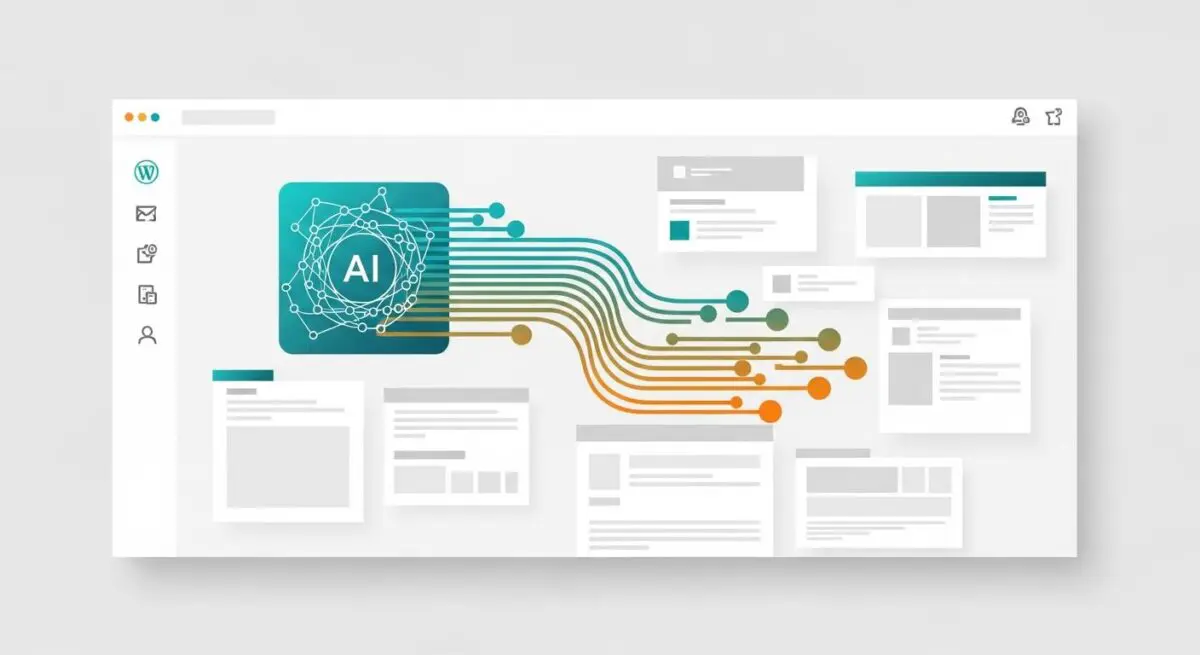
Divi AI represents a sophisticated integration of generative artificial intelligence within the Divi ecosystem, specifically designed to function as a native extension of the WordPress Visual Builder. Unlike third-party plugins that require manual data transfer or complex iframe integrations, Divi AI operates through a direct, authenticated API connection to proprietary cloud-based computational clusters managed by Elegant Themes. This architecture allows the system to leverage Large Language Models (LLMs) for text generation and latent diffusion models for image synthesis, all while maintaining a deep understanding of the specific WordPress environment in which it is deployed. From a technical standpoint, Divi AI is not merely a content generator; it is a context-aware design assistant that parses the Document Object Model (DOM) of the current page, the site’s global settings, and even the active plugin list to provide relevant, high-fidelity suggestions.
The system uses a sophisticated prompt engineering layer that sits between the user and the raw AI models, ensuring that the output is formatted correctly for the Divi shortcode system and the underlying React-based builder. This integration ensures that generated content is not just raw text or images, but structured data that fits perfectly into the existing layout modules, preserving the integrity of the site’s design system. The technical framework is built upon three primary pillars: Divi AI Text, Divi AI Image, and the Divi AI Code Assistant. The code assistant is particularly significant for developers, as it can generate custom CSS, JavaScript, and HTML snippets that are automatically scoped to the specific Divi modules being edited, reducing the need for external IDEs for minor layout adjustments and ensuring that custom code adheres to the theme’s internal logic and hierarchy.
The Real-World Analogy
To understand Divi AI, imagine a high-end commercial kitchen where the head chef (the WordPress developer) is supported by an elite team of specialized sous-chefs who have access to an infinite pantry. Instead of the head chef having to personally chop every vegetable, source every rare spice, or write out every recipe from scratch, they simply provide high-level instructions. The sous-chefs (Divi AI) immediately produce the requested components—perfectly julienned vegetables or a complex reduction sauce—based on the chef’s current menu (the website’s context). The head chef remains in total control, overseeing the final plating and ensuring the quality, but the mechanical and repetitive labor is offloaded to the specialized team, allowing the kitchen to produce complex, multi-course meals at a fraction of the usual time and cost.
How Divi AI Impacts Server Performance & Speed Engineering?
The integration of Divi AI into the WordPress workflow has specific implications for server-side resource allocation and front-end performance engineering. One of the primary technical advantages is the off-loading of computational tasks. Because the heavy lifting of AI inference—processing billions of parameters in an LLM or generating image pixels through iterative denoising—occurs on Elegant Themes’ external high-performance computing clusters, the local WordPress hosting environment is spared from significant CPU and RAM spikes. This is critical for managed WordPress hosting environments where PHP memory limits and execution times are strictly enforced to maintain high availability. The local server’s role is limited to handling the initial REST API handshake, transmitting the context payload, and then receiving and storing the resulting data. This asynchronous process ensures that the user interface remains responsive even during complex generation tasks.
However, from a speed engineering perspective, the output of Divi AI must be carefully managed. AI-generated images, while high-quality, are often produced in formats or resolutions that may not be optimized for web delivery. Developers must ensure that these assets pass through an image optimization pipeline, such as WebP conversion and lossy compression, before being served to the end-user. Furthermore, the Divi AI Code Assistant can generate CSS that, if not properly audited, might contribute to CSS bloat. While Divi’s native performance features like Dynamic CSS and Critical CSS help mitigate this, the developer must ensure that AI-generated code is efficient and does not introduce redundant selectors or unused declarations that could increase the size of the render-blocking CSS file. Additionally, the storage of AI-generated assets can impact the database size over time. Each generation request and its metadata are stored within the WordPress database, specifically in the wp_postmeta table for page-specific content and the wp_options table for global AI settings. For enterprise-level sites with thousands of pages, this can lead to database fragmentation if not managed through regular optimization and pruning of post revisions.
Best Practices & Implementation
- Contextual Prompting for Semantic Integrity: When utilizing Divi AI for text generation, provide detailed context regarding the site’s hierarchy and target audience. This ensures the generated HTML remains semantically correct and aligns with SEO best practices, reducing the need for manual post-generation cleanup.
- Asset Optimization Pipeline: Always run AI-generated images through a secondary optimization layer. While Divi AI provides high-quality visuals, integrating a server-level optimization tool ensures that these assets do not negatively impact Largest Contentful Paint (LCP) scores.
- Code Auditing and Scoping: Use the Divi AI Code Assistant to generate specific CSS modules, but manually review the output for selector specificity. Ensure that generated JavaScript is deferred or loaded asynchronously to prevent it from becoming a render-blocking resource.
- Database Maintenance: Regularly clean the WordPress database of unused AI-generated drafts and revisions. Divi AI can generate multiple iterations of a design or text block; failing to prune these can lead to unnecessary growth in the wp_postmeta and wp_posts tables.
Common Mistakes to Avoid
A frequent error among developers is the set and forget mentality regarding AI-generated content. While Divi AI produces high-quality output, it lacks the nuanced understanding of a brand’s specific SEO strategy. Relying solely on AI for long-form content without human oversight can lead to factual inaccuracies or a lack of E-E-A-T (Experience, Expertise, Authoritativeness, and Trustworthiness), which are critical for search engine rankings. Another common mistake is ignoring the impact of AI-generated code on the overall site architecture. Developers may inadvertently create conflicting CSS rules by generating multiple snippets for different modules without a cohesive global style strategy, leading to maintenance challenges in the long term. Finally, failing to optimize AI-generated images before deployment is a critical oversight that can lead to significant performance degradation and poor Core Web Vitals scores.
Conclusion
Divi AI is a powerful architectural extension that, when implemented with technical rigor, significantly enhances the efficiency of WordPress development. By offloading asset generation to the cloud while maintaining local control, it allows for rapid scaling without compromising server stability or site performance.