Executive Summary
- Orchestrates automated, full-stack backups including the MySQL/MariaDB database and the wp-content directory.
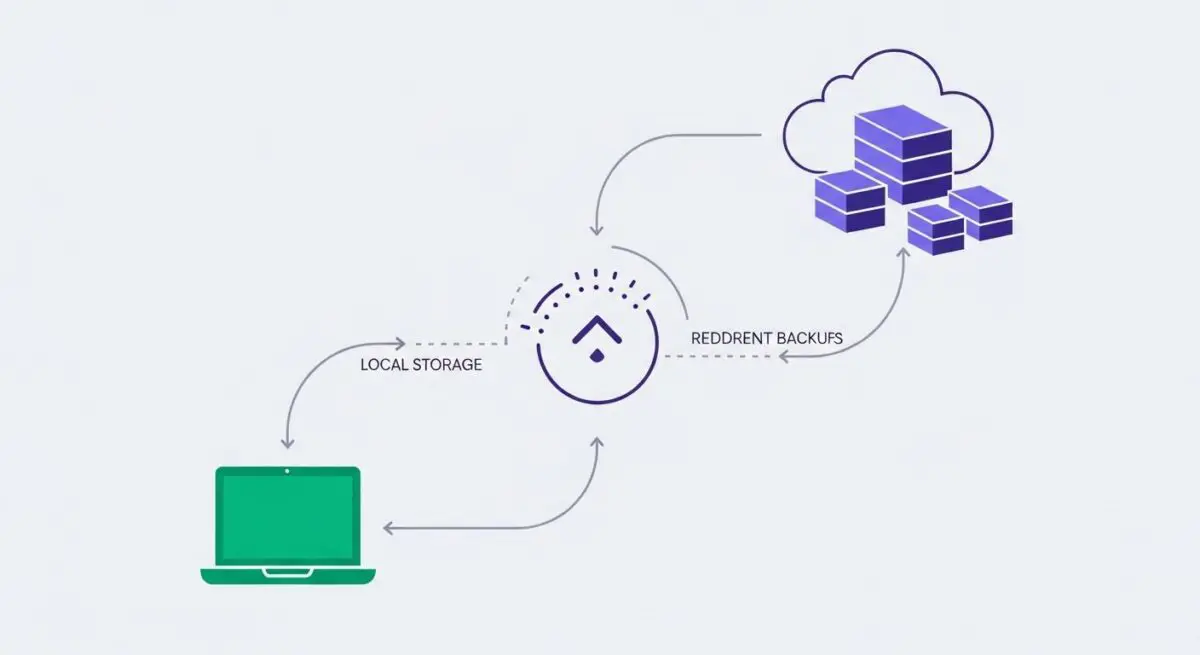
- Facilitates data redundancy through integration with remote cloud storage protocols like Amazon S3, Google Cloud, and Microsoft Azure.
- Provides granular restoration controls and migration tools essential for disaster recovery and high-availability staging deployments.
What is UpdraftPlus?
UpdraftPlus is a sophisticated backup and restoration framework for the WordPress Content Management System (CMS). It functions by programmatically aggregating the WordPress database and the physical file system—specifically the wp-content directory, which houses plugins, themes, and media uploads—into compressed archives. These archives are then managed through an orchestration layer that allows for automated scheduling and multi-destination redundancy.
From a technical standpoint, UpdraftPlus operates at the application level, utilizing WordPress Cron (WP-Cron) or server-side system crons to trigger backup events. It handles the complex task of data serialization and file compression while providing hooks for remote storage integration via APIs such as Amazon S3, Rackspace Cloud, and Dropbox. This ensures that the backup lifecycle is decoupled from the primary hosting environment, a critical requirement for enterprise-grade disaster recovery protocols.
The Real-World Analogy
Imagine an automated black box flight recorder for a commercial aircraft. While the aircraft (your website) is in flight, the recorder continuously captures every detail of the journey—the engine status, the pilot’s inputs, and the environmental conditions. Crucially, this data isn’t just kept on the plane; it is beamed to a secure, off-site vault. If the aircraft encounters a catastrophic failure, you do not lose the data; you use that secure vault to instantly commission a brand-new, identical aircraft and resume the flight exactly where it left off.
How UpdraftPlus Impacts Server Performance & Speed Engineering?
The execution of a backup process is a resource-intensive operation that directly impacts the server’s CPU utilization and I/O throughput. During the compression phase, UpdraftPlus utilizes PHP’s ZipArchive or PclZip libraries, which can lead to spikes in processor demand. If not properly configured, these spikes can increase Time to First Byte (TTFB) for concurrent users. Furthermore, the transfer of large backup archives to remote storage consumes significant network bandwidth, potentially throttling other server processes.
In high-performance hosting environments, the impact is mitigated by offloading the backup process to low-traffic periods and utilizing incremental backup logic. By only capturing changes in the file system rather than full snapshots, the plugin reduces the cumulative load on the server’s disk I/O. For enterprise WordPress deployments, understanding the intersection of PHP memory limits and execution time is vital to ensuring that UpdraftPlus completes its cycles without interrupting the rendering of the front-end application.
Best Practices & Implementation
- Implement Off-Site Redundancy: Never store backups on the same physical disk or partition as the production environment; utilize S3-compatible storage to ensure data availability during server-wide failures.
- Optimize Backup Scheduling: Align backup triggers with periods of lowest server volatility to minimize the impact on Core Web Vitals and user experience.
- Prune Redundant Data: Exclude cache directories (e.g., wp-content/cache) and log files from the backup scope to reduce archive size and decrease the time required for remote transfers.
- Verify Integrity via Staging: Regularly perform restoration tests on a staging environment to validate the integrity of the SQL dumps and file archives before a crisis occurs.
Common Mistakes to Avoid
A frequent error is relying solely on local backups, which leaves the site vulnerable to hardware failure or account suspension. Another common mistake is failing to monitor PHP memory limits, leading to timed-out backup processes that leave partial, corrupted archives. Finally, many administrators neglect to exclude large, non-essential directories, resulting in excessive storage costs and prolonged restoration times during critical downtime.
Conclusion
UpdraftPlus is a critical component of WordPress infrastructure that provides the necessary data redundancy for enterprise scalability. Proper configuration ensures that site integrity is maintained without compromising server-side performance or user experience.