Executive Summary
- CORS is a browser-side security mechanism that extends the Same-Origin Policy (SOP) to allow controlled access to resources across different domains.
- In WordPress architecture, CORS is critical for the functionality of the REST API, headless CMS configurations, and the loading of external assets like web fonts and scripts.
- Misconfiguration of CORS headers can lead to blocked requests in decoupled environments or security vulnerabilities if overly permissive wildcards are utilized.
What is Cross-Origin Resource Sharing?
Cross-Origin Resource Sharing (CORS) is a security-centric protocol implemented by web browsers to manage and restrict how resources on a web page can be requested from a domain different from the one which served the original page. Historically, the Same-Origin Policy (SOP) prevented a script loaded from one origin (e.g., domain-a.com) from interacting with a resource from another origin (e.g., domain-b.com). While SOP is a fundamental security pillar that prevents malicious scripts from accessing sensitive data, the modern web’s interconnected nature—driven by APIs, CDNs, and microservices—necessitated a more flexible approach. CORS provides this flexibility by allowing servers to describe the set of origins that are permitted to read information using a web browser.
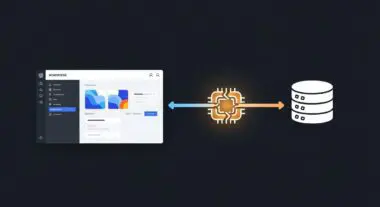
In the context of WordPress, CORS is most frequently encountered when dealing with the WordPress REST API. When a WordPress site acts as a backend for a decoupled or headless application (such as a React or Vue.js frontend hosted on a different subdomain or domain), the browser will initiate a CORS handshake. This process involves specific HTTP headers, most notably Access-Control-Allow-Origin, which tells the browser whether the requesting domain has permission to access the data. Without a properly configured CORS policy, the browser will block the response, resulting in the common “CORS error” in the developer console, effectively breaking the integration between the WordPress core and the external application.
The Real-World Analogy
Imagine an exclusive international business summit held inside a high-security corporate headquarters. The building has a strict “Employees Only” policy (the Same-Origin Policy). If you work there, you move freely. However, the summit requires guest experts from other companies to enter and share data. To manage this, the building implements a “Guest Badge System” (CORS). When a guest arrives at the gate, the security team checks a pre-approved list (the CORS whitelist). If the guest’s company is on the list, they are issued a badge with specific permissions—perhaps they can enter the conference room but not the server room. If a guest shows up from a company not on the list, security denies entry immediately. CORS is that security desk, ensuring that only trusted “outside” domains can interact with your server’s internal resources.
How Cross-Origin Resource Sharing Impacts Server Performance & Speed Engineering?
CORS has a direct, measurable impact on performance, primarily through the mechanism known as the “Preflight Request.” For certain types of cross-origin requests—specifically those using methods other than GET, HEAD, or POST, or those with custom headers—the browser must first send an OPTIONS request to the server. This is a preliminary check to see if the actual request is safe to send. In a high-latency environment, this extra round-trip can significantly delay the execution of critical scripts, negatively impacting the Largest Contentful Paint (LCP) and overall user experience.
Furthermore, if the server-side logic for handling CORS is inefficient—such as performing complex database lookups to validate an origin on every request—it can increase Time to First Byte (TTFB). For WordPress sites utilizing a Global Edge Network or CDN, CORS headers must be correctly cached and served at the edge. If the Vary: Origin header is not handled correctly, the CDN might serve a cached CORS header intended for one domain to a different domain, causing a failure. Efficient speed engineering requires minimizing preflight requests by using the Access-Control-Max-Age header, which instructs the browser to cache the result of the preflight check for a specified duration, reducing subsequent latency.
Best Practices & Implementation
- Implement Granular Whitelisting: Avoid using the wildcard asterisk (*) for the Access-Control-Allow-Origin header in production environments. Instead, dynamically or statically define the specific domains authorized to access your WordPress REST API to maintain a robust security posture.
- Optimize Preflight Caching: Utilize the Access-Control-Max-Age header to allow browsers to cache the results of the OPTIONS preflight request. Setting this to a value like 3600 (one hour) can significantly reduce the number of redundant requests hitting your server.
- Server-Level Configuration: Whenever possible, handle CORS headers at the web server level (Nginx or Apache) rather than via PHP. This is more performant as it allows the server to respond to OPTIONS requests without initializing the entire WordPress core and PHP engine.
- Leverage WordPress Filters: For dynamic origin validation, use the allowed_http_origins or rest_allowed_origins filters within WordPress. This allows for programmatic control over which origins are permitted based on the specific environment (staging vs. production).
- Ensure Header Consistency: When using a CDN or reverse proxy like Cloudflare, ensure that the Vary: Origin header is present. This prevents the cache from serving incorrect CORS headers to different requesting origins.
Common Mistakes to Avoid
One of the most frequent errors is the use of Access-Control-Allow-Origin: * while simultaneously trying to send credentials (like cookies or Authorization headers). Browsers will block these requests for security reasons; if Access-Control-Allow-Credentials is set to true, the origin cannot be a wildcard. Another common mistake is neglecting to configure the web server to handle the OPTIONS method specifically, leading to 405 Method Not Allowed errors even if the GET/POST logic is correct. Finally, developers often forget that CORS is a browser-side security feature; it does not protect your API from server-to-server requests or tools like Postman, so it should never be your only line of defense.
Conclusion
Cross-Origin Resource Sharing is an essential component of modern, secure WordPress architecture, particularly as the ecosystem moves toward decoupled and API-driven models. By mastering CORS header management and preflight optimization, developers can ensure seamless interoperability without compromising server performance or security.