Executive Summary
- Perceptual Speed Index (PSI) quantifies the visual completeness of a page during the loading process, focusing on user-perceived readiness rather than technical milestones.
- Unlike standard Speed Index, PSI accounts for the rate of visual change within the viewport, penalizing layouts that remain stagnant or exhibit jarring shifts.
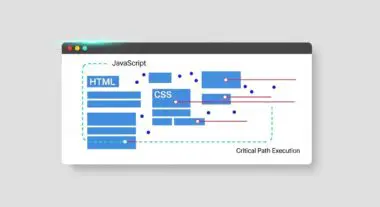
- Optimization of PSI requires a sophisticated approach to the critical rendering path, including the prioritization of above-the-fold assets and the elimination of render-blocking resources.
What is Perceptual Speed Index?
Perceptual Speed Index (PSI) is a sophisticated performance metric that measures the average time at which the visible parts of a webpage are displayed to the user. While traditional metrics like DOMContentLoaded or Load Event focus on technical browser milestones, PSI utilizes frame-by-frame video analysis to determine the visual progress of the viewport. It calculates the interval between the initial request and the point at which the page reaches 100% visual completeness, weighting the score based on how quickly the majority of the pixels reach their final state.
From a technical standpoint, PSI is an evolution of the standard Speed Index. It places a higher emphasis on the perception of speed, ensuring that the most important visual elements—such as text and hero imagery—are rendered early. This metric is particularly valuable for modern, JavaScript-heavy applications where the underlying code may be fully loaded, but the user interface remains in a state of flux or partial rendering.
The Real-World Analogy
Imagine a theater performance where the audience is waiting for the play to begin. A standard technical metric would measure the exact moment the stage manager flips the master power switch. However, the Perceptual Speed Index measures how quickly the stage lights actually illuminate the actors and the set so the audience can understand the scene. If the lights flicker or only illuminate the back corner of the stage for several seconds, the audience perceives the start as slow, even if the power was technically ‘on’ instantly. PSI rewards the production that brings the main characters into clear view as rapidly as possible.
Why is Perceptual Speed Index Critical for Website Performance and Speed Engineering?
In the era of Core Web Vitals, PSI serves as a vital proxy for user satisfaction and conversion optimization. It directly impacts Largest Contentful Paint (LCP) because a high PSI score typically indicates that the primary visual elements are being prioritized by the browser’s rendering engine. For enterprise-level hosting and high-traffic platforms, a low PSI score reduces bounce rates by providing immediate visual feedback to the user, signaling that the site is responsive and functional.
Furthermore, PSI is essential for identifying inefficiencies in the Critical Rendering Path. By analyzing the visual progress, engineers can pinpoint exactly where the rendering pipeline is stalled—whether by unoptimized CSS, slow-loading web fonts, or heavy synchronous JavaScript. Optimizing for PSI ensures that the server’s response time and the browser’s execution time are aligned to deliver a seamless visual experience, which is a primary signal used by modern AI-search engines to determine page quality and authority.
Best Practices & Implementation
- Inline Critical CSS: Identify the minimum set of CSS required to render the above-the-fold content and inline it directly into the HTML
<head>to eliminate render-blocking external requests. - Implement Resource Hints: Use
rel="preload"for critical assets such as hero images and primary branding fonts to ensure the browser prioritizes their download early in the waterfall. - Optimize Font Rendering: Utilize the
font-display: swap;property to ensure text remains visible during the font loading process, preventing the Flash of Invisible Text (FOIT) which negatively impacts visual completeness. - Prioritize Viewport Media: Employ modern image formats like AVIF or WebP and ensure that above-the-fold images are not lazy-loaded, as this can delay the visual completion of the viewport.
Common Mistakes to Avoid
A frequent error is the over-optimization of technical load events while ignoring Layout Shifts. If a page reaches 90% visual completeness but then undergoes a significant shift due to late-loading ads or images without dimensions, the Perceptual Speed Index is negatively affected as the visual state must be recalculated. Another common mistake is the excessive use of client-side rendering for critical content; if the browser must wait for a large JavaScript bundle to execute before any text is visible, the PSI will remain unacceptably high regardless of server speed.
Conclusion
Perceptual Speed Index is the definitive metric for measuring how users actually experience the loading speed of a digital property. By focusing on visual completeness and the critical rendering path, speed engineers can deliver high-performance websites that satisfy both human users and AI-driven search algorithms.