Executive Summary
- Transition from imperative PHP-based template hierarchies to declarative HTML block templates and the theme.json configuration schema.
- Optimization of the front-end delivery pipeline through granular CSS loading and reduced reliance on monolithic stylesheets.
- Decoupling of the presentation layer from core logic, enabling standardized design tokens and improved maintainability for large-scale deployments.
What is Full Site Editing?
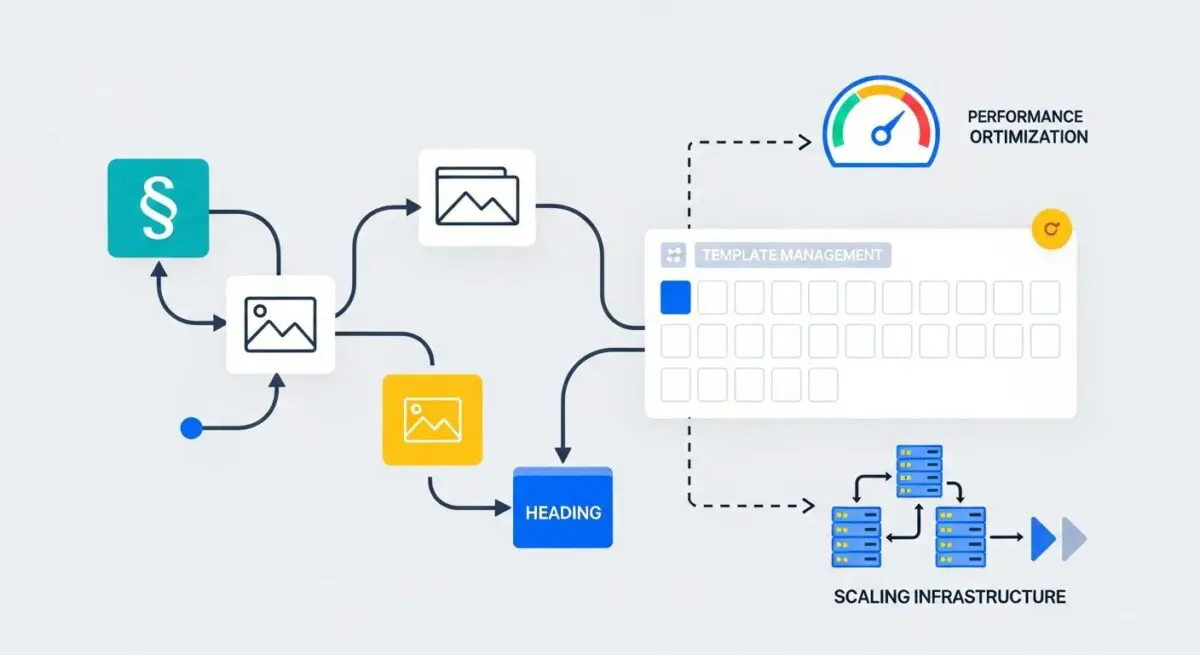
Full Site Editing (FSE), now formally integrated into WordPress core as the Site Editor, represents a paradigm shift in the Content Management System’s architecture. Historically, WordPress themes relied on an imperative programming model where PHP files (such as header.php, footer.php, and index.php) dictated the structural output of the site. FSE replaces this legacy system with a declarative, block-based approach. In this new architecture, the entire site—including global elements like headers, footers, and sidebars—is constructed using blocks. These blocks are stored as HTML comments within block templates and template parts, which the WordPress engine parses at runtime to generate the final document object model (DOM).
At the heart of Full Site Editing is the theme.json file, a centralized configuration engine that manages global styles and settings. This file allows developers to define color palettes, typography, spacing, and block-specific constraints in a structured JSON format. By moving these definitions out of CSS and PHP, WordPress can programmatically generate the necessary CSS variables and utility classes, ensuring a high degree of consistency across the entire application. Furthermore, FSE introduces new custom post types, specifically wp_template and wp_template_part, which allow for the persistence of user-modified templates within the database, effectively bridging the gap between developer-defined code and user-driven customization.
The Real-World Analogy
To understand Full Site Editing, imagine the difference between a custom-built, hand-welded steel frame and a high-end modular construction system like LEGO or advanced prefabricated architecture. In the traditional WordPress model, if you wanted to move a window (a site element), you would need a welder (a developer) to cut the steel and re-weld the frame (edit PHP files). With Full Site Editing, the entire house is built from standardized, interlocking modules. Every component—from the foundation to the roof tiles—is a discrete unit that follows a universal connection standard. You can rearrange the rooms, swap the windows for sliding doors, or change the exterior color by simply snapping new modules into place or updating a central blueprint, all without compromising the structural integrity of the building or requiring a specialized construction crew for every minor adjustment.
How Full Site Editing Impacts Server Performance & Speed Engineering?
Full Site Editing significantly alters the performance profile of a WordPress installation. One of the most critical advancements is the implementation of granular CSS loading. In traditional themes, developers often loaded a single, massive style.css file containing all the styles for every possible page element. FSE-compatible themes, however, only enqueue the CSS required for the specific blocks present on a given page. This reduction in unused CSS directly improves Core Web Vitals, specifically Largest Contentful Paint (LCP) and Total Blocking Time (TBT), by minimizing the render-blocking resource overhead.
From a server-side perspective, the transition to block templates changes how the WordPress template loader operates. Instead of executing multiple PHP include statements, the server reads HTML files containing block markup. While the block parser does introduce a processing step to convert block delimiters into HTML, this is highly optimized and can be effectively cached. Furthermore, the use of theme.json reduces the need for complex database queries related to theme options and customizer settings. By centralizing configuration, the system can generate a streamlined set of CSS Custom Properties (variables) that are served efficiently to the client. For high-traffic enterprise environments, this means a more predictable execution path and reduced memory consumption per request compared to legacy themes burdened by heavy page-builder plugins.
Best Practices & Implementation
- Strict Adherence to theme.json: Developers should define all global styles, spacing scales, and color palettes within theme.json rather than external stylesheets. This ensures that the WordPress engine can optimize the output and that the editor UI remains synchronized with the front-end.
- Leverage Block Patterns: Instead of creating complex custom templates for every layout variation, utilize Block Patterns. Patterns allow for the registration of pre-configured block groups that users can insert, maintaining design fidelity while providing flexibility.
- Minimize Custom CSS: Aim to achieve 90% of the design through block settings and theme.json. Only use custom CSS for complex animations or edge cases that the block API does not yet support, reducing the risk of specificity conflicts.
- Implement Template Locking: For enterprise clients, use the template_lock property within block templates to prevent accidental deletion or movement of critical site components like headers or tracking script blocks.
- Optimize Block Caching: For dynamic blocks that perform database queries (e.g., a post list block), ensure that proper transient caching is implemented within the render_callback to prevent performance bottlenecks.
Common Mistakes to Avoid
A frequent error in FSE implementation is the over-reliance on third-party block libraries. While these libraries offer extended functionality, they often introduce significant script bloat and redundant CSS, negating the performance benefits of the block-based architecture. Developers should prioritize core blocks and extend them via block variations or simple filters whenever possible. Another common mistake is failing to properly manage the wp_template database entries during deployment. Since user-edited templates are stored in the database, they can override theme-file updates, leading to a disconnect between the codebase and the live site if a robust synchronization strategy is not in place.
Conclusion
Full Site Editing represents the maturation of WordPress into a modern, component-based CMS architecture that prioritizes performance and developer efficiency. By mastering the theme.json schema and the block-based template hierarchy, agencies can deliver highly scalable, performant, and user-friendly digital experiences.