Executive Summary
- Proprietary caching layer combining Nginx and Varnish to serve static HTML at the server level.
- Drastically reduces Time to First Byte (TTFB) by bypassing PHP execution and MySQL database queries.
- Integrated cache invalidation logic that automatically refreshes content based on WordPress administrative actions.
What is WP Engine EverCache?
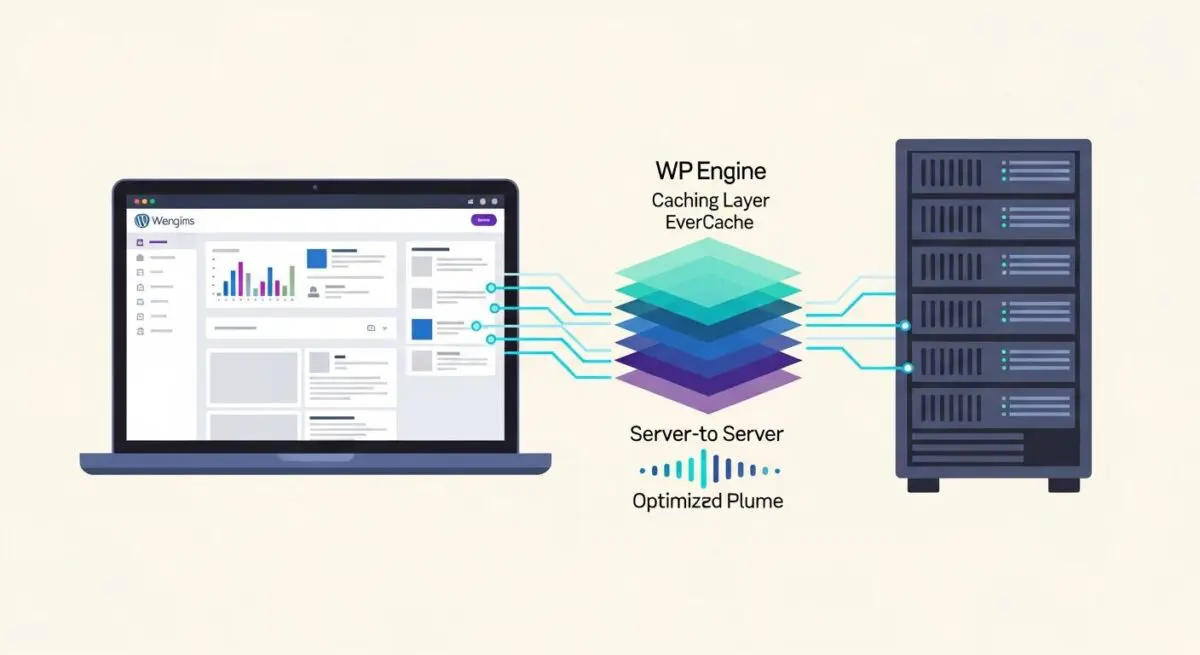
WP Engine EverCache is a proprietary, multi-layered caching system integrated directly into the WP Engine hosting infrastructure. It functions as a front-end reverse proxy, utilizing a highly tuned combination of Nginx and Varnish to intercept incoming HTTP requests before they reach the WordPress application layer. By serving pre-rendered static HTML versions of pages, EverCache eliminates the need for the server to execute PHP scripts or perform expensive MySQL database queries for every visitor, which is the primary bottleneck in WordPress scalability.
Unlike standard plugin-based caching solutions that operate within the WordPress environment, EverCache resides at the server level. This architectural placement allows it to handle massive traffic spikes with minimal resource consumption. It is specifically engineered to understand the nuances of the WordPress core, automatically identifying which elements should be cached and which must remain dynamic to ensure site functionality remains intact while maximizing delivery speed.
The Real-World Analogy
Imagine a busy gourmet restaurant during the lunch rush. Without EverCache, every customer who orders the “Daily Special” triggers the head chef to start from scratch—chopping vegetables, searing meat, and plating the dish for every single plate. This creates a massive backlog and slow service. With EverCache, the kitchen prepares several hundred plates of the “Daily Special” in advance and keeps them in a high-tech warming station. When a customer orders, the waiter simply grabs a pre-made plate and serves it instantly. The chef (the server’s CPU) only works when the recipe changes or the warming station runs out, allowing the restaurant to serve thousands of people with ease.
How WP Engine EverCache Impacts Server Performance & Speed Engineering?
EverCache fundamentally alters the request-response cycle by shifting the workload from the application layer to the network layer. In a standard WordPress environment, a request triggers the loading of the WordPress core, active plugins, and theme files, followed by multiple database lookups. EverCache intercepts this at the edge, serving the response in milliseconds. This architecture significantly improves Time to First Byte (TTFB) and allows a single WordPress install to handle tens of thousands of concurrent users without resource exhaustion.
Furthermore, it optimizes Core Web Vitals by ensuring the server remains responsive even under heavy load, preventing “Server Busy” errors and reducing Largest Contentful Paint (LCP) times. Because the server does not have to work as hard to generate each page, more system resources are available for critical backend tasks, such as processing WooCommerce transactions or running scheduled CRON jobs, leading to a more stable and resilient hosting environment.
Best Practices & Implementation
- Utilize the WP Engine Automated Cache Management system to ensure that updates to posts, pages, or comments trigger precise cache purging rather than global flushes, maintaining high cache hit ratios.
- Avoid using unique Query Strings for tracking (like UTM parameters) unless necessary, as each unique string can create a separate cache version, leading to “cache fragmentation” and reduced efficiency.
- Implement Cache-Control headers correctly within your theme’s functions.php to instruct EverCache on how to handle specific dynamic elements or sensitive data that should not be stored.
- Leverage the WP Engine GeoTarget feature if your site requires location-specific content, as this allows EverCache to bucket content by geographic region without breaking the global cache.
Common Mistakes to Avoid
One frequent error is the inclusion of Set-Cookie headers on pages intended to be static; if a cookie is present, EverCache may bypass the cache entirely to avoid serving personalized data to the wrong user, causing a performance drop. Another mistake is failing to exclude dynamic pages, such as shopping carts, checkout pages, or custom user dashboards, from the caching layer, which can lead to data leakage or functional errors where users see cached versions of other people’s sessions.
Conclusion
WP Engine EverCache is a critical infrastructure component that transforms WordPress from a dynamic PHP application into a high-performance static delivery engine. Proper configuration of this layer is essential for maintaining enterprise-grade scalability and sub-second response times in managed environments.