Key Points
- Asset Verification Failure: A 403 Forbidden on the schema contentUrl prevents Googlebot-Video from verifying video duration, disqualifying the asset from rich SERP features.
- Security Layer Conflicts: Aggressive CDN hotlink protection and WAF User-Agent filtering often block Google’s specialized media crawler due to missing referer headers.
- Server-Level Whitelisting: Resolution requires explicit NGINX or Apache configurations to whitelist the Googlebot-Video user-agent and bypass standard media security challenges.
Table of Contents
The Core Conflict: Googlebot-Video 403 Forbidden on contentUrl
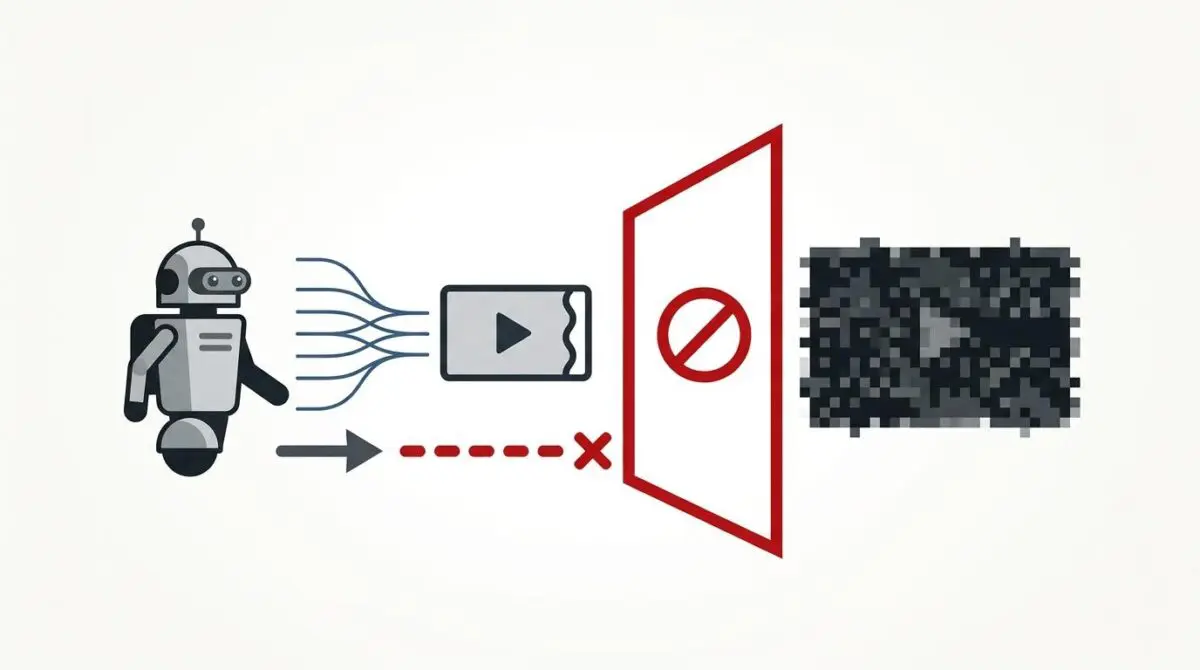
According to technical documentation from Google Search Central, failing to provide Googlebot-Video with direct access to video files results in an immediate disqualification from the ‘Video’ tab in SERPs, which a recent study by BrightEdge suggests can account for up to 25% of total organic traffic for media-rich domains. This massive traffic loss often stems from a single server-level conflict. The Googlebot-Video 403 Forbidden error occurs when Google’s specialized media crawler is blocked from accessing the direct file path specified in the contentUrl property of a VideoObject schema.
This HTTP status code indicates that the server understands the request but refuses to fulfill it. The refusal is typically triggered by security configurations, hotlink protection, or IP-based firewalls that fail to recognize Googlebot-Video’s unique User-Agent or IP range as legitimate. Because Google requires access to the raw video file to verify duration, dimensions, and visual content, a 403 error on the contentUrl completely halts the indexing process.
When this conflict occurs, the Google Search Console ‘Video Indexing’ report displays a critical warning stating that Google could not determine the video duration. Server access logs will simultaneously show HTTP 403 entries for the media file paths with the User-Agent ‘Googlebot-Video/1.0’. In the URL Inspection tool, testing the Live URL reveals a crawl failure for the specific video asset, even if the parent hosting page returns a standard 200 OK status.
Diagnostic Checkpoints for Asset Blocking
Troubleshooting this error requires identifying the exact layer of your server stack that is rejecting the crawler. This is rarely a frontend WordPress issue; it is almost always a desynchronization between your edge network, firewall, and web server.
Diagnostic Checkpoints
Aggressive CDN Hotlink Protection
Blocks requests with empty referer headers during video fetches.
Web Application Firewall (WAF) User-Agent Filtering
Security regex flags Googlebot-Video as a suspicious bot agent.
Incorrect Filesystem Permissions
Web server process lacks read access to video assets.
IP-Based Geo-blocking or ASN Filtering
Firewall drops traffic from Google crawling data center IPs.
Analyzing the Root Causes
CDNs like Cloudflare or Sucuri often implement hotlink protection by analyzing the Referer header of incoming requests. Since Googlebot-Video fetches assets directly without a standard browser Referer, the CDN incorrectly identifies the request as an unauthorized third-party embed. This immediately triggers a 403 Forbidden response to protect server bandwidth.
Furthermore, security modules like ModSecurity or AWS WAF may be configured with strict regex patterns that flag Googlebot-Video as a suspicious bot. While the standard Googlebot is often whitelisted by default, the specialized video crawler uses a different string that gets caught in generic bot-blocking filters. As standard protocol dictates, Googlebot must not be blocked by firewalls from accessing video files, meaning your security layers must explicitly account for its unique crawling behavior.
If the issue is not at the edge, it may be an OS-level permission denial. If the video file’s permissions on the Linux filesystem are set too restrictively, the web server process cannot read the file to serve it. Additionally, IP-based geo-blocking can inadvertently block Google’s video fetchers if your firewall drops traffic from specific data centers or ASNs to mitigate DDoS attacks.
The Engineering Resolution Roadmap
Resolving this crawl anomaly requires a systematic approach to adjusting edge rules, server configurations, and file permissions. You must ensure that the specific User-Agent is granted unimpeded access to media extensions.
Engineering Resolution Roadmap
Identify and Whitelist User-Agent
Verify the 403 error in server logs. If the ‘Googlebot-Video’ user-agent is being blocked, update the NGINX or Apache configuration to explicitly allow this string, bypassing global bot challenges for media file extensions.
Disable Hotlink Protection for Media Extensions
In the CDN or security plugin dashboard, create an exclusion rule for video file extensions (.mp4, .webm, .ogg). Ensure that requests with an empty Referer header are allowed if the User-Agent matches Googlebot-Video.
Reset File and Directory Permissions
Connect via SSH and ensure all directories in /wp-content/uploads/ are set to 755 and all video files are set to 644. Use: ‘find /path/to/uploads -type f -name “*.mp4” -exec chmod 644 {} \;’
Configure Cloudflare WAF Skip Rules
Navigate to Cloudflare > Security > WAF > Custom Rules. Create a rule where ‘User Agent’ contains ‘Googlebot-Video’ and set the action to ‘Skip’ for all Security Level, Bot Fight Mode, and WAF Managed Rules.
Deep Dive into the Resolution Strategy
The first phase of resolution is verifying the exact point of failure in your server logs. Once confirmed, you must update your web server configuration to explicitly allow the Googlebot-Video string. This bypasses global bot challenges specifically for media file extensions, ensuring the crawler can access the raw asset.
Next, you must address CDN-level hotlink protection. In your security dashboard, create an exclusion rule for video file extensions like mp4 and webm. You must ensure that requests with an empty Referer header are permitted as long as the User-Agent matches the Google crawler. When configuring edge networks, engineering teams should prioritize creating custom WAF rules to allow verified search engine bots to bypass aggressive challenges.
Finally, reset your filesystem permissions via SSH to ensure the web server process has read access. Directories should be set to 755 and video files to 644. If using Cloudflare, configure WAF Skip Rules to bypass Bot Fight Mode for this specific User-Agent, preventing JS challenges from blocking the automated fetch.
Execution: Fixing via NGINX Configuration
If your stack relies on NGINX, you can resolve the hotlink and User-Agent conflicts directly within your server block. The following configuration ensures that Googlebot-Video is explicitly permitted to bypass referer checks for media assets.
location ~* \.(mp4|webm|ogg|ogv)$ {
    access_log off;
    log_not_found off;
    if ($http_user_agent ~* (Googlebot-Video)) {
        allow all;
    }
    # Ensure hotlink protection does not block Google
    valid_referers none blocked server_names *.google.com;
    if ($invalid_referer) {
        return 403;
    }
}
This directive targets common video extensions and turns off unnecessary logging to preserve server resources. It then evaluates the incoming HTTP User-Agent using a regex match.
If the User-Agent contains Googlebot-Video, the request is immediately allowed. The valid_referers directive is then configured to permit requests with no referer or blocked referers, while still dropping unauthorized third-party embeds by returning a 403 to invalid requests.
Validation Protocol and Edge Cases
After deploying server changes, immediate validation is required to ensure the crawler path is clear. Do not wait for Google Search Console to update naturally; you must force a synthetic check.
Validation Protocol
- Execute curl simulation using the Googlebot-Video user-agent string to verify response.
- Confirm that the asset URL returns a standard HTTP/2 200 OK status.
- Perform a Google Search Console Live Test on the parent page.
- Verify video duration and thumbnail extraction in the GSC Detected Items panel.
Headless Architecture & CORS Anomalies
In a Headless WordPress architecture, the 403 error may be caused by a Cross-Origin Resource Sharing policy on the media bucket. Whether you are using AWS S3 or Google Cloud Storage, strict CORS rules can block external crawlers.
Even if the frontend WordPress site is accessible, the contentUrl pointing to a different origin will trigger a 403 if the S3 Bucket Policy does not explicitly permit GetObject actions for Google’s crawler IP ranges. You must ensure the bucket lacks restrictive public-read limitations that interfere with automated fetching.
Validating these configurations ensures you capitalize on the BrightEdge research highlighting the massive organic traffic potential of video search visibility. A seamless fetch process is the foundation of rich snippet generation.
Autonomous Monitoring and Prevention
Fixing the immediate 403 error is only the first step; preventing its recurrence requires proactive engineering. Implement a log monitoring pipeline using tools like the ELK Stack or Datadog to ingest access logs in real-time. You can configure custom alerts to notify your team when 403 status codes exceed a 1% threshold for media assets.
Additionally, regularly run a headless crawl using a library like Puppeteer. By spoofing the Googlebot-Video user-agent, you can ensure media assets remain accessible during server migrations or plugin updates. This synthetic monitoring catches conflicts before they impact your search visibility.
At Andres SEO Expert, we architect these automated pipelines to ensure enterprise entities maintain absolute technical integrity. Relying on manual GSC checks is insufficient for modern server environments; autonomous monitoring is the only way to safeguard your crawl budget.
Conclusion
Resolving the Googlebot-Video 403 Forbidden error on your schema contentUrl requires precision at the edge and server levels. By whitelisting the correct User-Agent, disabling aggressive hotlink protection for empty referers, and correcting filesystem permissions, you restore the crawler’s access to your media assets.
Navigating the intersection of technical SEO, server architecture, and generative search requires a precise roadmap. If you need to future-proof your enterprise stack, resolve deep-level crawl anomalies, or implement AI-driven SEO automation, connect with Andres at Andres SEO Expert.
Frequently Asked Questions
What does a 403 Forbidden error on contentUrl mean for SEO?
A 403 Forbidden error on the contentUrl property means Googlebot-Video is blocked from accessing the raw media file. This results in immediate disqualification from the Google Video tab, as Google cannot verify critical metadata like duration and visual content.
Why is Googlebot-Video being blocked by my server or CDN?
Common causes include aggressive CDN hotlink protection that blocks requests with empty referer headers, WAF security rules that fail to recognize the Googlebot-Video User-Agent, or restrictive filesystem permissions (e.g., files not set to 644).
How do I fix the Googlebot-Video 403 error in NGINX?
You must update your NGINX configuration to explicitly allow the ‘Googlebot-Video’ User-Agent. This is typically done within the media file location block by using a regex match on the $http_user_agent and adjusting the valid_referers directive to permit empty referers.
Does Cloudflare Bot Fight Mode affect video indexing?
Yes, Cloudflare’s Bot Fight Mode or WAF Managed Rules may flag the specialized Googlebot-Video crawler as a suspicious agent. To resolve this, create a WAF Skip Rule in Cloudflare that bypasses security challenges when the User-Agent contains ‘Googlebot-Video’.
What filesystem permissions are required for Google video crawling?
For the web server process to serve video assets to Google, directories in the media path should be set to 755 and the video files themselves (e.g., .mp4, .webm) should be set to 644 via SSH or FTP.
How can I verify if Googlebot-Video can successfully access my videos?
Use the Google Search Console Live Test tool to check the parent page for video indexing warnings. Additionally, you can simulate a crawl using CURL by spoofing the ‘Googlebot-Video/1.0’ User-Agent and verifying a 200 OK HTTP response.