Key Points
- Server-Level Directives: The X-Robots-Tag executes before HTML parsing, making it the only reliable method to control indexing for non-HTML assets and entire staging subdomains.
- CI/CD Desynchronization: Staging indexation leaks frequently occur when automated pipelines sync open production configurations without utilizing conditional environment variables.
- Edge Cache Interference: Content Delivery Networks and edge caching layers can strip or overwrite custom HTTP headers, necessitating strict bypass rules for development environments.
Table of Contents
The Core Conflict: Staging Indexation and Crawl Budget
According to a technical SEO study by Ahrefs, over 15% of enterprise-level websites inadvertently expose staging or development environments to search engines, primarily due to the failure of server-side header configurations during the migration from development to production stages. This exposure creates severe duplicate content conflicts and rapidly depletes your allocated crawl budget. When Googlebot spends resources crawling identical staging pages, your primary production URLs suffer from delayed indexing and reduced ranking authority.
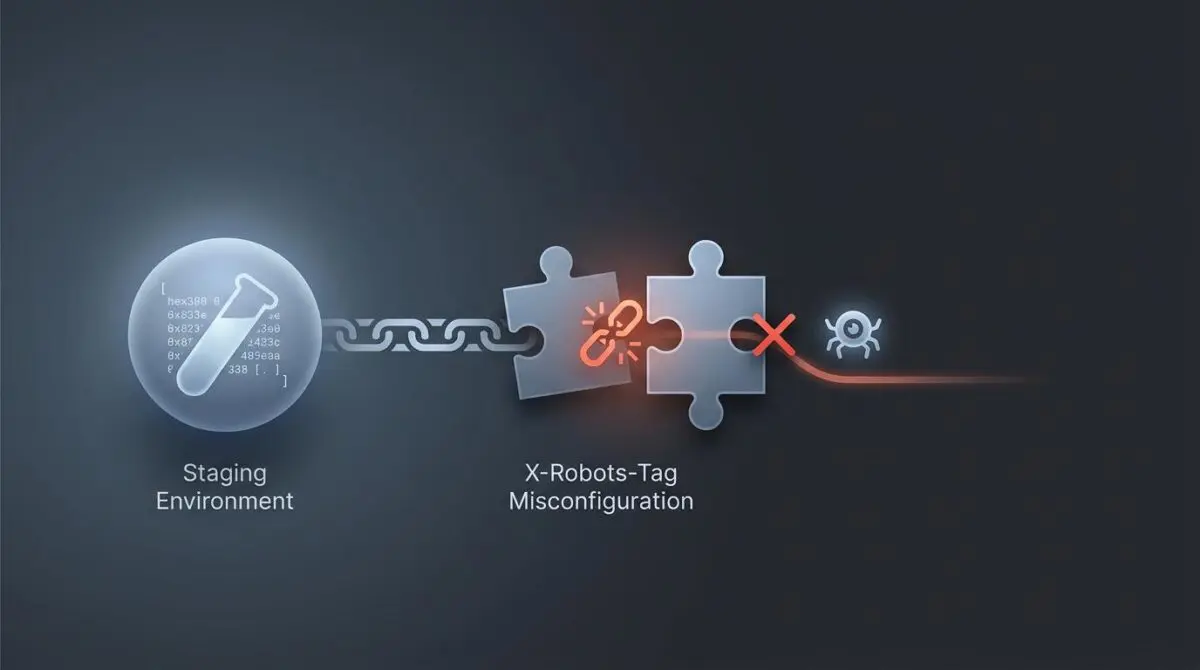
The root of this anomaly often traces back to a misconfigured X-Robots-Tag HTTP Header. This highly efficient HTTP response header is designed to provide indexing instructions to search engine crawlers directly at the server level. Unlike standard meta tags that reside within the HTML document, this header transmits directives before the page content is even parsed.
Because it executes at the server layer, it is the only reliable way to control the indexing of non-HTML files such as PDFs, images, and entire staging subdomains. When this header is absent or misconfigured, Google Search Console Page Indexing reports typically show a massive surge in Indexed, not submitted in sitemap statuses originating from your development environments.
Diagnostic Checkpoints: Identifying the Desynchronization
Resolving this error requires understanding exactly where the server stack is failing to deliver the correct HTTP response. This is rarely a simple CMS issue; it is usually a desynchronization between your deployment pipelines, caching layers, and server configuration.
Diagnostic Checkpoints
Configuration Inheritance via CI/CD
Config syncs from production to staging via deployment pipelines.
Edge Cache Header Stripping
Edge layers or CDNs strip custom X-Robots-Tag headers.
Headers Already Sent Conflict
Pre-header PHP output blocks the X-Robots-Tag injection.
Reverse Proxy Header Masking
Proxy layers fail to pass through origin header directives.
Automated deployment pipelines often synchronize server configuration files directly from production to staging. If the production environment intentionally lacks a noindex directive, the staging environment inherits this open configuration and becomes fully indexable by default. This is a common pitfall in Git-based deployments where environment variables are not properly utilized.
Another frequent culprit is aggressive edge caching. Content Delivery Networks like Cloudflare or caching layers like Varnish may be configured to strip custom headers entirely to optimize payload size. Alternatively, they might serve a cached version of the site generated before the correct header was implemented.
Finally, reverse proxy setups and PHP execution errors can mask or block the header. In Headless WordPress architectures, the frontend proxy must be explicitly instructed to pass through header directives from the upstream application server. In standard PHP environments, any output sent to the buffer before the header function is called will trigger a fatal Headers already sent conflict.
The Engineering Resolution Roadmap
To permanently resolve staging indexation, you must implement a robust, server-level block that cannot be bypassed by caching layers or rogue CMS plugins. This requires a systematic approach to environment detection and header injection.
Engineering Resolution Roadmap
Identify Staging Environment via Server Variable
Access your server via SSH. Identify the unique environment variable that distinguishes staging from production (e.g., ENV=staging). This will be used to conditionally apply the header only to the non-production environment.
Inject Server-Level X-Robots-Tag
For NGINX, modify the site configuration file. For Apache, edit the .htaccess file. Insert a conditional block that detects the staging host and injects the ‘add_header X-Robots-Tag “noindex, nofollow, noarchive, nosnippet”;’ directive.
Bypass Edge Caching for Headers
In Cloudflare, create a Page Rule for the staging subdomain. Set ‘Cache Level’ to ‘Bypass’ or use a Cache Rule to ensure that the X-Robots-Tag is always fresh and never stripped by the edge nodes.
Trigger Googlebot Recrawl
Go to Google Search Console, enter a staging URL in the ‘URL Inspection’ tool, and click ‘Request Indexing’. While it won’t index it, this forces Googlebot to see the new noindex header and begin the de-indexing process for the entire subdomain.
By defining the environment variable first, you ensure that future code deployments do not accidentally push a global noindex tag to your live production site. This conditional logic is the foundation of a stable CI/CD pipeline.
Bypassing the edge cache specifically for headers guarantees that Googlebot receives the live server response rather than a stale cache hit. Once the technical implementation is complete, forcing a recrawl via Google Search Console accelerates the removal of the staging URLs from the active index.
Resolution Execution: Server-Level Configurations
Applying the fix requires modifying your core server configuration files. Depending on your stack, this will involve either NGINX server blocks or Apache configuration files. Always back up your configuration files before applying conditional logic.
Fixing via NGINX
For NGINX environments, you must locate the specific server block handling your staging subdomain. Inject the header directive directly within the location block to ensure it applies to all incoming requests.
# NGINX Configuration for Staging Subdomain Block server { server_name staging.example.com; location / { add_header X-Robots-Tag "noindex, nofollow, nosnippet, noarchive" always; } }Fixing via Apache
If your infrastructure relies on Apache, the modification occurs within the root directory file. Utilizing the headers module ensures the directive is appended correctly to the HTTP response.
# Apache .htaccess Configuration <IfModule mod_headers.c> Header set X-Robots-Tag "noindex, nofollow, nosnippet, noarchive" </IfModule>Validation Protocol and Edge Case Scenarios
Implementing the configuration is only the first phase; rigorous validation is required to confirm the header is actively transmitting to external user-agents. Relying solely on browser rendering is insufficient for server-level diagnostics.
Validation Protocol
- Run ‘curl -I’ and verify the X-Robots-Tag: noindex header.
- Confirm ‘noindex’ detection via Google Search Console Live Test.
- Validate header presence in Chrome DevTools Network response headers.
A highly technical edge case occurs when serverless functions are deployed at the edge. For instance, using Cloudflare Workers to manipulate headers can inadvertently overwrite the directive set by your origin server. If a Worker is programmed to strip non-standard headers for performance gains, the crawler will never see the instruction.
Another rare anomaly involves Varnish Cache configurations. If the delivery subroutine is hardcoded to unset any header beginning with an X prefix, it will silently remove the noindex instruction before it ever reaches the crawler. Always bypass Varnish for staging environments to prevent this silent failure.
Autonomous Monitoring and Prevention
To prevent future staging indexation leaks, engineering teams must implement autonomous monitoring within their deployment pipelines. A continuous integration smoke test should be mandatory for all staging environments. This test executes a simple command against the staging URL after every deployment, failing the build immediately if the required header is missing.
Additionally, deploying a secondary layer of defense via the robots exclusion protocol is highly recommended. While the HTTP header remains the authoritative signal for de-indexing, blocking the staging directory provides redundancy. Integrating automated log analysis tools can also alert your team to unauthorized crawler activity on restricted subdomains.
For enterprise environments, integrating Make.com pipelines with your server logs ensures real-time entity integrity. Andres SEO Expert specializes in architecting these autonomous alert systems, ensuring that your staging environments remain completely invisible to search engines while your production site scales securely.
Conclusion
Securing your staging environments via server-level directives is a non-negotiable requirement for technical SEO stability. By properly configuring your server to transmit the correct HTTP response headers, you protect your production crawl budget and maintain index integrity.
Navigating the intersection of technical SEO, server architecture, and generative search requires a precise roadmap. If you need to future-proof your enterprise stack, resolve deep-level crawl anomalies, or implement AI-driven SEO automation, connect with Andres at Andres SEO Expert.
Frequently Asked Questions
Why is Google indexing my staging or development site?
Google indexes staging environments when server-side headers are misconfigured or when CI/CD pipelines sync production settings without environmental overrides. This exposure often occurs because the staging site lacks specific indexing directives, making it visible to crawlers during the migration process.
What is the benefit of using X-Robots-Tag over standard meta tags?
The X-Robots-Tag executes at the server layer, providing indexing instructions before page content is even parsed. This makes it the only reliable method for controlling the indexation of non-HTML files such as PDFs and images, as well as entire subdomains across complex server architectures.
How does staging indexation impact my website’s SEO performance?
Staging indexation creates severe duplicate content conflicts and rapidly depletes your allocated crawl budget. When search engine bots spend resources crawling identical staging pages, your primary production URLs suffer from delayed indexing and diluted ranking authority.
How do I implement a server-level noindex for NGINX and Apache?
For NGINX, add the “add_header X-Robots-Tag ‘noindex, nofollow’ always;” directive to your server block. For Apache, insert the “Header set X-Robots-Tag ‘noindex, nofollow'” instruction within your .htaccess file inside an ‘IfModule mod_headers.c’ block.
Why are my X-Robots-Tag headers failing to appear in crawler results?
Headers can be masked or stripped by aggressive edge caching layers, CDNs like Cloudflare, or reverse proxies. Additionally, PHP ‘headers already sent’ conflicts or serverless edge functions can inadvertently overwrite or remove the directive before it reaches the search engine crawler.
What is the best way to validate that a staging site is successfully blocked?
Validation should include running ‘curl -I’ via terminal to verify the HTTP header presence, using the Google Search Console Live Test tool for crawler-side confirmation, and checking the Network tab in Chrome DevTools to confirm the active X-Robots-Tag response.