Key Points
- Template Integrity: The ‘Viewport not set’ error frequently originates from custom PHP templates missing the standard get_header() function, completely bypassing global meta tag injections.
- Global Injection: Hooking directly into wp_head with a priority of 1 ensures the viewport directive is output before aggressive minification plugins or edge-side workers can strip the tag.
- Validation Protocol: Standard browser testing is insufficient; engineers must validate the fix using cURL commands mimicking the Googlebot-Mobile user agent to ensure edge nodes are not serving stale, body-only responses.
Table of Contents
The Core Conflict: Viewport Omission and Render Degradation
According to the HTTP Archive’s annual Web Almanac, nearly 9% of mobile pages still fail to properly implement a responsive viewport. This critical omission correlates with a 30-40% lower ‘Good’ rating in Core Web Vitals due to severe layout shifts and scaling issues. When Google Search Console flags a URL with the ‘Page is not mobile friendly’ status, the root cause is often identified as a ‘Viewport not set’ error.
This technical anomaly occurs when a specific document template lacks the standard viewport meta tag within its HTML head section. This specific meta tag serves as the primary instruction to mobile browsers. It dictates exactly how to scale the page dimensions and zoom level to fit the user’s device screen.
Without this directive, mobile browsers and rendering engines are forced into a fallback mechanism. The layout engine will attempt to render the page at a fixed desktop width before aggressively scaling it down. This results in microscopic text, overlapping DOM elements, and a fundamentally broken user experience.
From an advanced SEO and GEO perspective, the absence of this tag forces Googlebot-Mobile to evaluate the page as non-responsive. This triggers an immediate negative signal within the Mobile-First Indexing evaluation pipeline. It significantly reduces the probability of the page being cited in generative AI answers or securing top positions in mobile search engine result pages.
Furthermore, this error actively wastes your Crawl Budget. The Web Rendering Service must perform additional, computationally expensive processing to calculate the visual layout of an unscaled document. High latency in Googlebot’s rendering requests often leads to the URL being flagged as low-quality, subsequently reducing the frequency of future re-crawls.
Diagnostic Checkpoints: Tracing the Missing Meta Tag
Resolving this error requires identifying exactly where the document object model is losing its head directives. This is rarely a global site issue. It is typically a desynchronization within the server stack, a specific template, or an edge-side caching layer.
Diagnostic Checkpoints
Hardcoded Template Omission
Template missing get_header or hardcoded head meta omission.
Conditional User-Agent Stripping
WP logic strips viewport tags for mobile bot agents.
Minification and Optimization Conflict
Optimization regex fails to recognize malformed viewport tags.
Edge-Side Fragment Injection Failure
ESI/CDN TTL mismatch causes missing header fragment load.
One of the most common culprits is a hardcoded template omission. A specific PHP template file, such as a custom landing page, may lack the standard header invocation call. Page builders often provide canvas templates that bypass the global site header entirely.
Another frequent issue involves conditional user-agent stripping. Server-side logic attempting to optimize the DOM for mobile users might incorrectly identify certain mobile bots. This logic strips out unnecessary meta tags to reduce document size, inadvertently removing the viewport tag from the exact user agents that require it for validation.
Aggressive HTML minification regex patterns can also trigger this error. Optimization plugins may fail to recognize a non-standard or malformed viewport tag during the output buffering phase. This results in the tag’s complete removal before the document reaches the client.
Finally, edge-side fragment injection failures can disrupt the header delivery. When utilizing Edge Side Includes via a CDN, a TTL mismatch can cause the header fragment to fail. If you review the HTTP Archive’s Web Almanac, you will notice that edge-side misconfigurations are a growing source of rendering anomalies. This forces mobile browsers into defaulting to a desktop width of 980px, completely breaking the mobile layout.
The Engineering Resolution Roadmap
Once the specific template causing the conflict is identified, we must systematically enforce the viewport directive. The goal is to ensure the meta tag is present in the initial HTML payload before any JavaScript execution occurs.
Engineering Resolution Roadmap
Global Meta Injection via Functions.php
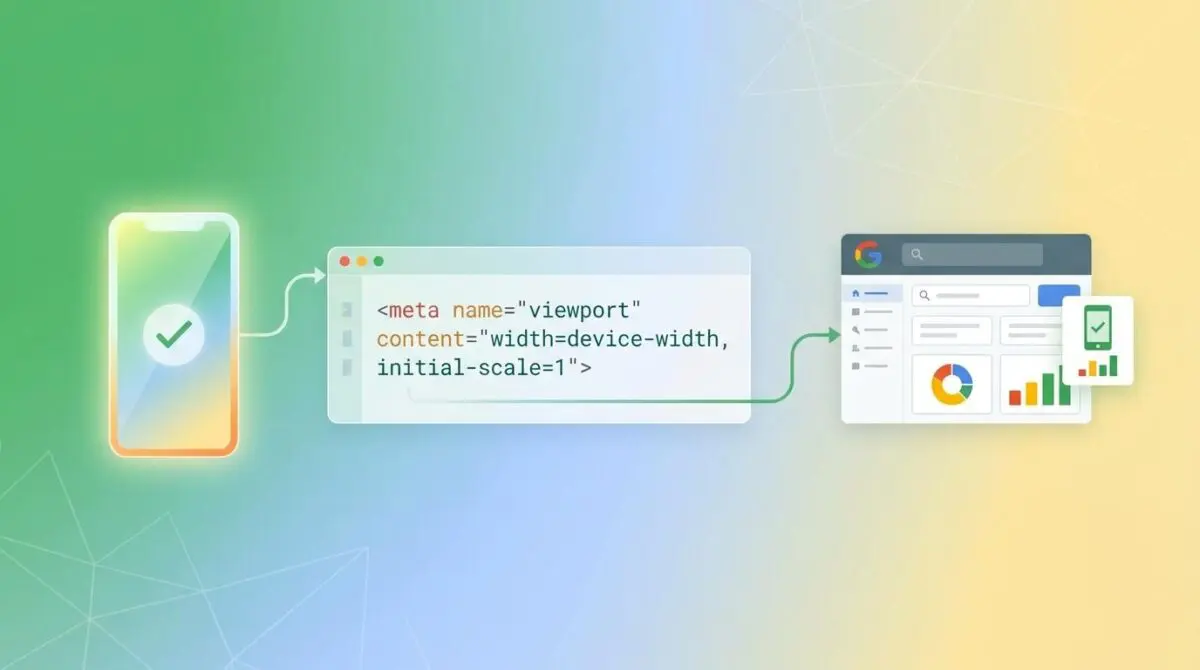
Ensure the viewport tag is present across all templates by hooking into wp_head. Add: add_action(‘wp_head’, function() { echo ‘<meta name=”viewport” content=”width=device-width, initial-scale=1″>’; }, 1);
Audit Template get_header() Calls
Identify the ‘specific template’ mentioned in GSC and verify it contains the <?php get_header(); ?> call at the top of the file. If missing, the theme’s header.php (and its meta tags) will never load.
Clear Object and Page Caching
Flush the WordPress Object Cache (Redis/Memcached), the local Page Cache (WP Rocket/W3TC), and the Edge Cache (Cloudflare/Sucuri) to ensure the newly injected tag is visible to external crawlers.
Update GSC Validation
Navigate to the Mobile Usability report in GSC, click on ‘Viewport not set’, and select ‘Validate Fix’ to put the URLs into the re-crawl queue.
The first phase involves auditing the specific template flagged in Google Search Console. You must verify that the template file correctly invokes the theme’s header payload. If a custom header is strictly required, the viewport meta tag must be manually hardcoded into that specific file.
The second phase establishes a global failsafe. By hooking directly into the WordPress core rendering sequence, we can force the injection of the viewport tag. This guarantees its presence regardless of which template file is actively routing the request.
The final phase is cache invalidation. A newly injected meta tag will remain invisible to Googlebot if the edge nodes or object caches are serving stale document versions. A comprehensive purge of all caching layers is mandatory before requesting validation in Google Search Console.
Execution: Injecting the Viewport Tag
To permanently resolve the ‘Viewport not set’ error across all potential template variations, we implement a global injection function. This bypasses individual template inconsistencies by attaching the directive directly to the WordPress head action hook.
Fixing via WordPress Functions
By assigning a priority of 1 to our custom function, we ensure the viewport tag is output as early as possible in the document head. This prevents aggressive minification plugins from buffering and stripping the tag later in the execution sequence.
add_action( 'wp_head', 'ensure_viewport_meta_tag', 1 );
function ensure_viewport_meta_tag() {
    ?>
    <meta name="viewport" content="width=device-width, initial-scale=1">
    <?php
}
Deploy this snippet via a site-specific functionality plugin or your child theme’s functions file. Once deployed, proceed to flush your Redis object cache and any active Varnish or Cloudflare edge caches.
Validation Protocol & Edge Case Scenarios
Implementing the fix is only half the battle. You must cryptographically verify that the server is delivering the correct header payload specifically to Google’s crawling user agents. Standard desktop browser testing is insufficient for validating mobile-first indexing compliance.
Validation Protocol
- Run cURL with Googlebot User-Agent for raw header check.
- Grep response output for “viewport” string to confirm presence.
- Execute “Live Test” in Google Search Console URL Inspection.
- Confirm successful rendering via the GSC mobile screenshot.
In certain headless WordPress configurations, you may encounter severe edge cases. For instance, an Edge Worker configured on Cloudflare might be rewriting HTML to inject Content Security Policies. If the worker’s regex for targeting the head tag is overly strict, it will fail to find the insertion point.
This strict regex failure causes the worker to bypass the meta injection entirely. Even if your origin server is correctly generating the viewport tag, the edge node will strip it before delivery. Always test the final rendered output using a cURL command that mimics the exact Googlebot-Mobile user agent string.
Autonomous Monitoring & Prevention
Relying on Google Search Console to report mobile usability errors is a reactive strategy. By the time GSC flags a missing viewport tag, your crawl budget has already been compromised. Enterprise environments require proactive, autonomous monitoring to catch template regressions before they reach production.
The most effective prevention strategy is to incorporate Lighthouse into your continuous integration systems. Setting up a Lighthouse CI pipeline ensures that any code commit that accidentally removes the viewport directive will automatically fail the build.
At Andres SEO Expert, we engineer custom API alerts and log analysis pipelines to monitor entity integrity in real-time. By leveraging automated workflows, you can detect edge-side caching failures or conditional stripping logic the moment a mobile bot receives a malformed response.
Conclusion
Resolving the ‘Viewport not set’ error demands a rigorous understanding of your server’s rendering sequence and caching architecture. By systematically auditing your templates and enforcing global meta injection, you protect your mobile search visibility and preserve critical crawl budget.
Navigating the intersection of technical SEO, server architecture, and generative search requires a precise roadmap. If you need to future-proof your enterprise stack, resolve deep-level crawl anomalies, or implement AI-driven SEO automation, connect with Andres at Andres SEO Expert.